# Hand Suite
#### Preview
The hand tolerances are provisional and not yet calibrated against glove
recordings, so treat a result close to a limit as indicative.
Run this suite if your device publishes hand poses: a glove through its plugin, or a
headset’s own optical hand tracking. You record one take of eleven scripted gestures; the checker
reads the recording and its labels and returns a verdict.
#### At a glance
| Data | `core.HandPoseRecord`, left and right hand channels |
|-------------|-------------------------------------------------------------------------------------------------------------------------------------------------------------------------------------------------------------------------------------------------------------------------------------------------------------------------------------------|
| Joints | 26 OpenXR joints per hand, 21 judged. PALM and the four non-thumb metacarpals
are optional, so a 21-joint glove can pass. |
| Script | 11 steps, seated at a table. About 2 minutes, paced by a timer: you press only
**Start recording**. |
| Checks | 40, in four groups: signal, hand shape, placement, and the scripted steps |
| Your plugin | Injects both hands with `plugin_utils::HandInjector`: the suite records what Isaac Capture’s OpenXR hand tracker reads, not a channel of
your own. Joints in metres, placed in the room, at 30 Hz or more. A glove with no
wrist pose takes one from headset hand tracking or a controller
(`plugin_utils::WristPoseSource`). |
Finish [Set Up the Tools](setup.md) first: tool environments, your plugin installed, and the headset
connected through CloudXR.
## How each step runs
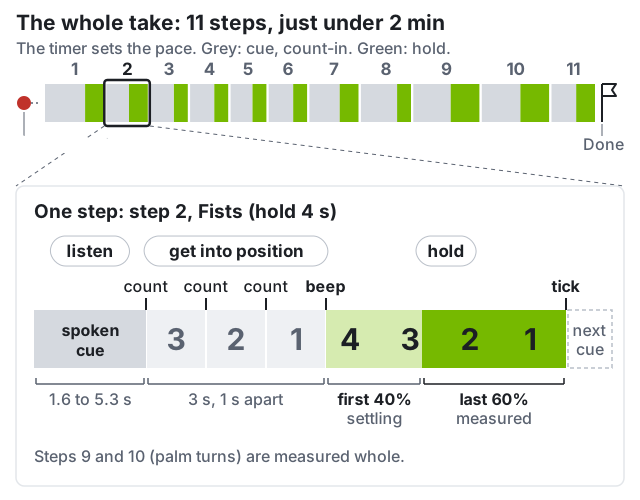
The cue is spoken, three counts lead in, a beep opens the hold, a tick
closes it. The capture panel shows **listen**, **get into position** (3, 2, 1), **hold**.
- **Audio is optional.** The capture panel shows each cue as text, with the count. To hear
the cues, connect speakers to the workstation; they do not play in the headset. Without
speakers, keep the capture panel in the performer’s view or have the helper read each cue
aloud; the beep is the moment the panel switches to **hold**.
- **Be in the pose by the beep, then keep still.** Move during the cue and count-in.
- **The first 40% of each hold is ignored**, so a slightly late arrival is fine.
- **The two rolls are measured whole, from beep to tick.** The cue’s “at the tone” means
the beep, not the count-in: start turning then, at least 90° out, then back.
Every step is also checked for the gross motion its name asks for
(`segmentation.labelled_step_actually_performed`); a missed step gives `retake`.
## The eleven steps
Both hands perform every step together, except the two rolls.
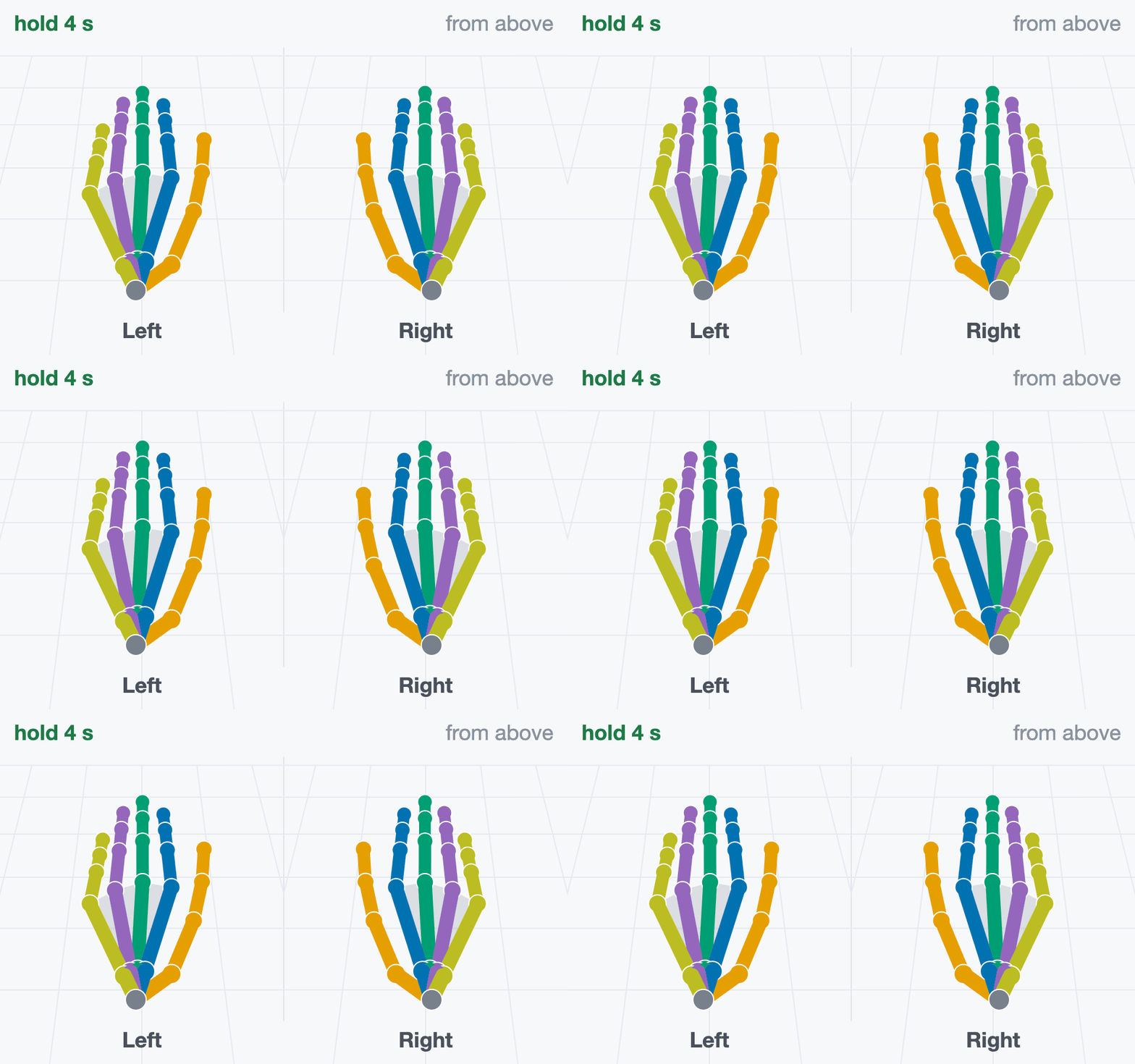
**1 · Flat on the table**
hold 4 s *“Rest both hands flat on the table, palms down,
fingers together.”*
Fingers straight and together, pressed onto the table. Do not hover.
Checked: fingers straight (`posture.flat_hand_extension`), joints in one plane
(`table.fingers_coplanar`), level (`table.level`), both hands at one height
(`table.hands_same_height`).
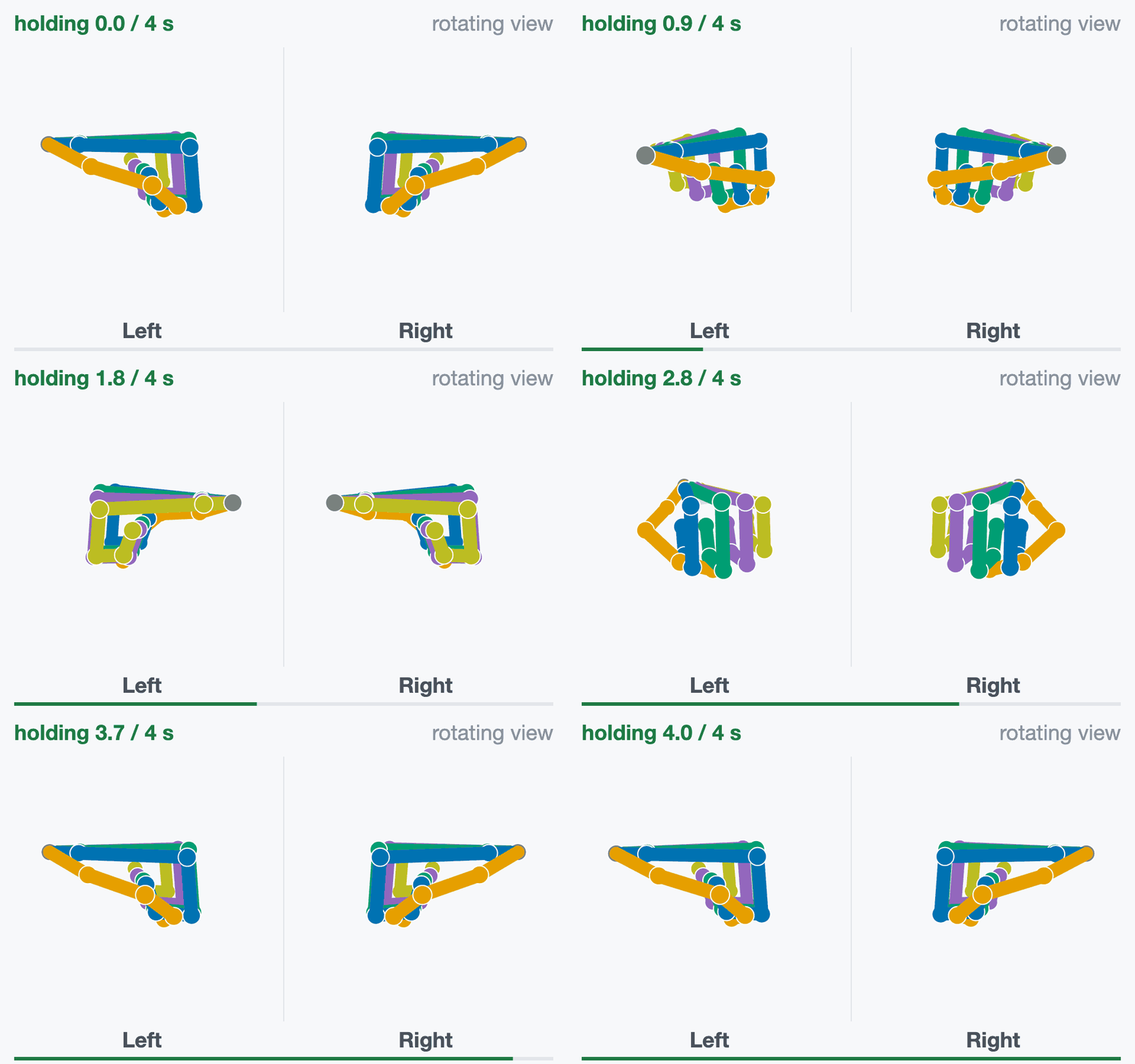
**2 · Fists**
hold 4 s *“Make two tight fists.”*
Curl every finger fully, thumb wrapped over the fingers.
Checked: fingers curled (`posture.fist_closure`), more than in the flat steps
(`segmentation.step_order_matches_labels`).
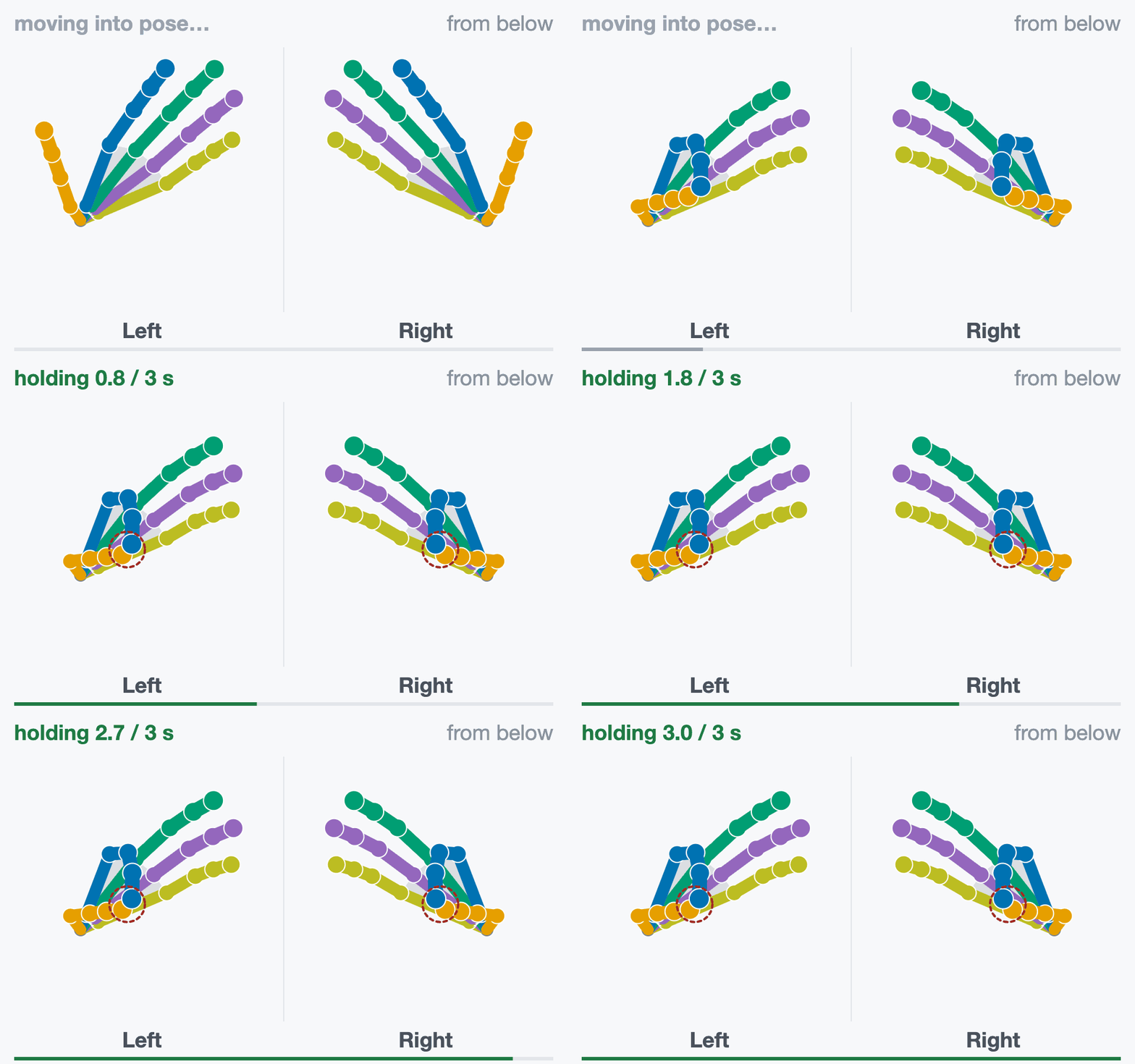
**3 · Pinch: index**
hold 3 s *“Thumb to index fingertip.”*
Pad to pad on both hands, the other fingers relaxed and open.
Checked: the tip nearest the thumb is the index (`pinch.finger_identity`).
Measured: thumb-to-tip distance (`pinch.contact_distance`).
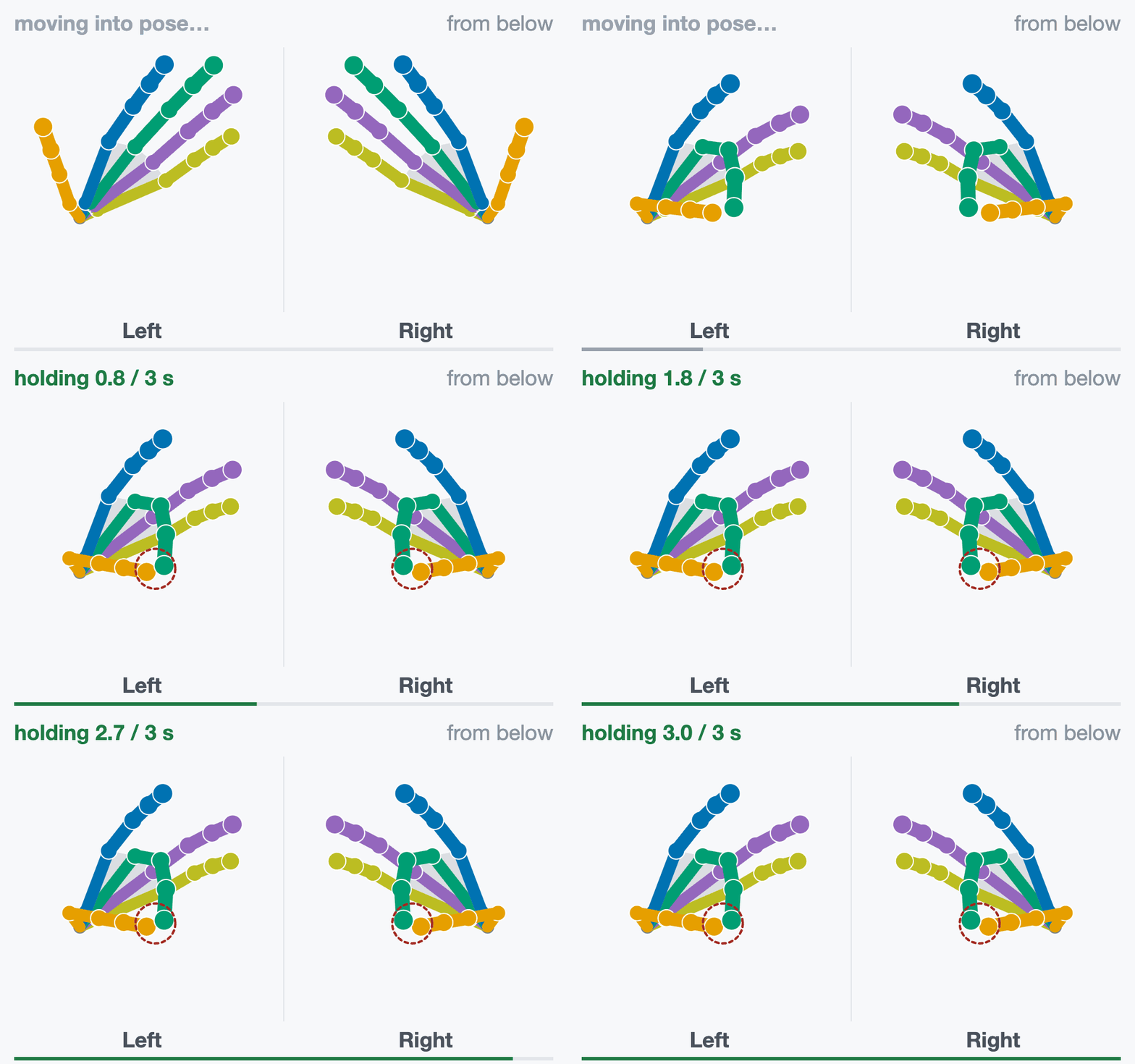
**4 · Pinch: middle**
hold 3 s *“Thumb to middle fingertip.”*
Pad to pad on both hands, the other fingers relaxed and open.
Checked: the tip nearest the thumb is the middle (`pinch.finger_identity`).
Measured: thumb-to-tip distance (`pinch.contact_distance`).
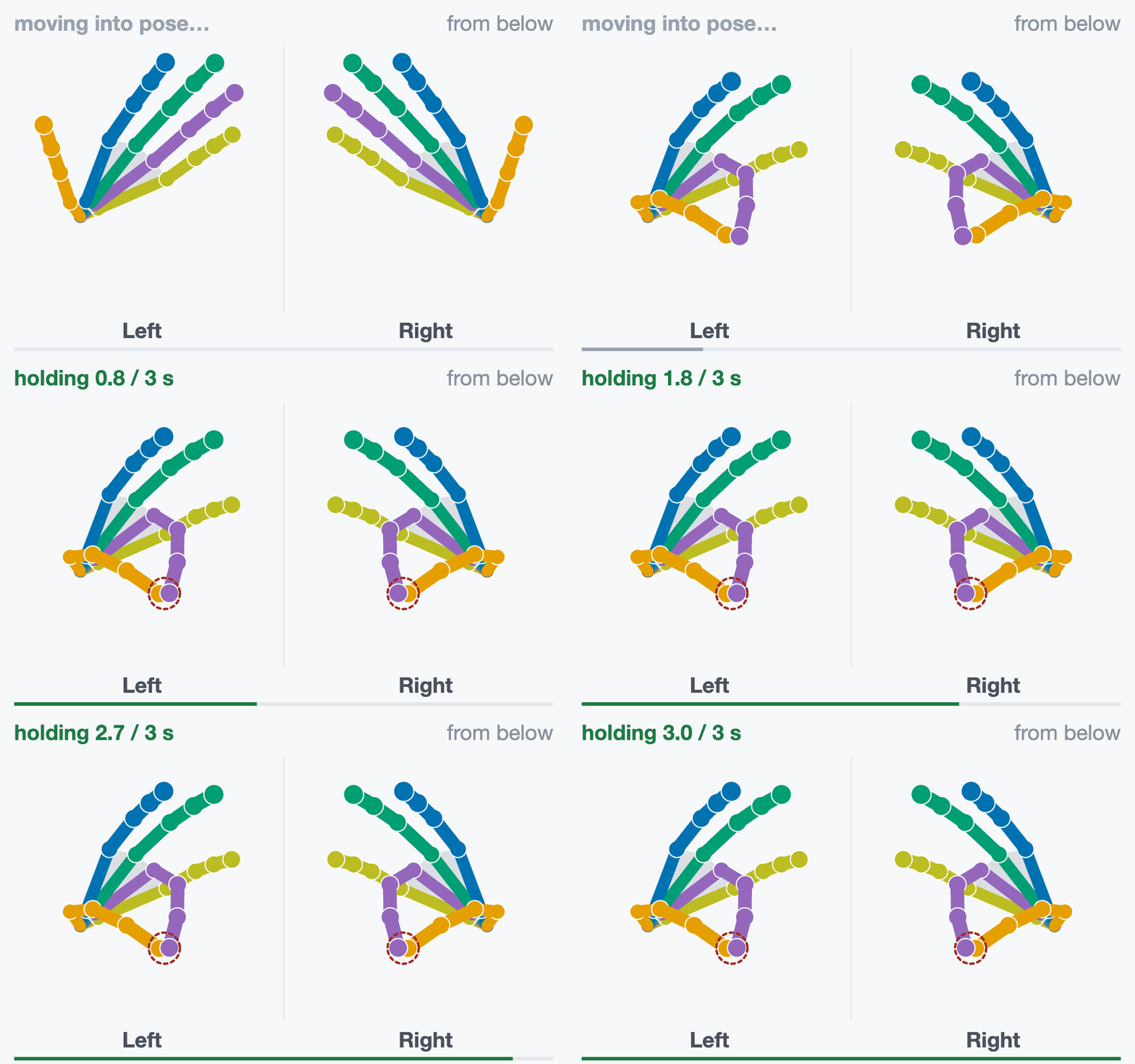
**5 · Pinch: ring**
hold 3 s *“Thumb to ring fingertip.”*
Pad to pad on both hands, the other fingers relaxed and open.
Checked: the tip nearest the thumb is the ring (`pinch.finger_identity`).
Measured: thumb-to-tip distance (`pinch.contact_distance`).
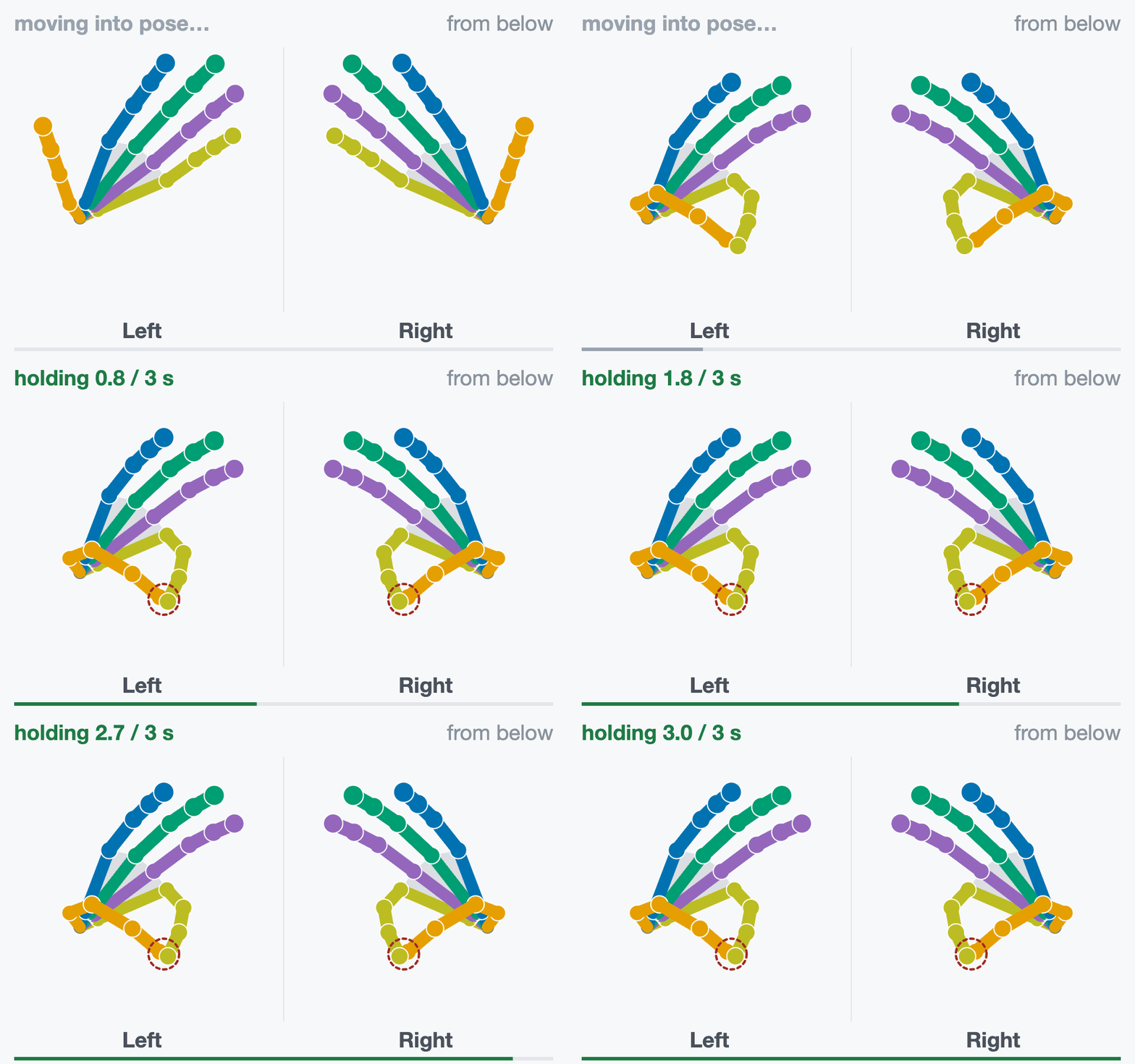
**6 · Pinch: little**
hold 3 s *“Thumb to little fingertip.”*
Pad to pad on both hands, the other fingers relaxed and open.
Checked: the tip nearest the thumb is the little (`pinch.finger_identity`).
Measured: thumb-to-tip distance (`pinch.contact_distance`).
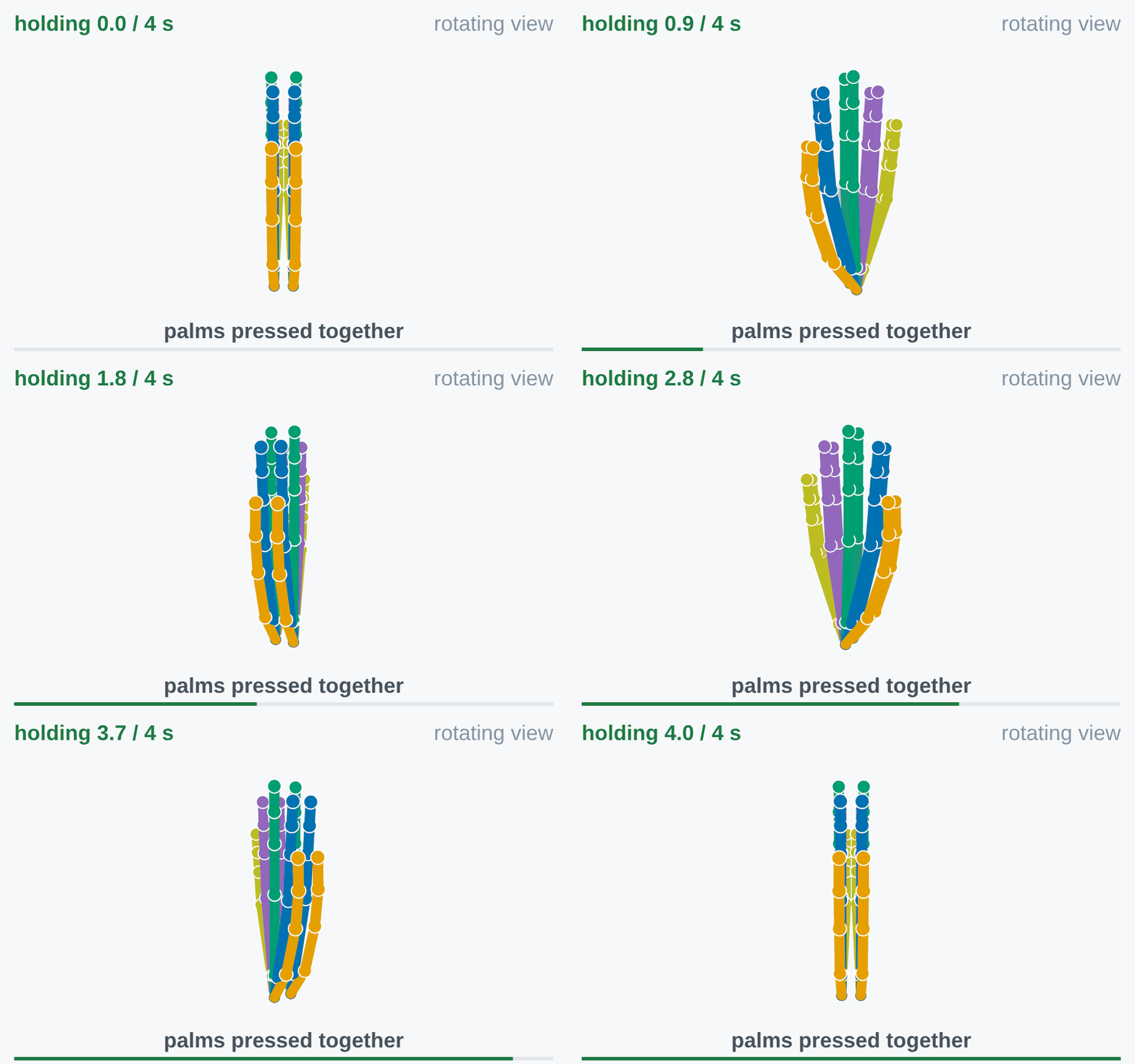
**7 · Palms together**
hold 4 s *“Press your palms together, fingers up.”*
Palms flat against each other, fingers up, thumbs closed alongside the index.
Checked: each fingertip sits opposite its namesake on the other hand, within 5 cm
(`palms.fingertip_gap`).
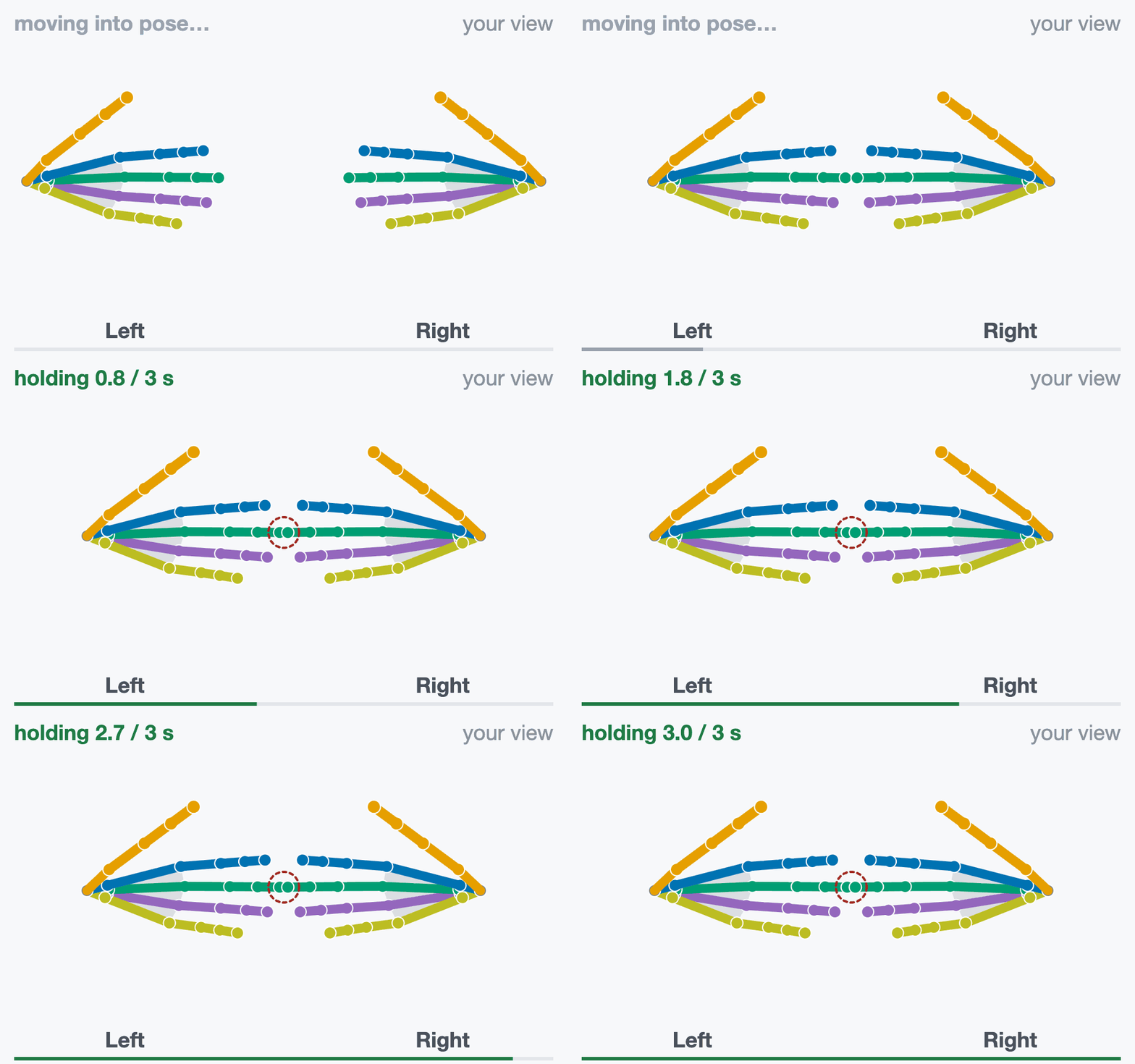
**8 · Fingertips together**
hold 3 s *“Raise both hands, palms facing you. Touch middle
fingertips.”*
Fingers point at each other; only the two middle fingertips touch.
Checked: the middle tips touch; this is the still reference for the rolls
(`tips.roll_contact`).
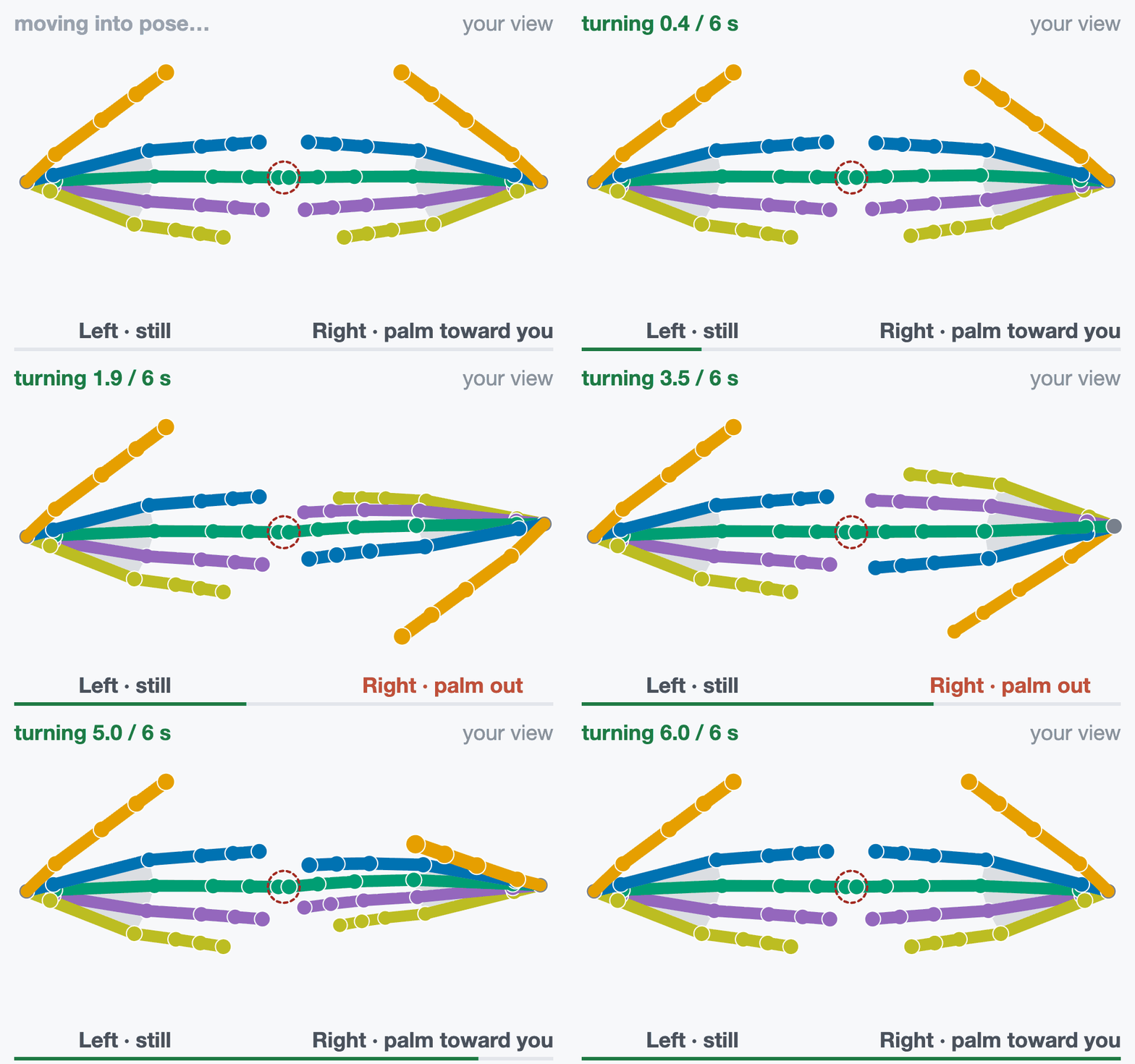
**9 · Right tip roll**
turn 6 s *“Fingertips touching. At the tone, turn the right
palm out, then back.”*
Left hand still. At the beep, turn the right palm out at least 90° and back,
tips touching.
Checked: the turning tip stays on the still one (`tips.roll_contact`); the
wrist turns with the joints (`consistency.position_orientation_same_frame`).
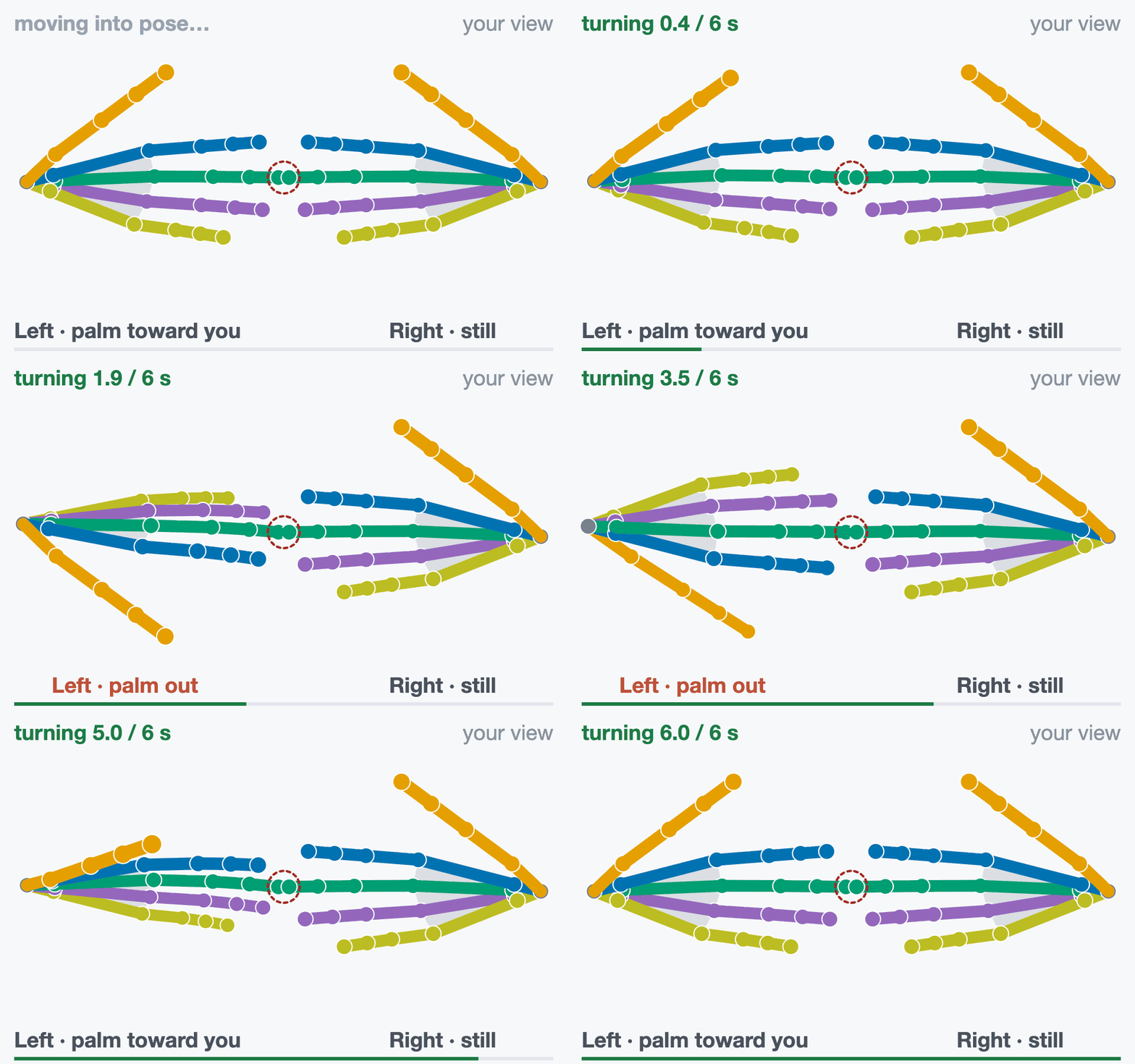
**10 · Left tip roll**
turn 6 s *“Fingertips touching. At the tone, turn the left
palm out, then back.”*
Right hand still. At the beep, turn the left palm out at least 90° and back,
tips touching.
Checked: the turning tip stays on the still one (`tips.roll_contact`); the
wrist turns with the joints (`consistency.position_orientation_same_frame`).
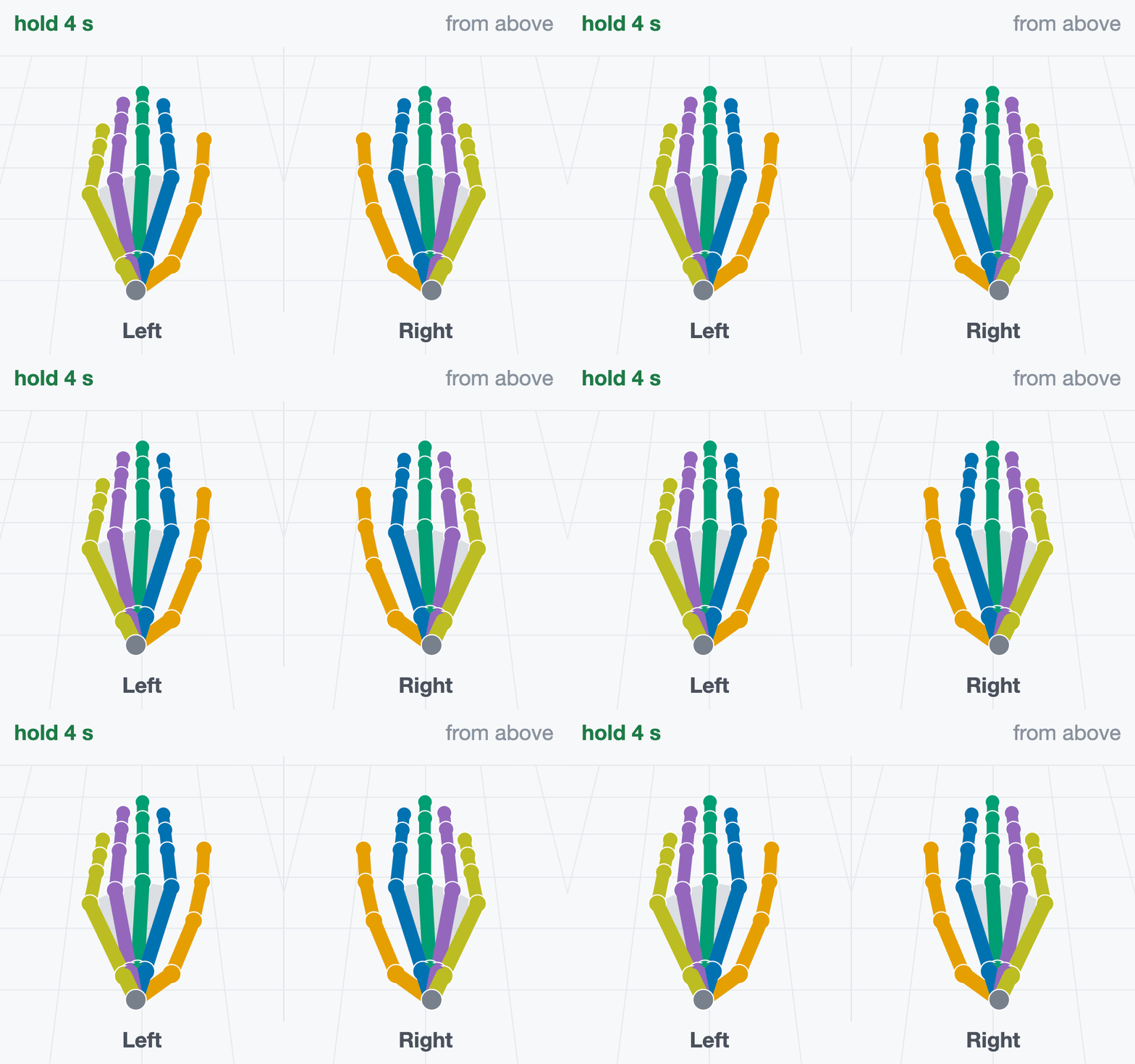
**11 · Flat on the table again**
hold 4 s *“Hands flat on the table again.”*
Same as step 1: fingers straight and together, pressed onto the table.
Checked: the four step 1 checks. Measured: shape and height drift since step 1
(`drift.flat_hand_between_windows`).
A roll under 90°, or middle tips more than 8 cm apart in step 8, gives `retake`.
How often each of the 26 joints is valid is measured (`coverage.all_26_valid_rate`),
not required.
## Rehearse
Download [`hand-rehearsal.mp3`](../_downloads/42e9871f2e36488d34d636939f88d59a/hand-rehearsal.mp3) (about 2 minutes). It
plays the cues, counts, beeps and ticks at the real timing. Perform along with it before
your first take.
- **Press and touch for real**: hands on the table, palms together, fingertips meeting.
- **You cannot pause or skip.** If a step goes wrong, let it finish and record again.
- **Practice takes cost nothing.** Takes are never overwritten; submit your best one.
- **Have a helper watch the capture panel** while you perform.
## Record
Run `record.sh` from the repository root. The first argument is required and names
your device: free text that names the take directory and files and is stored as
`device` in the provenance. The performer wears the connected headset; for headset
hands, or a glove wrist from hand tracking, it must see the hands.
Headset optical hands, no plugin:
```bash
src/python/isaaccapture/cts/hand/capture/record.sh quest3
```
A glove, through its plugin. `glovex` and `glove_x_plugin` are placeholders for a
fictional Glove X: use your device’s name and the `name:` from your plugin’s
`plugin.yaml`. The plugin is loaded from `install/plugins/` ([Set Up the Tools](setup.md)), and one that
fails to load stops the take. Environment variables your plugin reads, such as where it takes
the wrist pose from, go on the same command line.
```bash
src/python/isaaccapture/cts/hand/capture/record.sh glovex --plugin glove_x_plugin
```
`--note TEXT`, `--plugin-version NAME=VERSION` and `--wrist-source SOURCE` (where a
glove’s wrist pose comes from, such as `hand_tracking` or `controller`) are stored with the
take. `--wrist-source` defaults to the plugin’s own variable, named after it:
`GLOVE_X_WRIST_SOURCE` for `glove_x_plugin` (upper-cased, without `_plugin`). If your
plugin reads its wrist source from an environment variable, name it that way and takes are
labelled without the flag. Then:
1. Open the capture panel at the address the run prints: [http://localhost:8081](http://localhost:8081) unless that port
was taken, or the `[capture] headset:` address in the headset’s browser.
2. Press **Start recording**. The script starts once both hands have had a valid
joint. A red **No hand data after 10 s** box lists causes; the take keeps running.
3. Perform the eleven steps. After *“Done. You can stop now.”* the capture panel writes the
labels and audits them, row by row, `ok` or `BAD`:
- `BAD` on `hand channels` or `segmentation.label_alignment`: one hand sent
no records, or the step windows have no frames. Look at the data stream.
- `BAD` on `segmentation.labelled_step_actually_performed`: a step was missed
(the detail names it). Record another take.
4. Press Ctrl+C when you have read it.
```text
~/isaaccapture-cts/glovex_2026-03-04_101530/
├── glovex_2026-03-04_101530-hand.mcap the recording
├── glovex_2026-03-04_101530-hand.labels.json one window per step
├── glovex_2026-03-04_101530-hand.json provenance: device, plugins, commit
└── glovex_2026-03-04_101530-hand.log capture panel output and label audit
```
Keep the four files together and never rename them. The labels are stamped during the
take and cannot be regenerated.
## Check
Point the checker at the `.mcap` inside its take directory, so it finds the labels file
beside it (to check on another machine, copy the whole directory):
```bash
src/python/isaaccapture/cts/hand/checker/.venv/bin/python -m hand_cts.cli \
~/isaaccapture-cts//-hand.mcap
```
It prints the verdict and one line per check, and exits 0 `pass`, 1 `fail`, 2 `retake`
or 3 `insufficient_data`, or 4 when the check could not run; [Verdicts](overview.md#cts-overview-verdicts)
says what each means and what to do.
Each `[FAIL]` line names the check and what it measured;
[hand/checker/README.md](https://github.com/NVIDIA/IsaacCapture/blob/main/src/python/isaaccapture/cts/hand/checker/README.md)
explains every check. The output for a synthetic reference take, shortened:
```text
source hand/oracle/fixtures/golden_full_script.mcap
frames 8100
topic hands/left_hand schema core.HandPoseRecord
verdict PASS
…
[pass] rate.minimum_rate left: 60.0 Hz; right: 60.0 Hz
[pass] rate.frame_gaps left: no gaps; right: no gaps
[pass] continuity.max_joint_velocity left: peak 1.5 m/s; right: peak 1.5 m/s
…
[pass] posture.fist_closure left: straightness 0.39; right: straightness 0.39
…
[pass] palms.fingertip_gap index 18 mm, middle 22 mm, ring 18 mm, little 10 mm
…
```
If the report says `no motion-step labels beside the recording`, fix the path before
trusting a `pass`. `--json` prints the machine-readable report, `--list-checks` lists
every check without a recording, and `--check NAME` runs only that check.
## View
The viewer needs the checker environment set up with `--panel` ([Set Up the Tools](setup.md)):
```bash
src/python/isaaccapture/cts/hand/checker/.venv/bin/python -m hand_cts.panel \
~/isaaccapture-cts//-hand.mcap
```
It prints the same report and the address it serves, [http://127.0.0.1:8080](http://127.0.0.1:8080) by default
(`--host 0.0.0.0` to reach it from another machine). The viewer replays both hands with the
current step and lists the checks, the deciding ones first; invalid joints show red. Its
**package for submission** button builds the archive you send: see [Submit Your Results](submit.md).
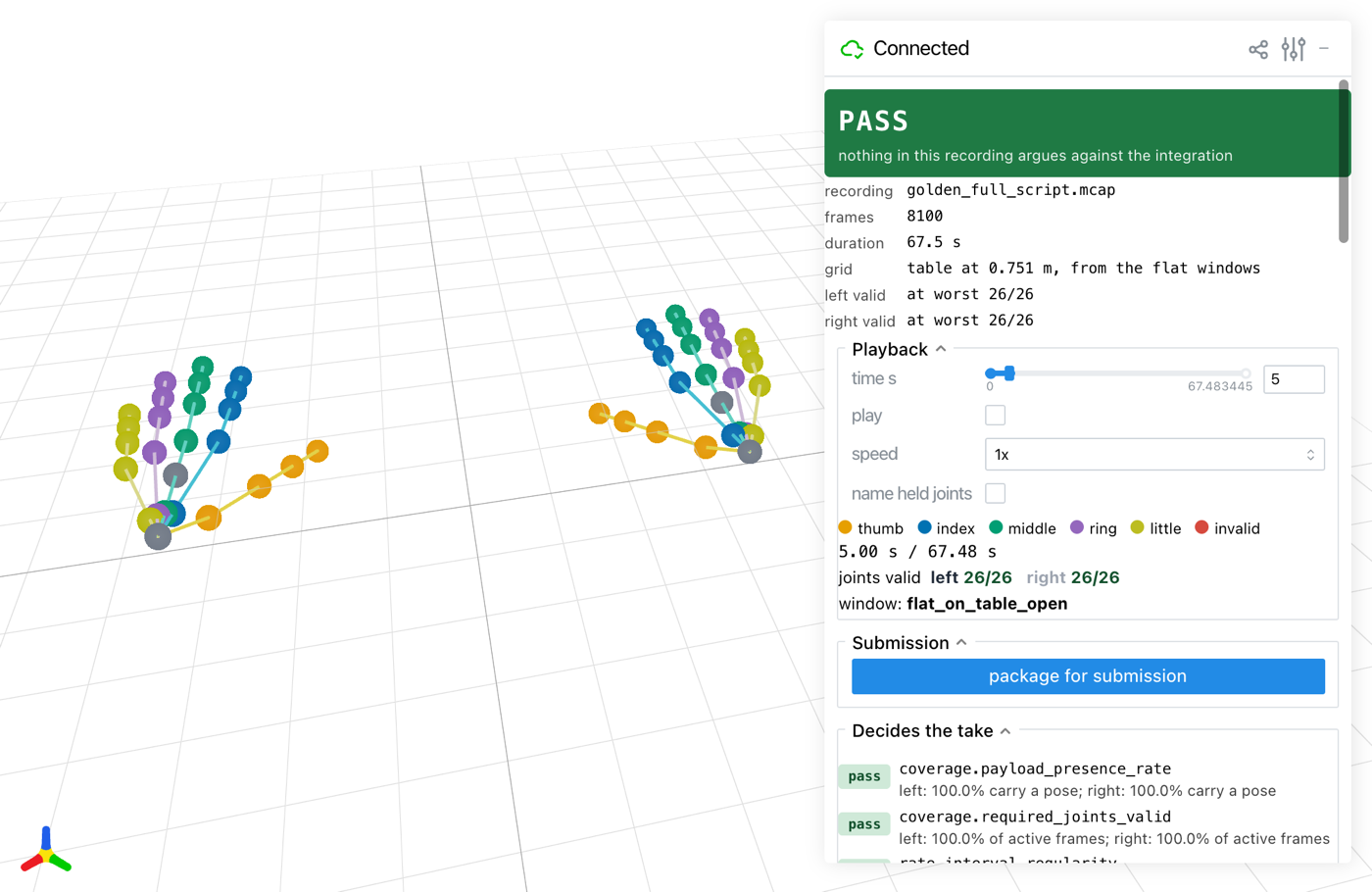
The viewer on a synthetic reference take, during step 1.
## Troubleshooting
| What you see | What to do |
|---------------------------------------------------------------------------------------------------------------------------------------------|------------------------------------------------------------------------------------------------------------------------------------------------------------------------------------------------------|
| **Start recording** hangs after `waiting for a system...` in the terminal | No headset is connected to CloudXR; connect it ([Set Up the Tools](setup.md)) and the take
goes on. Ctrl+C does not work here; close the terminal to get out. |
| **No hand data after 10 s** | Plugin: it exited, the glove is off, unpaired or uncalibrated, or no wrist
source is tracked. Headset: hand tracking is off or the hands are out of view. |
| The capture panel shows `21 / 26 valid` in red | Expected for a 21-joint glove; only the 21 required joints are judged. |
| The capture panel says **Spoken cues are off** | `aplay` is missing. Install `alsa-utils` and restart the panel to hear the cues, or
record with the on-screen cues only. |
| `… is a Git LFS pointer, not audio` at startup | Install `git-lfs` and run `git lfs pull`. |
| *the session did not open: … Required plugin … was not discovered*, or `--plugin given
but no plugins/ or install/plugins/ in the repo` | `--plugin` must match the `name:` in an installed `plugin.yaml`. Run
`cmake --install build` ([Set Up the Tools](setup.md)), then record again. |
More in [hand/README.md](https://github.com/NVIDIA/IsaacCapture/blob/main/src/python/isaaccapture/cts/hand/README.md)
(recording) and
[hand/checker/README.md](https://github.com/NVIDIA/IsaacCapture/blob/main/src/python/isaaccapture/cts/hand/checker/README.md)
(every check and the report format).