# System Requirements
Isaac Teleop can be used for teleoperation of robots, data collection, and human-centric data
collection. The hardware & software requirements are different for each use case.
## Teleoperation to Robots with Input Devices
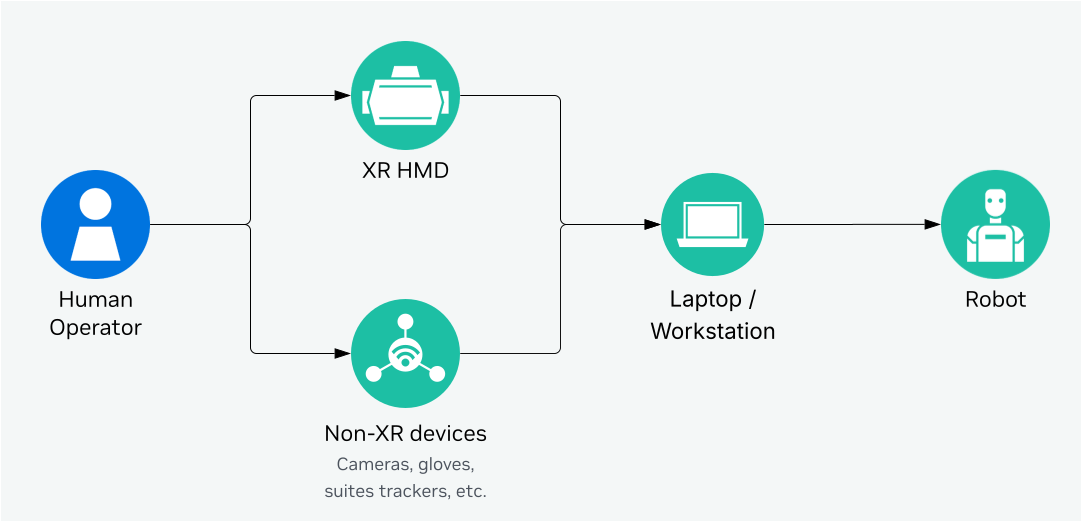
When using extra input devices (such as Manus Gloves, Logitech Rudder Pedals, OAK-D Camera, Haptikos Exoskeletons etc.),
Isaac Teleop needs to be **run on a laptop or workstation**, that is connected to the robot via
network. The minimum requirements for the laptop/workstation are:
| Component | Requirement |
|---------------|----------------------------------------------------------|
| CPU / GPU | x86_64 [1](#jetson-nano), NVIDIA GPU required |
| OS | Ubuntu 22.04 or 24.04 |
| Python | 3.11 / 3.12 / 3.13 |
| CUDA | 12.8 or newer |
| NVIDIA Driver | 580.95.05 or newer |
## Teleoperation with Isaac Sim and Isaac Lab
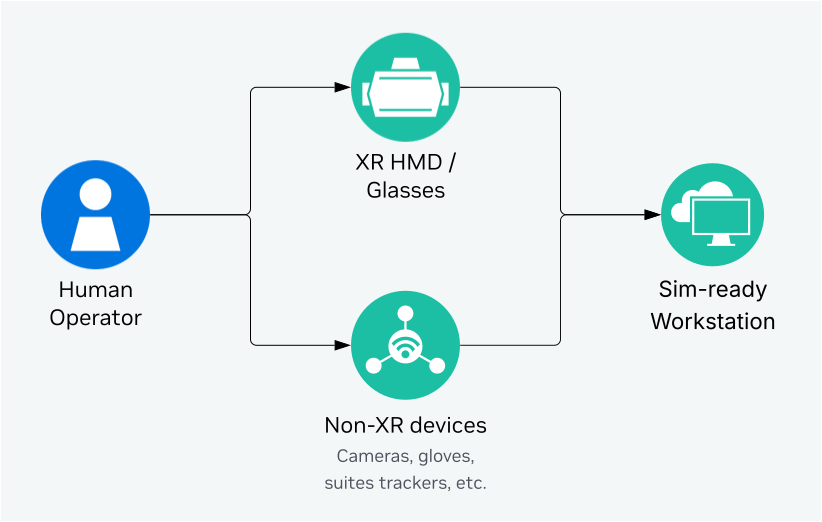
For running simulation with Isaac Sim and Isaac Lab with RTX rendering, the CloudXR server and
Isaac Teleop sessions need to be **run on the same workstation with Isaac Sim and Isaac Lab**. The
workstation’s system requirements are driven by Isaac Sim and Isaac Lab [2](#isaacsim-req).
The recommended workstation configuration for Sim-based Teleop is:
| Component | Requirement |
|---------------|------------------------------------------------------------|
| CPU | AMD Ryzen Threadripper 7960x |
| GPU | 1x RTX 6000 Pro (Blackwell) or 2x RTX 6000 (Ada) |
| OS | Ubuntu 22.04 or 24.04 [3](#isaaclab-req) |
| Python | 3.12 [3](#isaaclab-req) |
| CUDA | 12.8 or newer |
| NVIDIA Driver | Per Isaac Sim’s requirements [2](#isaacsim-req) |
If you are only using XR headsets for teleoperation, you can host the workstation in the cloud.
See [Isaac Lab Cloud Deployment](https://isaac-sim.github.io/IsaacLab/develop/source/features/docker_cloud.html#cloud-workstations)
for more details.
## Human-centric Data Collection
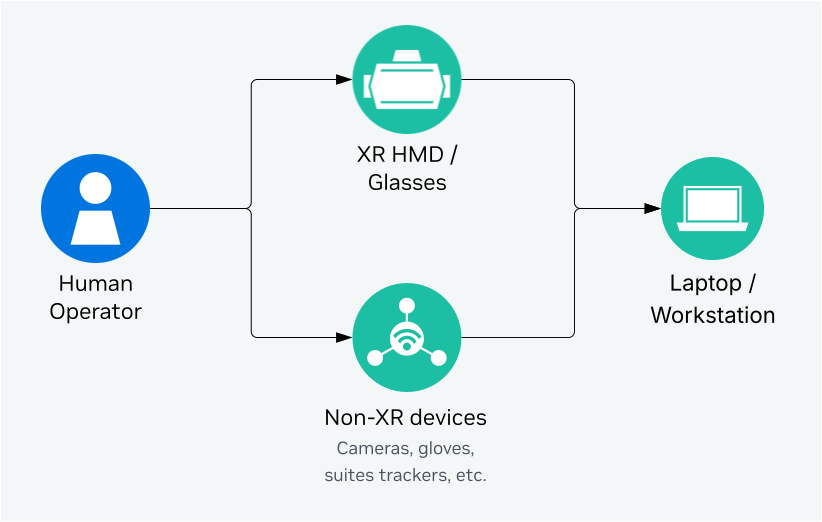
Isaac Teleop can also be used for human-centric data collection without a robot or simulator in the
loop. In this case, Isaac Teleop needs to be **run on a laptop or workstation**, that is connected
to device peripherals. The minimum requirements for the laptop/workstation are:
| Component | Requirement |
|---------------|----------------------------------------------------------|
| CPU / GPU | x86_64 [1](#jetson-nano), NVIDIA GPU required |
| OS | Ubuntu 22.04 or 24.04 |
| Python | 3.11 / 3.12 / 3.13 |
| CUDA | 12.8 or newer |
| NVIDIA Driver | 580.95.05 or newer |
### Footnotes
* **[1]** Jetson Nano support is being considered. See [#271](https://github.com/NVIDIA/IsaacTeleop/issues/271) for more details. Please up-vote and/or comment on the issue if you are interested in this feature.
* **[2]** Please refer to [Isaac Sim System Requirements](https://docs.isaacsim.omniverse.nvidia.com/latest/installation/requirements.html) for more details.
* **[3]** Please refer to [Isaac Lab System Requirements](https://isaac-sim.github.io/IsaacLab/develop/source/setup/installation/index.html#system-requirements) for more details.