
Profiling#
NSight Compute can be used to profile Python kernels. The workflow is similar to working with a CUDA C++ application. To use NSight Compute with kernels in a Python application, configure the target platform as follows:
Application Executable should be the Python interpreter in the environment used to run the application.
Working directory is usually the directory containing the Python file to run.
Command Line Arguments should be the name of the Python file to run, plus any other arguments that would normally be given at the command line.
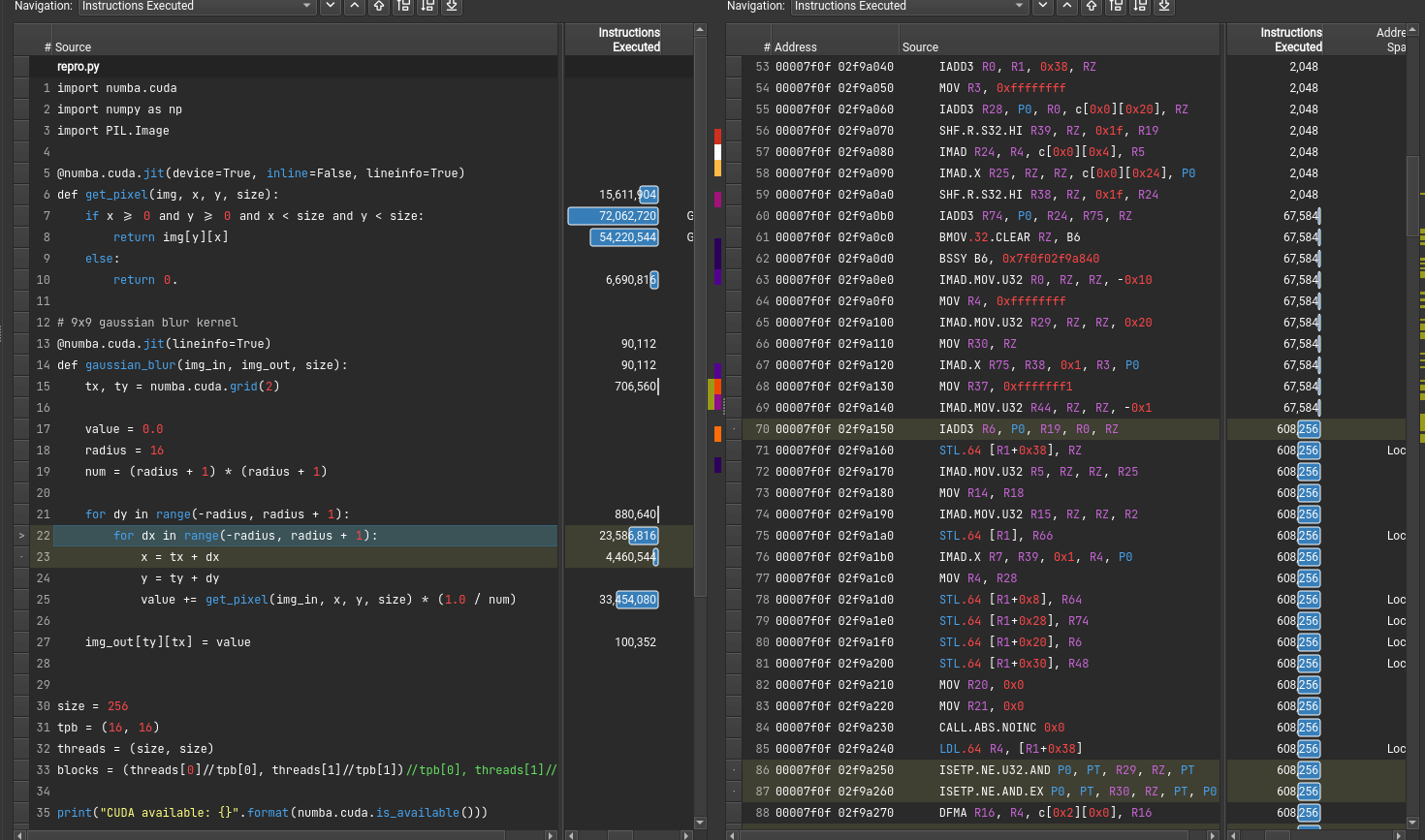
Once the target is configured, NSight Compute can be used as normal. The same metrics will be collected as for a CUDA C++ application, including correlation with the Python kernel source lines. For example: