Electrostatics Benchmarks#
Performance benchmarks for electrostatic interaction methods in ALCHEMI Toolkit-Ops — Ewald summation and Particle Mesh Ewald (PME). Results show scaling behaviour across system sizes for both single-system and batched computations.
Warning
These results are intended to be indicative only: your actual performance may vary depending on the atomic system topology, software and hardware configuration and we encourage users to benchmark on their own systems of interest.
Note
Every PME and Ewald row measures the same complete differentiable workload:
evaluate energy, then derive forces (-dE/dR) and charge gradients
(dE/dq) through framework autodiff. The reportable default times this full
workload once; real/reciprocal component profiling is opt-in. Missing plotted
points are retained as success=False CSV rows, typically with
error_type=OutOfMemoryError or SkippedAfterOOM. Strict-accuracy PME
rows that exceed XLA autotuning or cuFFT planning capacity use
error_type=JaxRuntimeError.
How to Read These Charts#
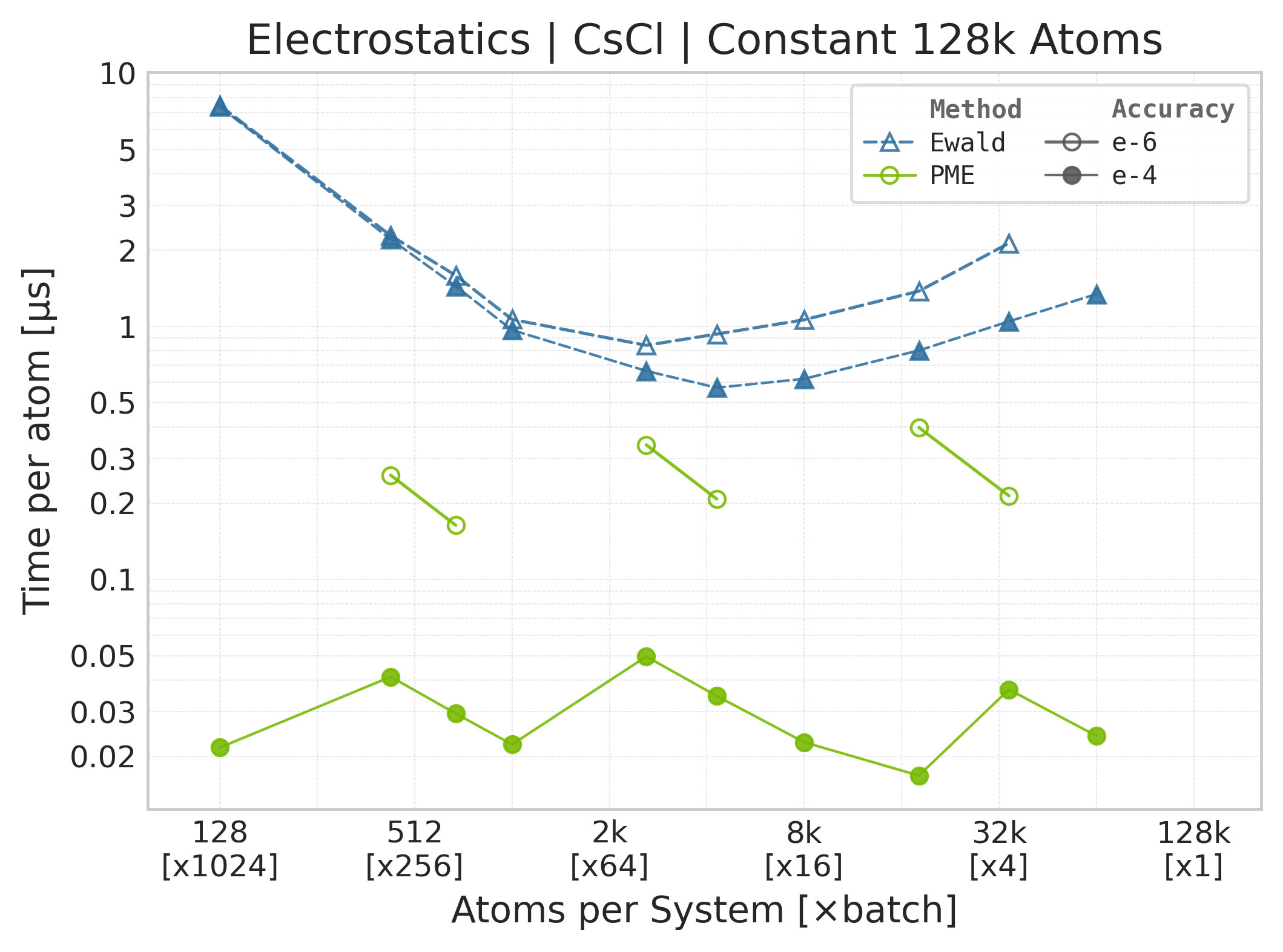
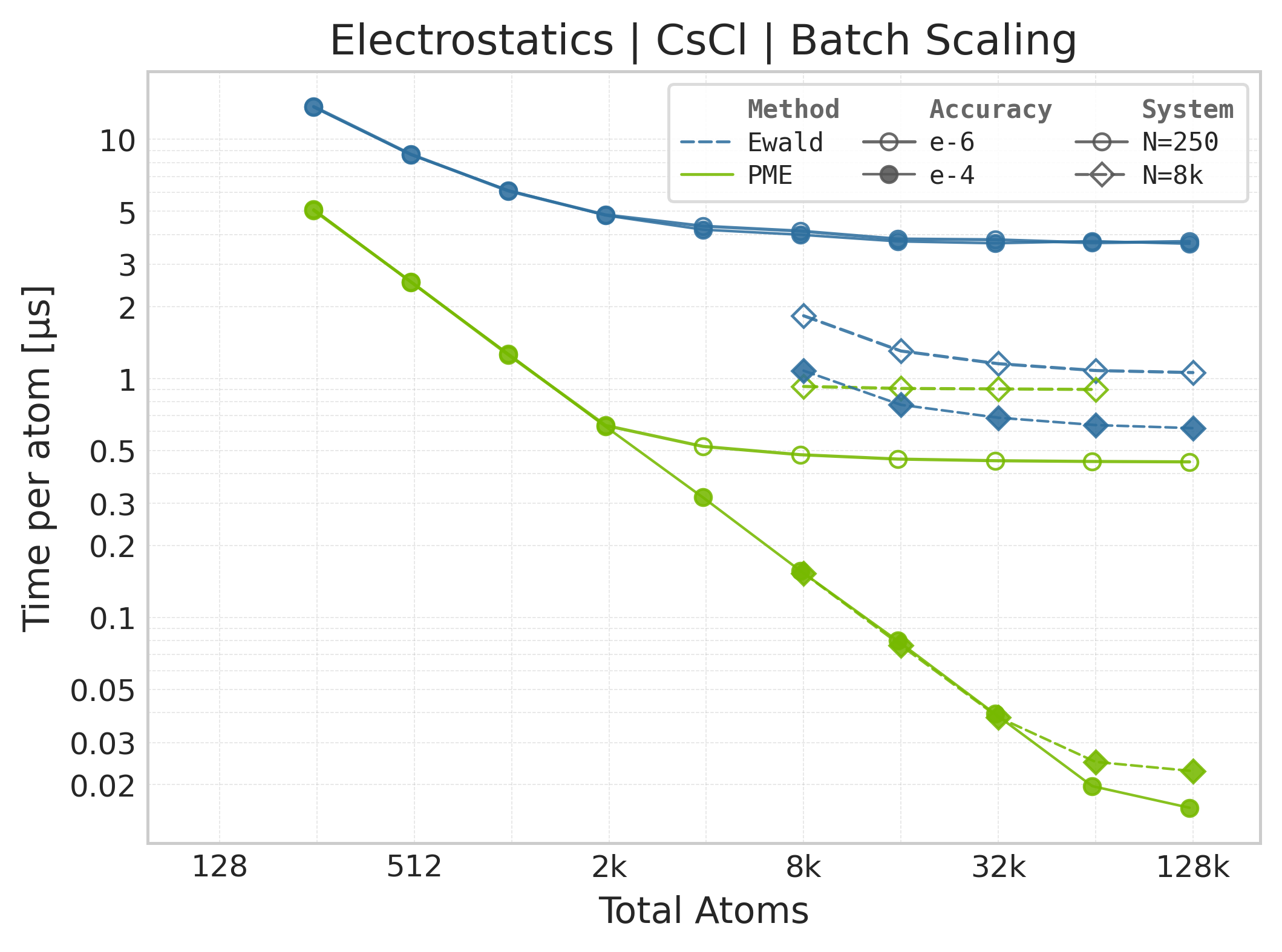
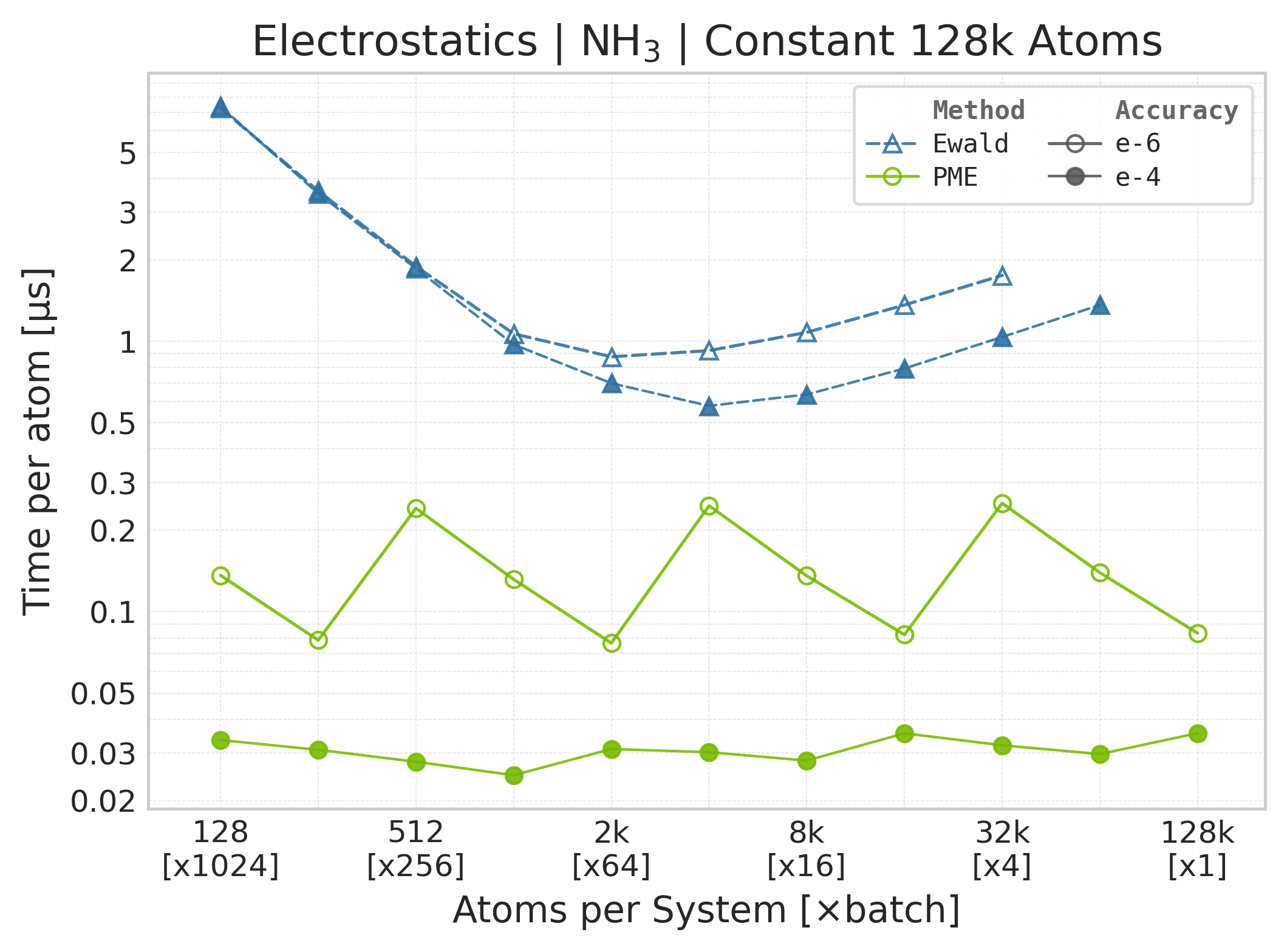
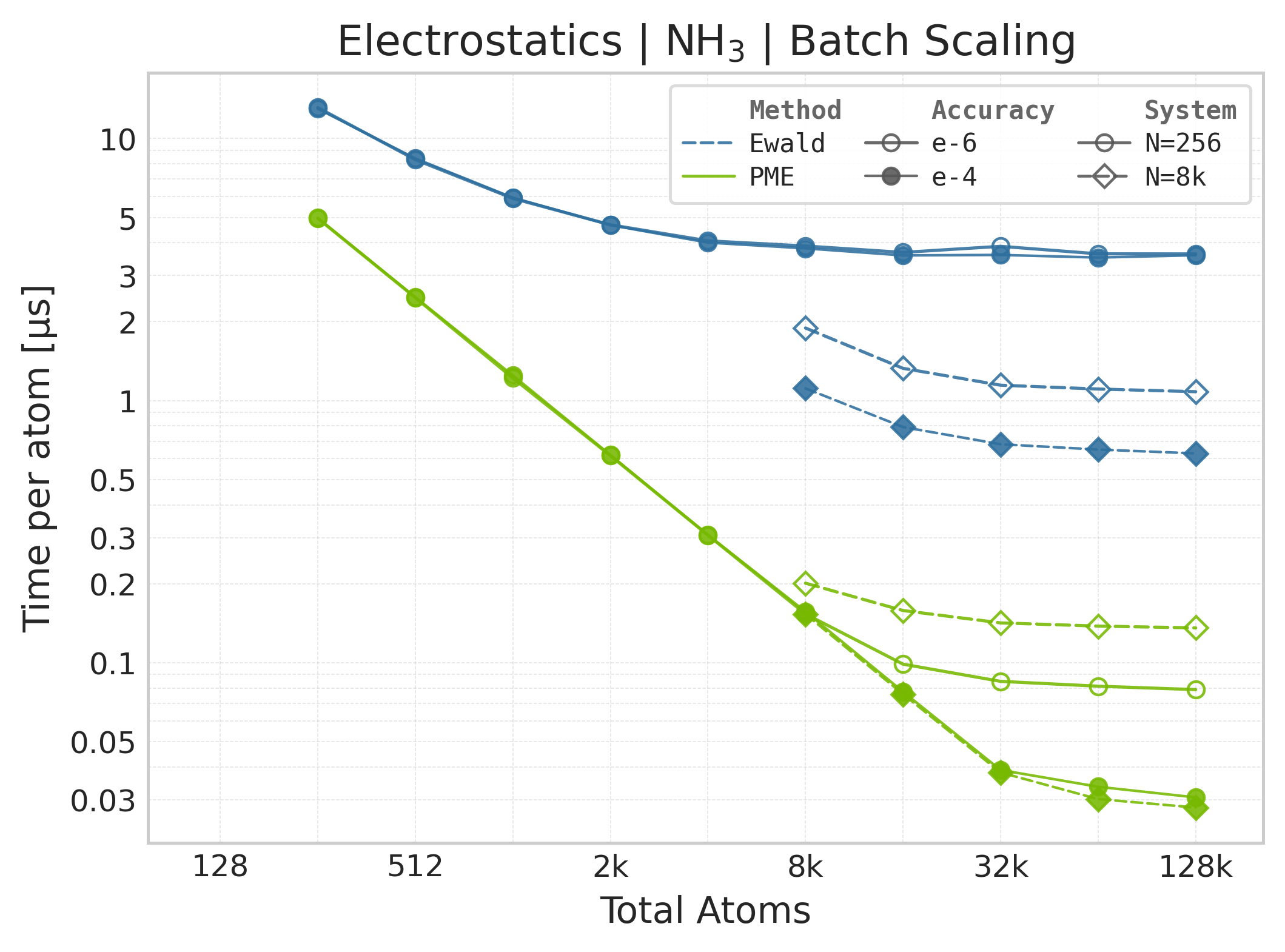
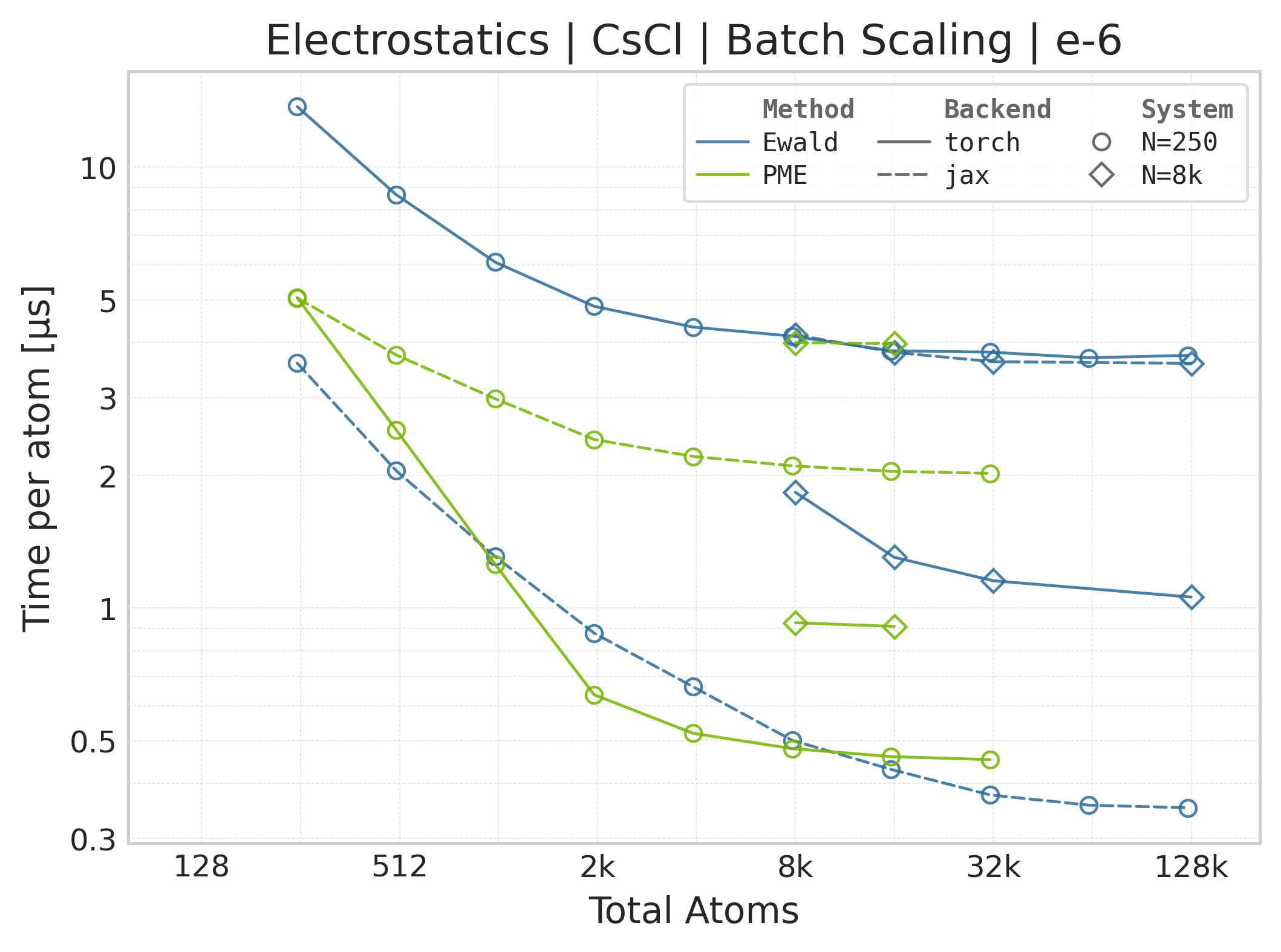
Time Scaling : Mean execution time (µs/atom) vs. system size. Lower is better. Timings include both real-space and reciprocal-space contributions when running “full” mode.
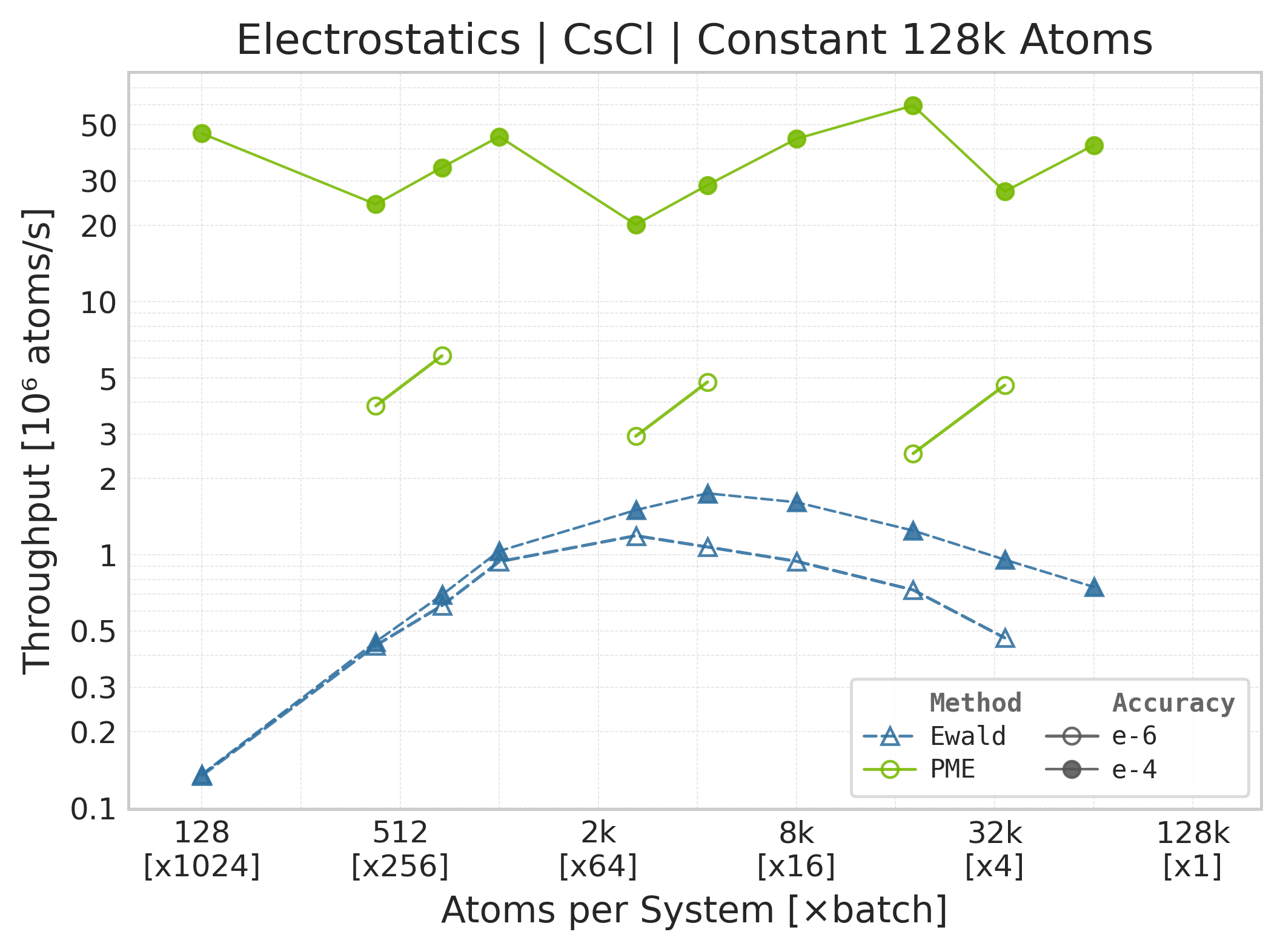
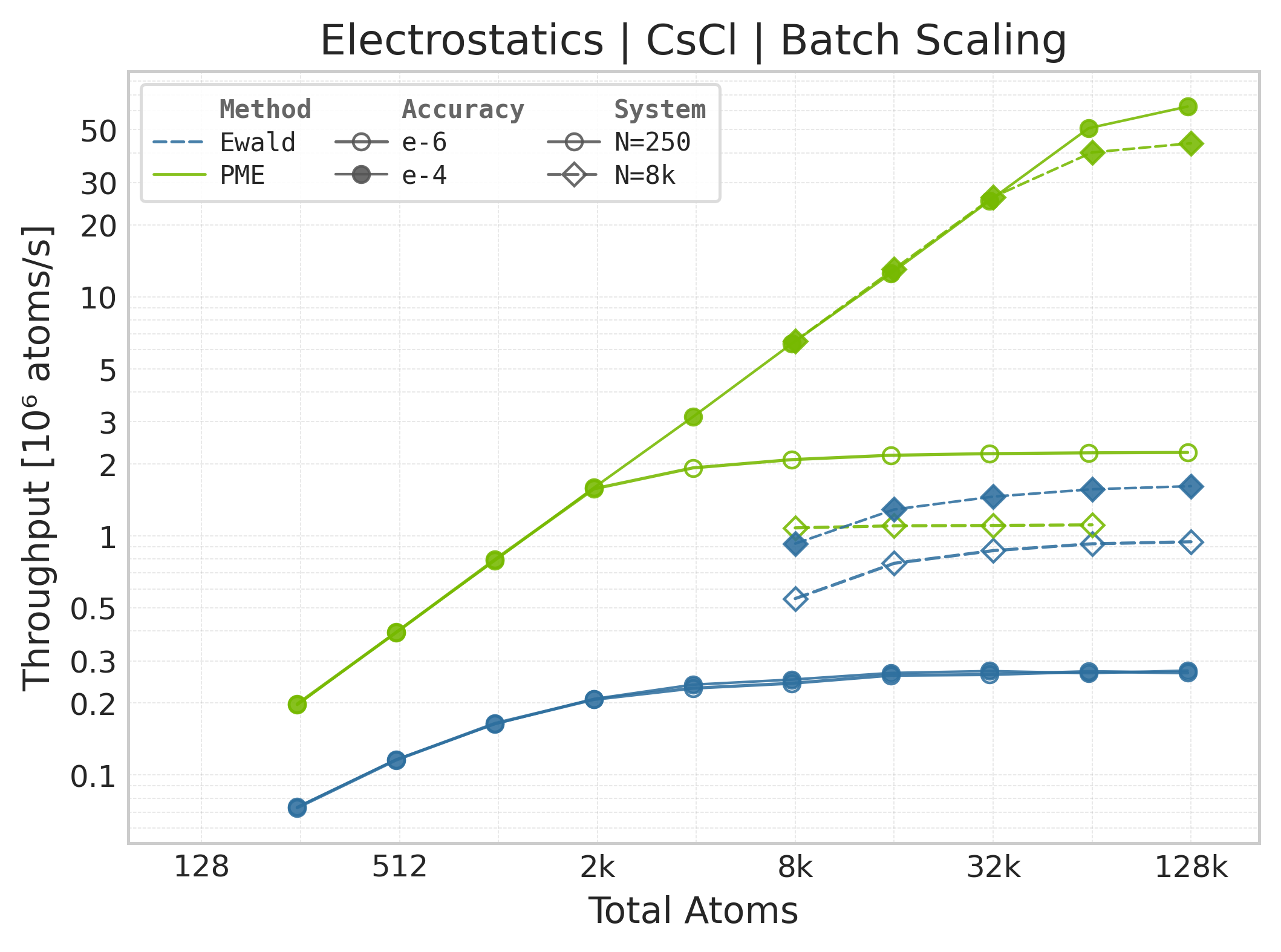
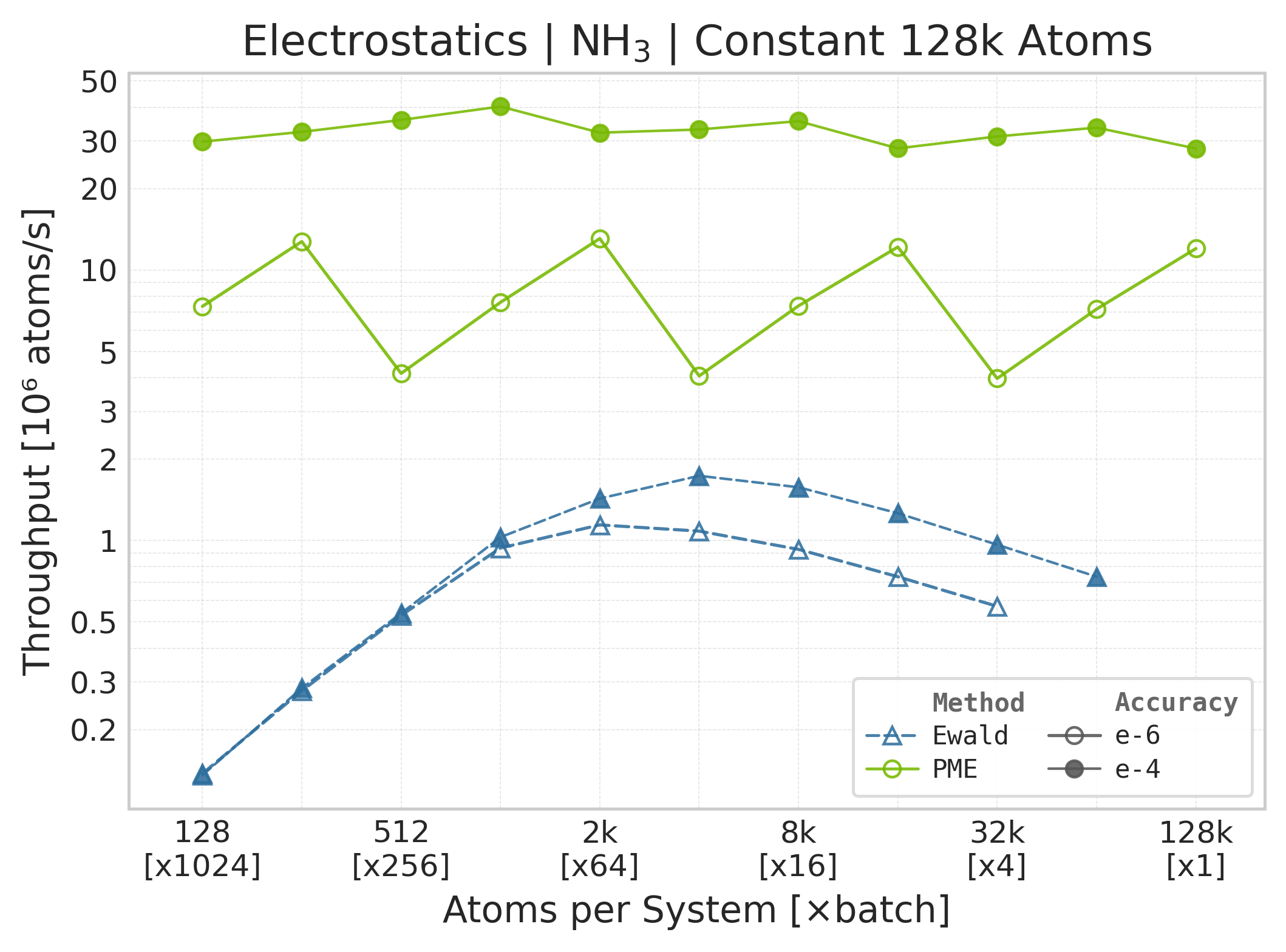
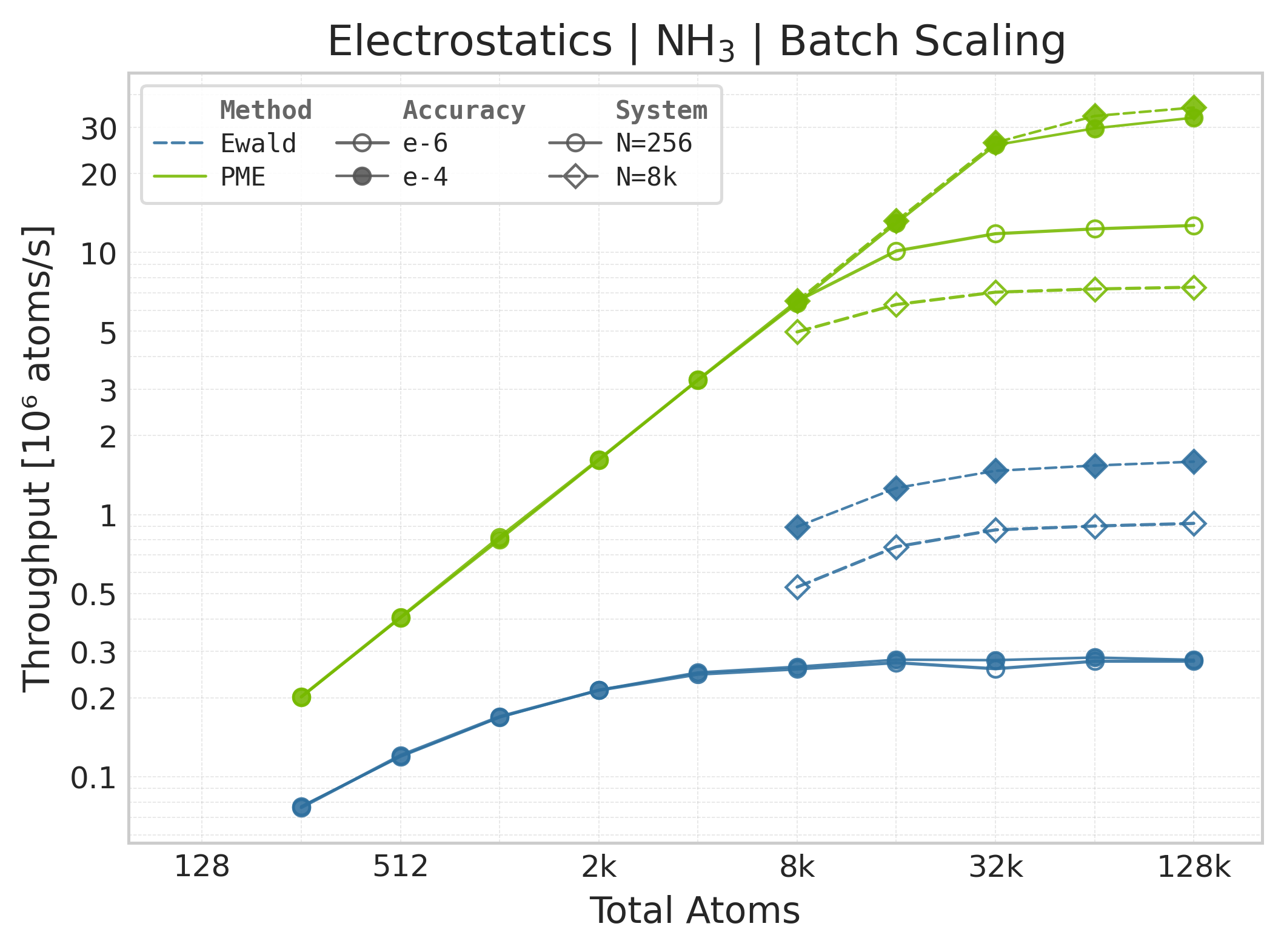
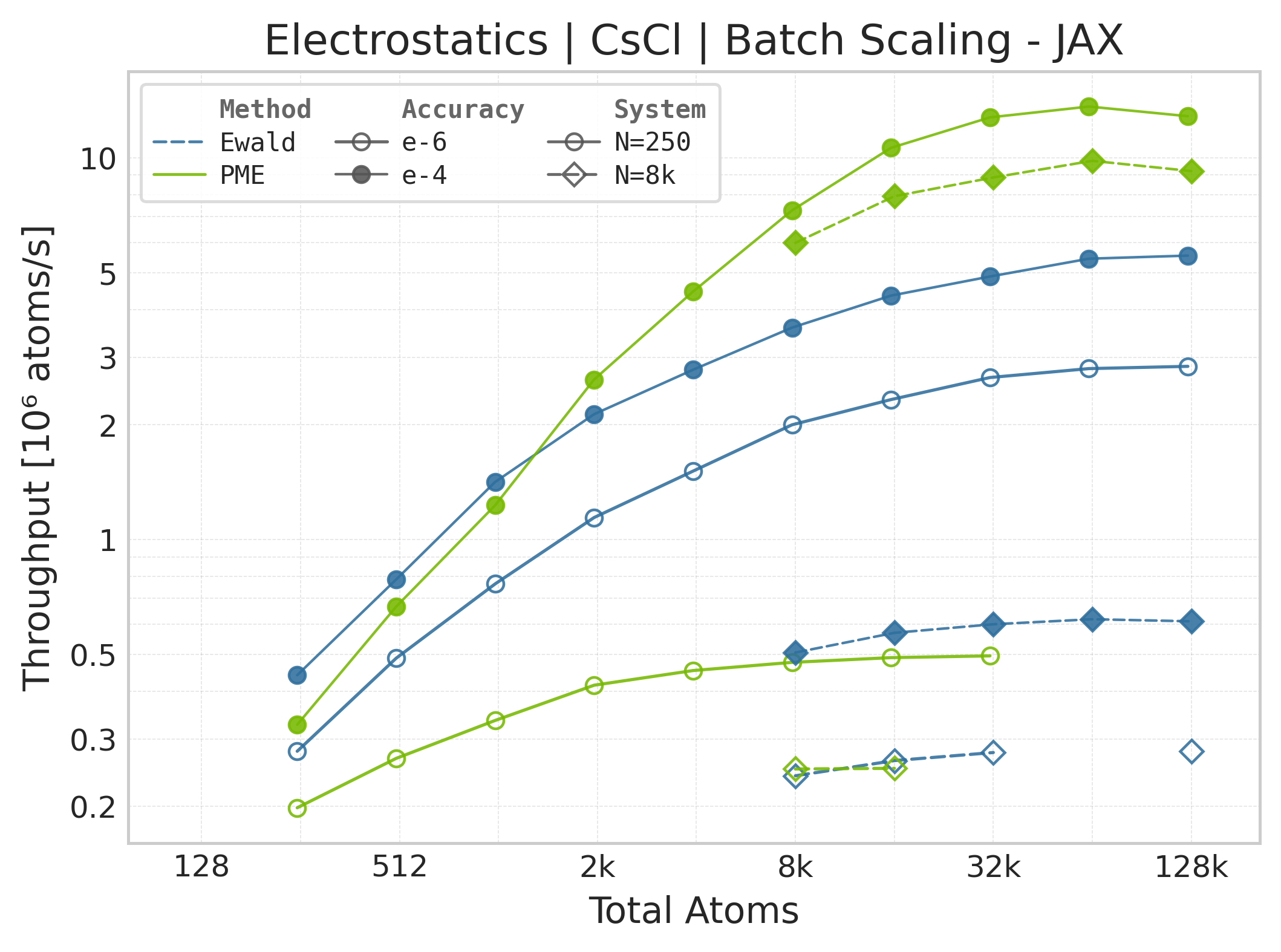
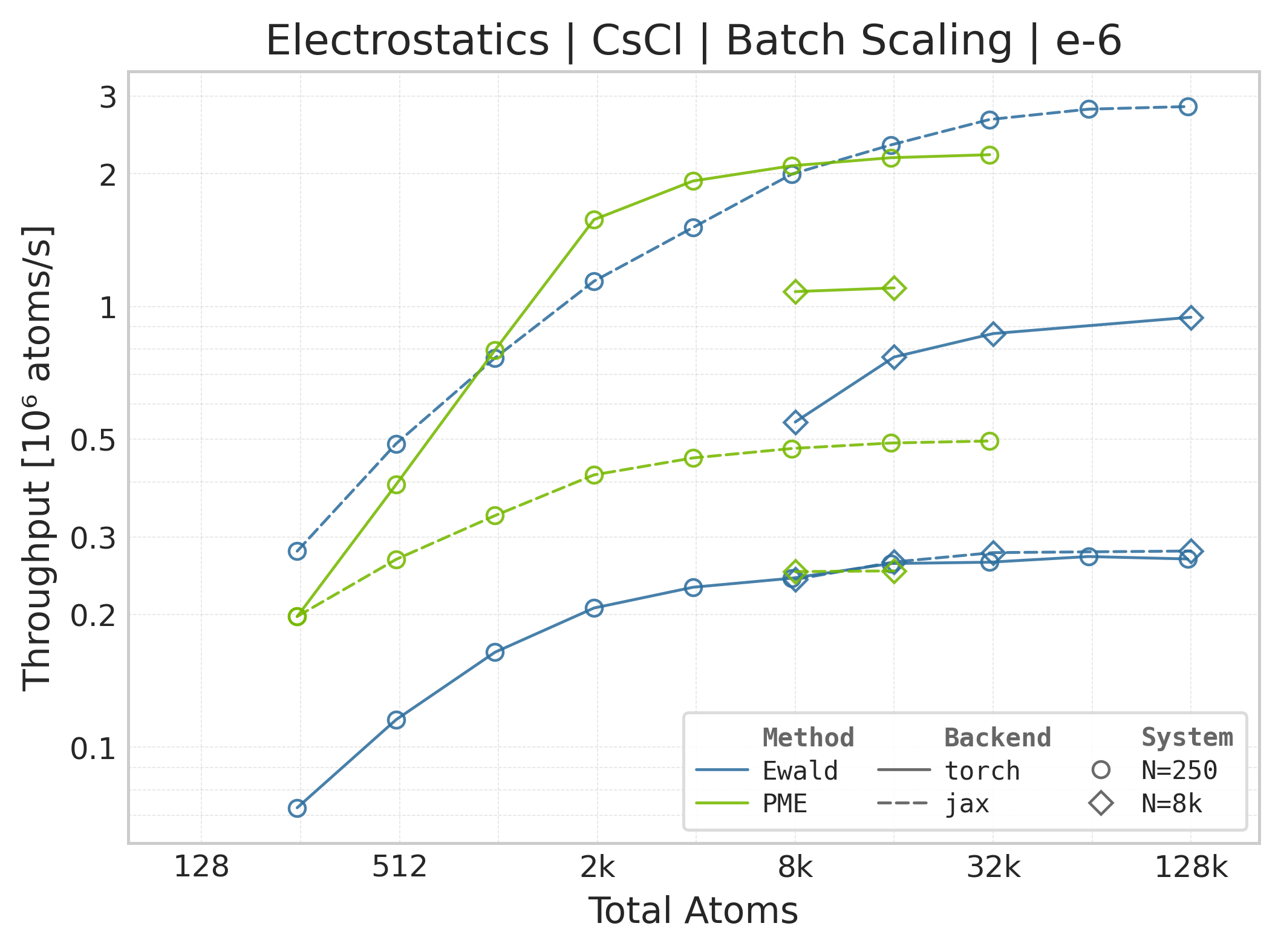
Throughput : Atoms processed per second (plotted as \(10^6\) atoms/s). Higher is better. This indicates the scaling point where the GPU saturates.
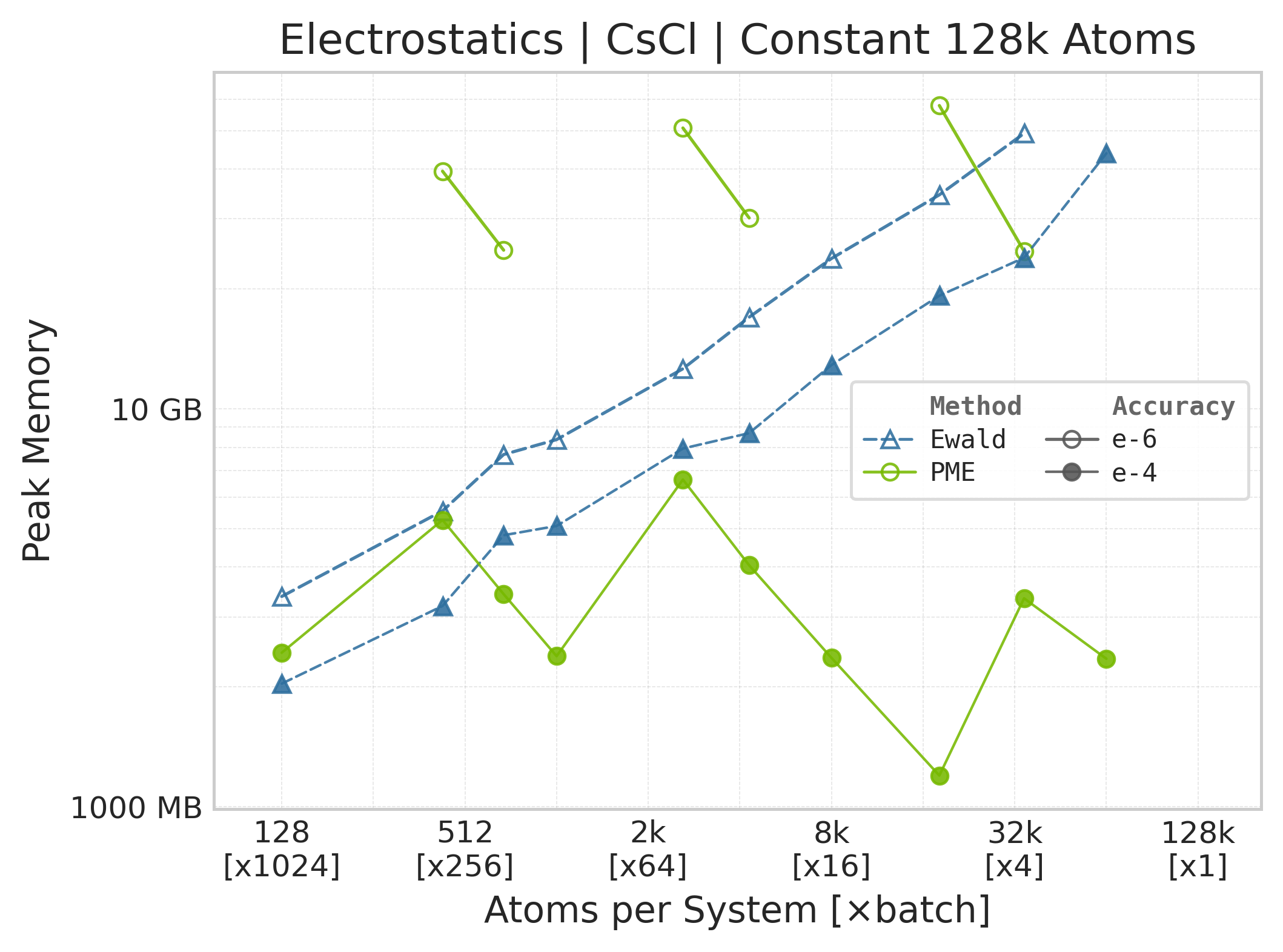
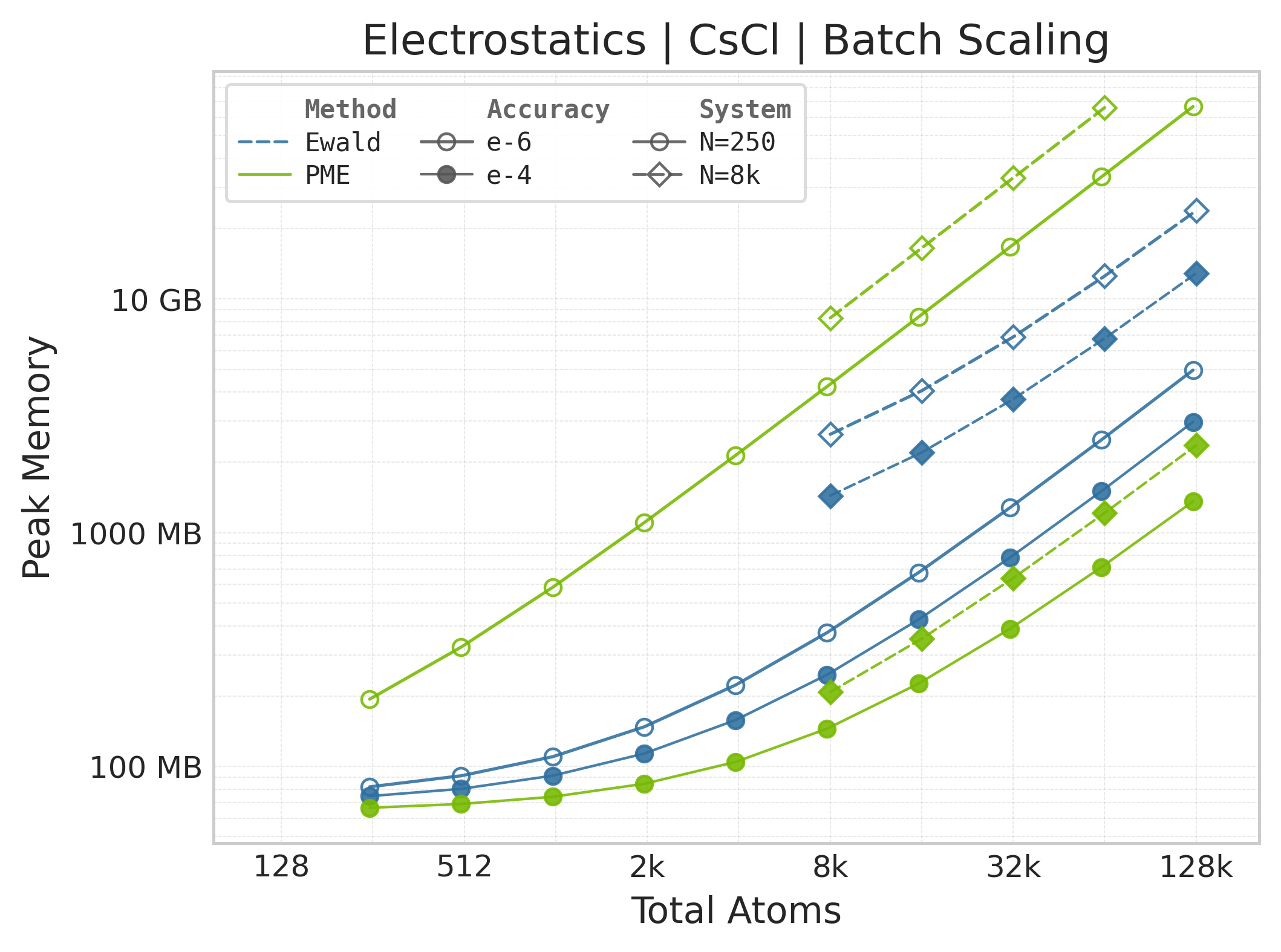
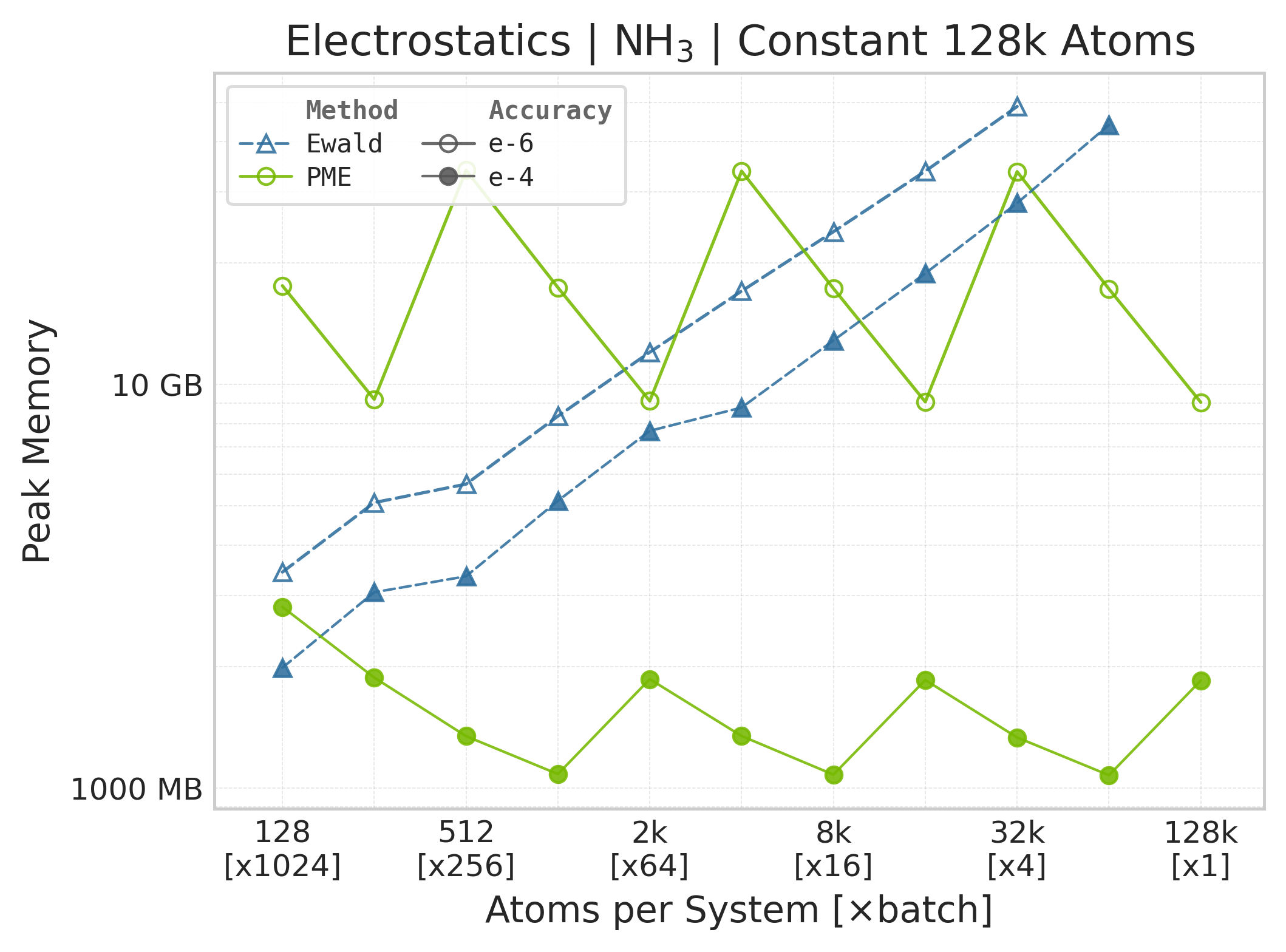
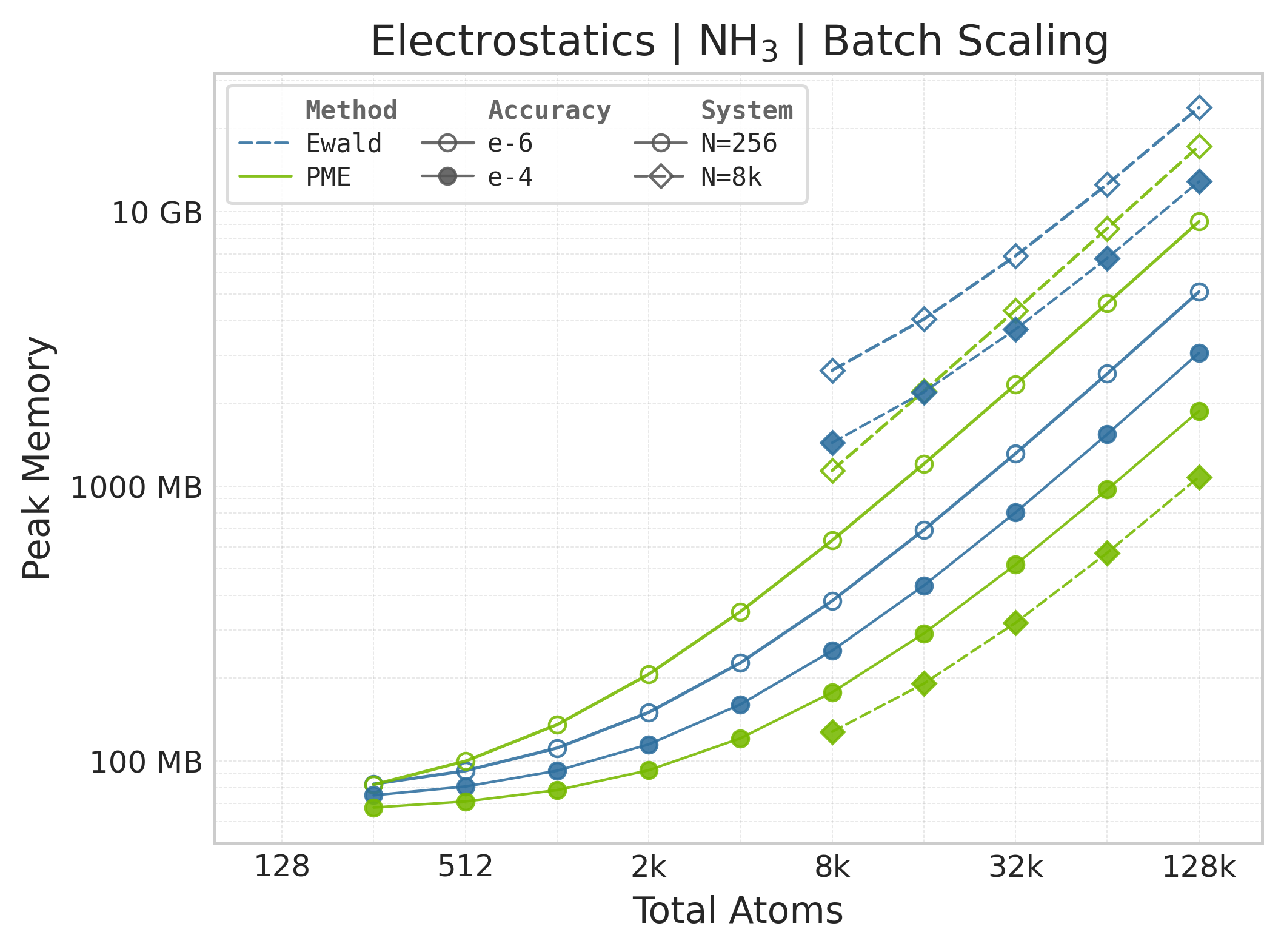
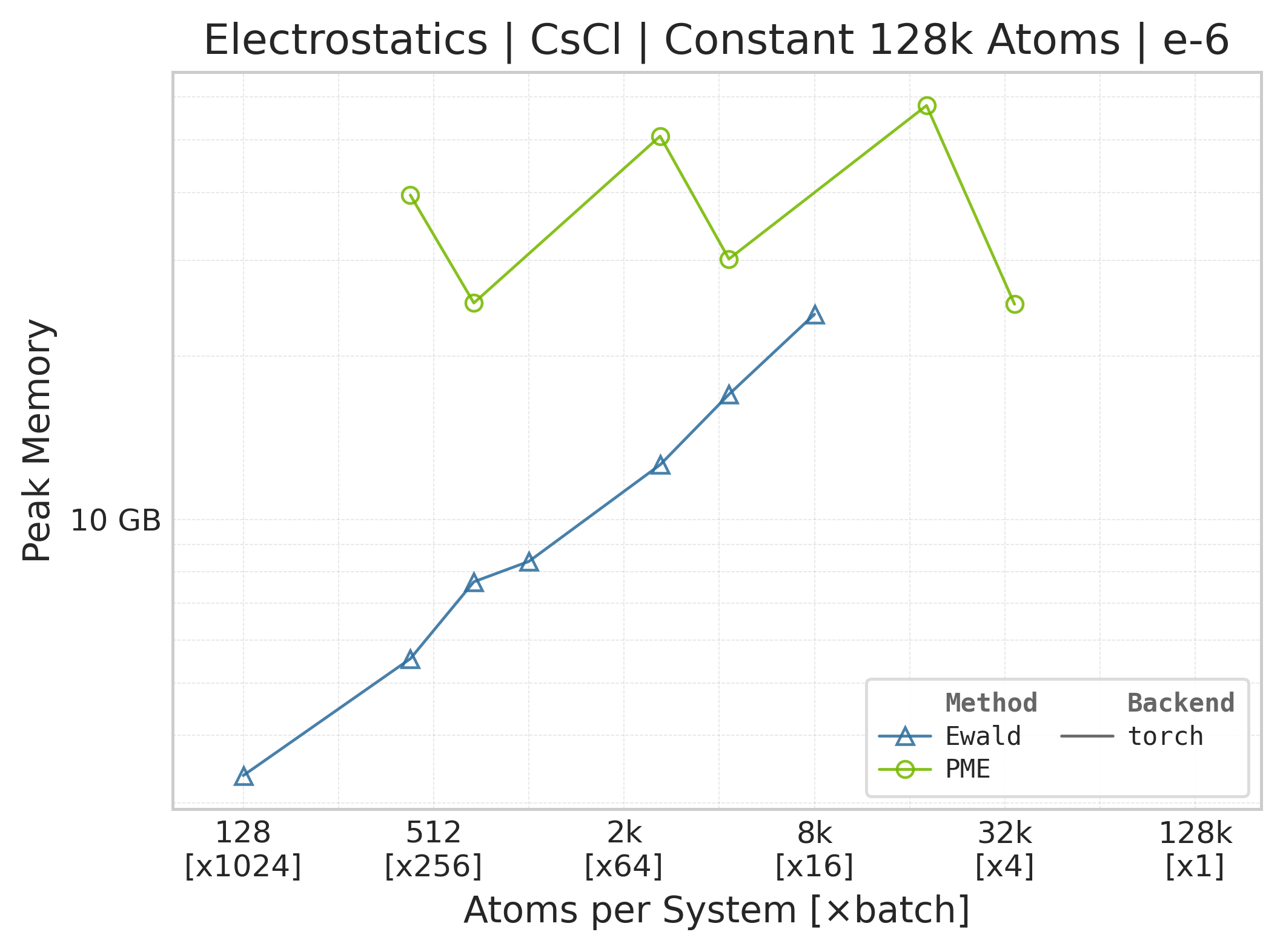
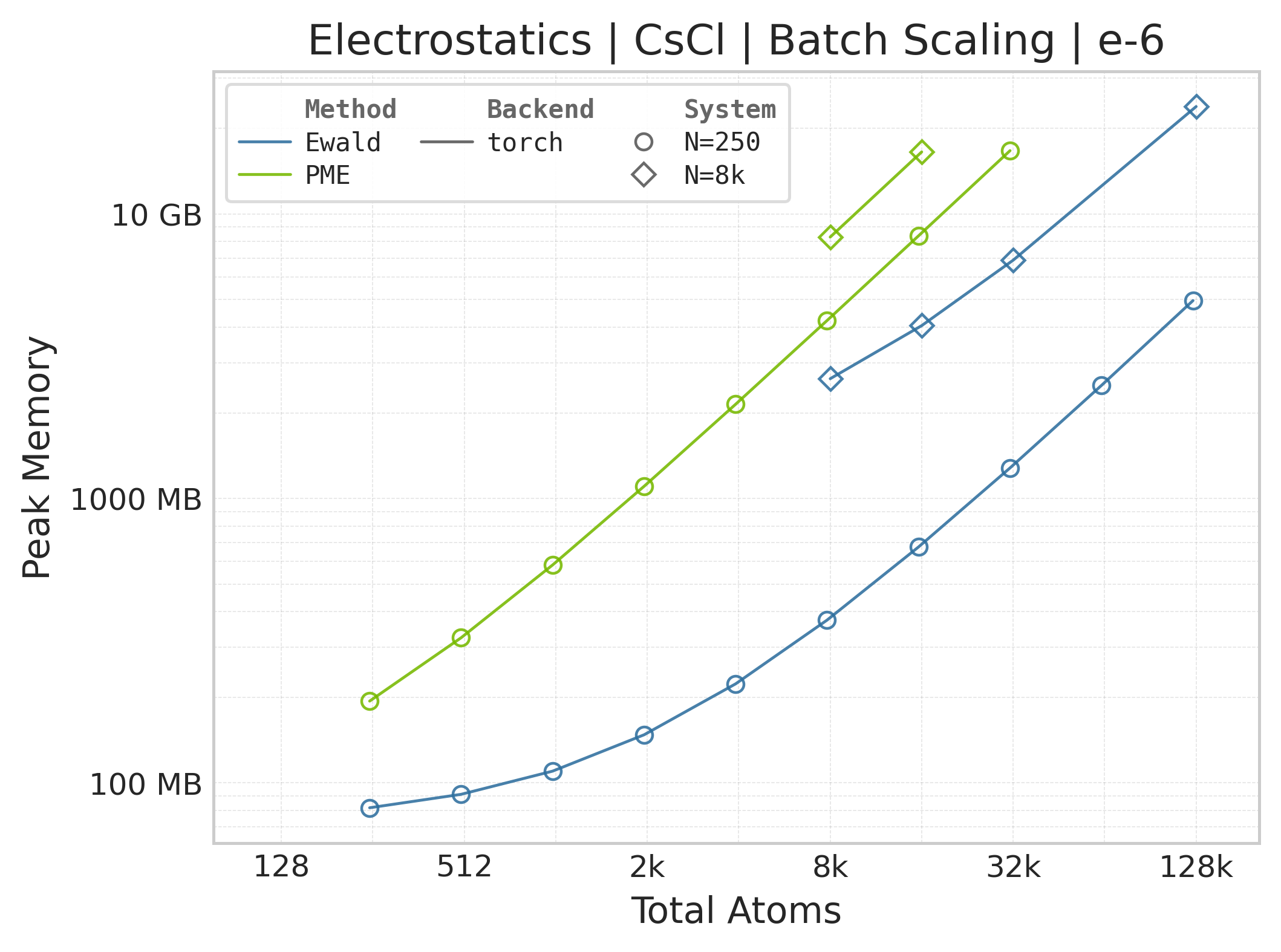
Memory : Peak memory reported by the Torch CUDA allocator vs. system size. Units switch between MB and GB automatically on the y-axis. JAX memory is not measured by this suite.
Performance Results#
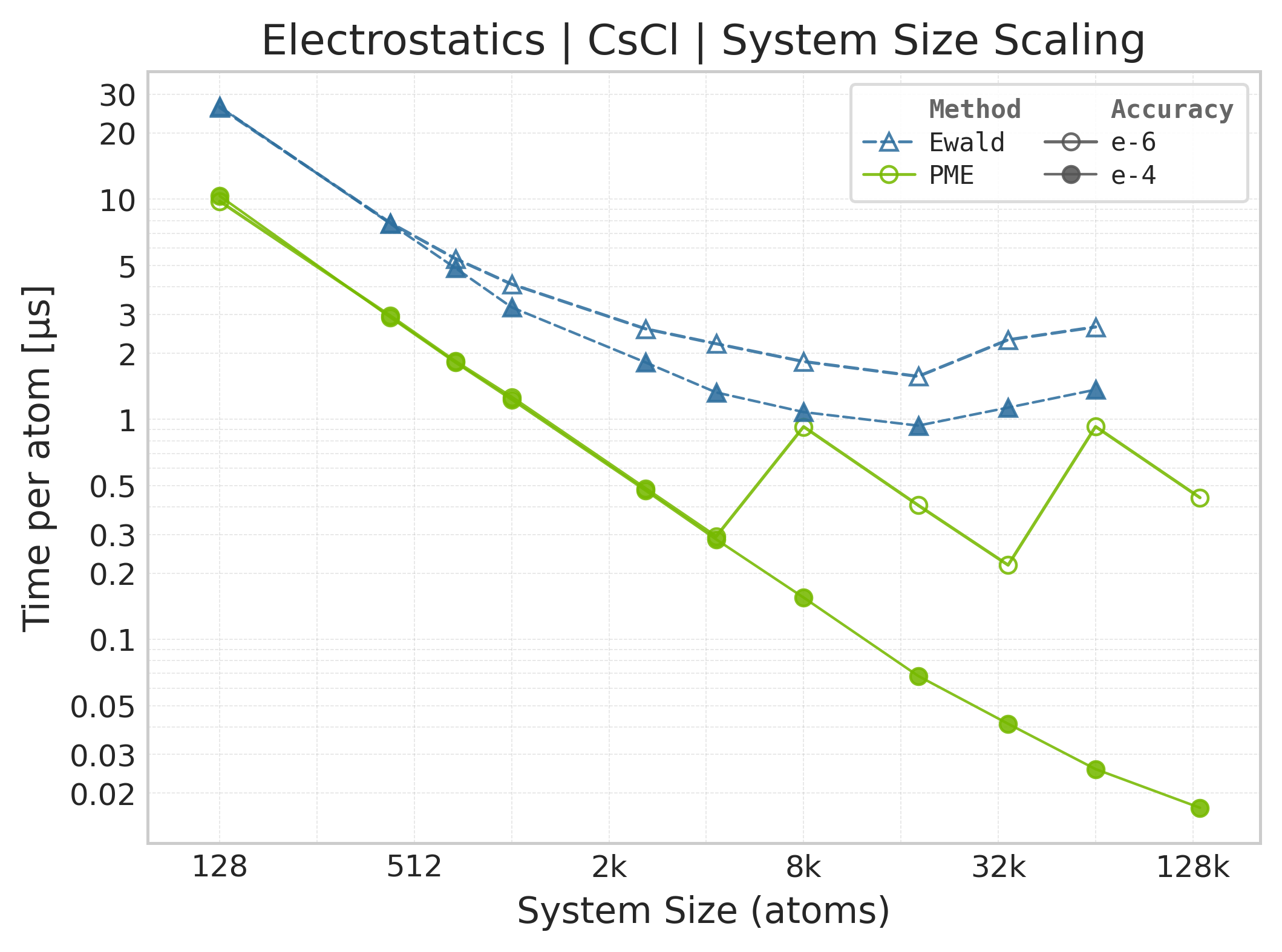
Mean execution time vs. system size (Torch: PME + Ewald, CsCl).#
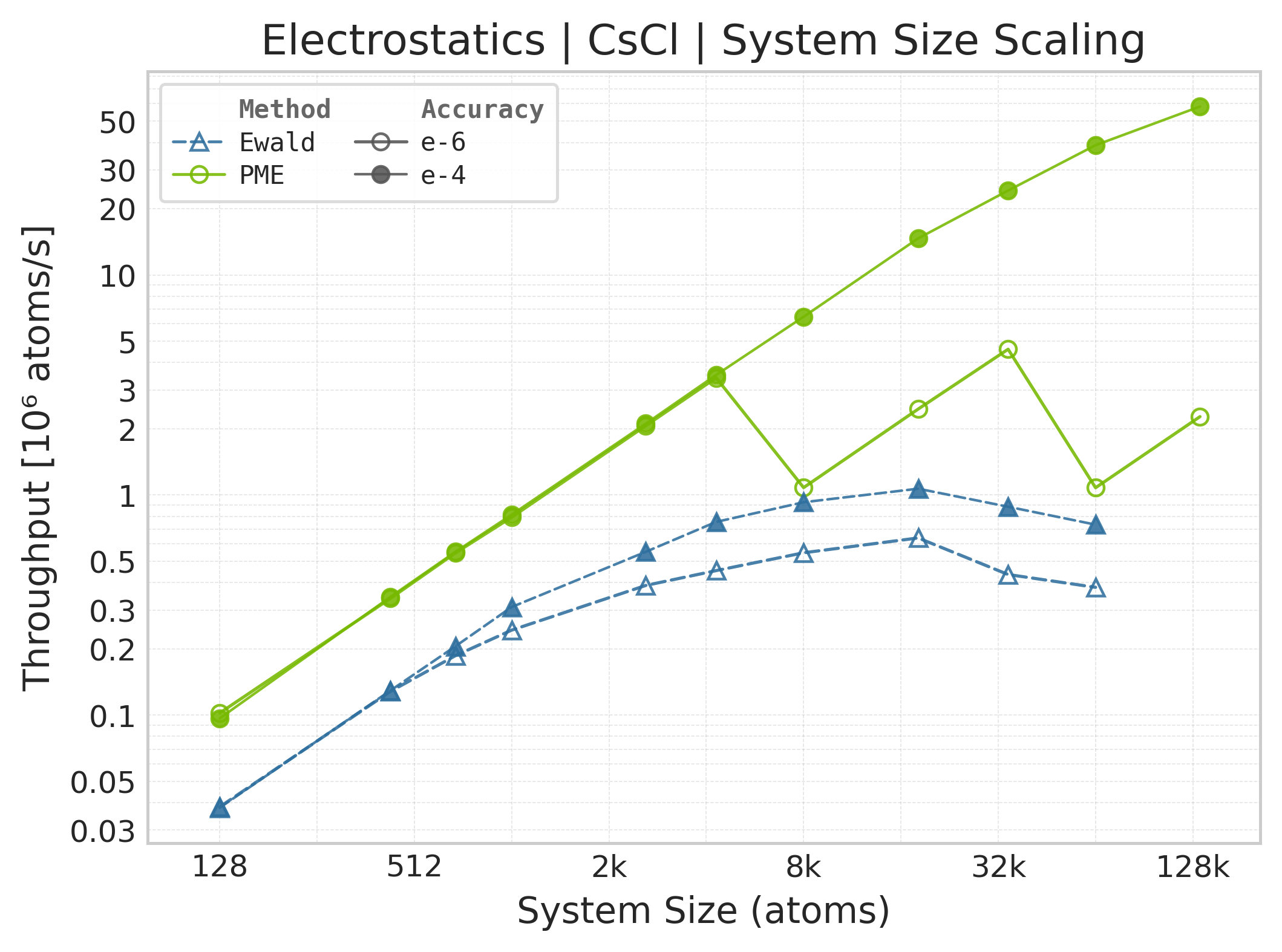
Throughput (\(10^6\) atoms/s) vs. system size.#
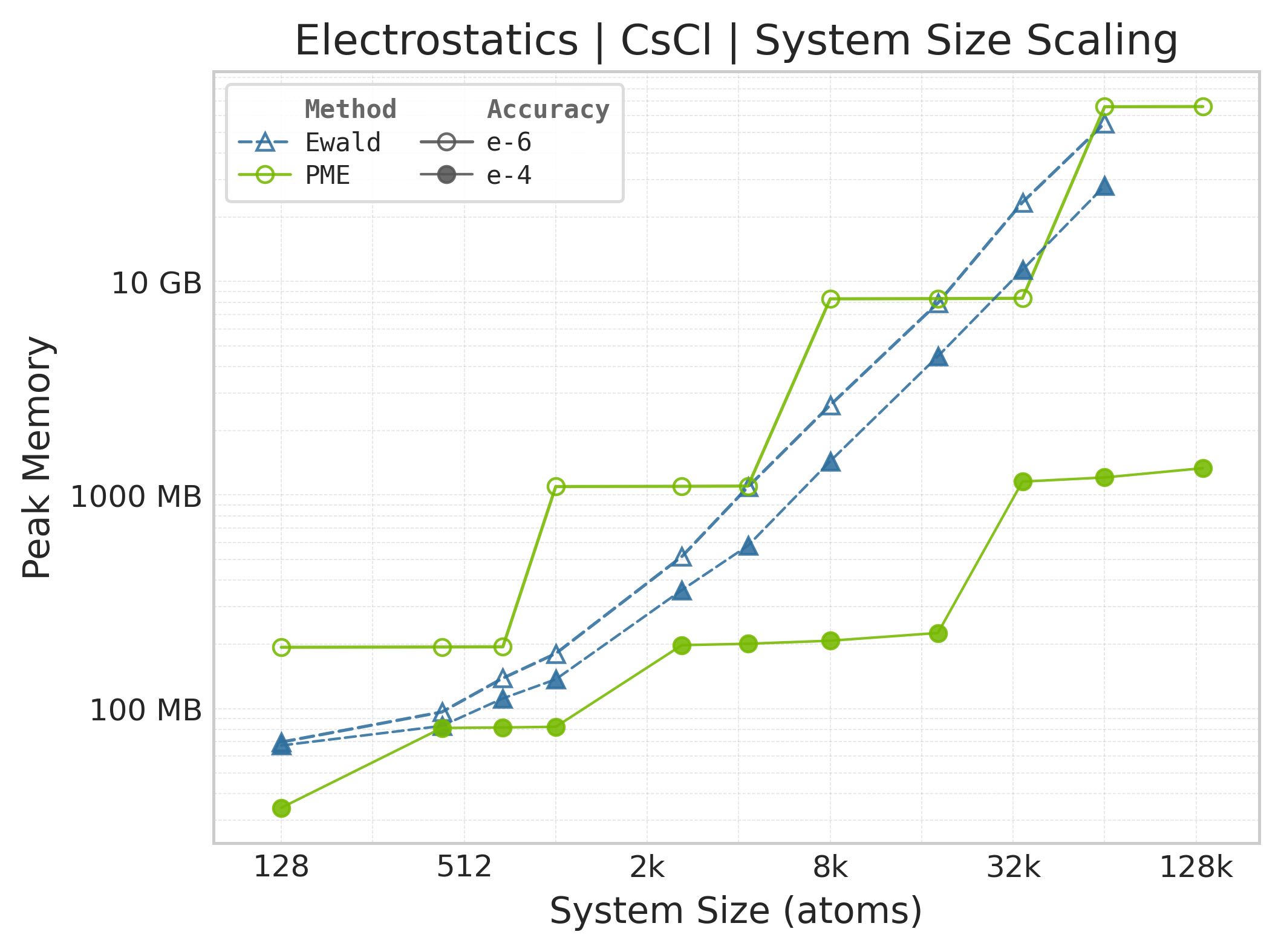
Peak GPU memory vs. system size.#
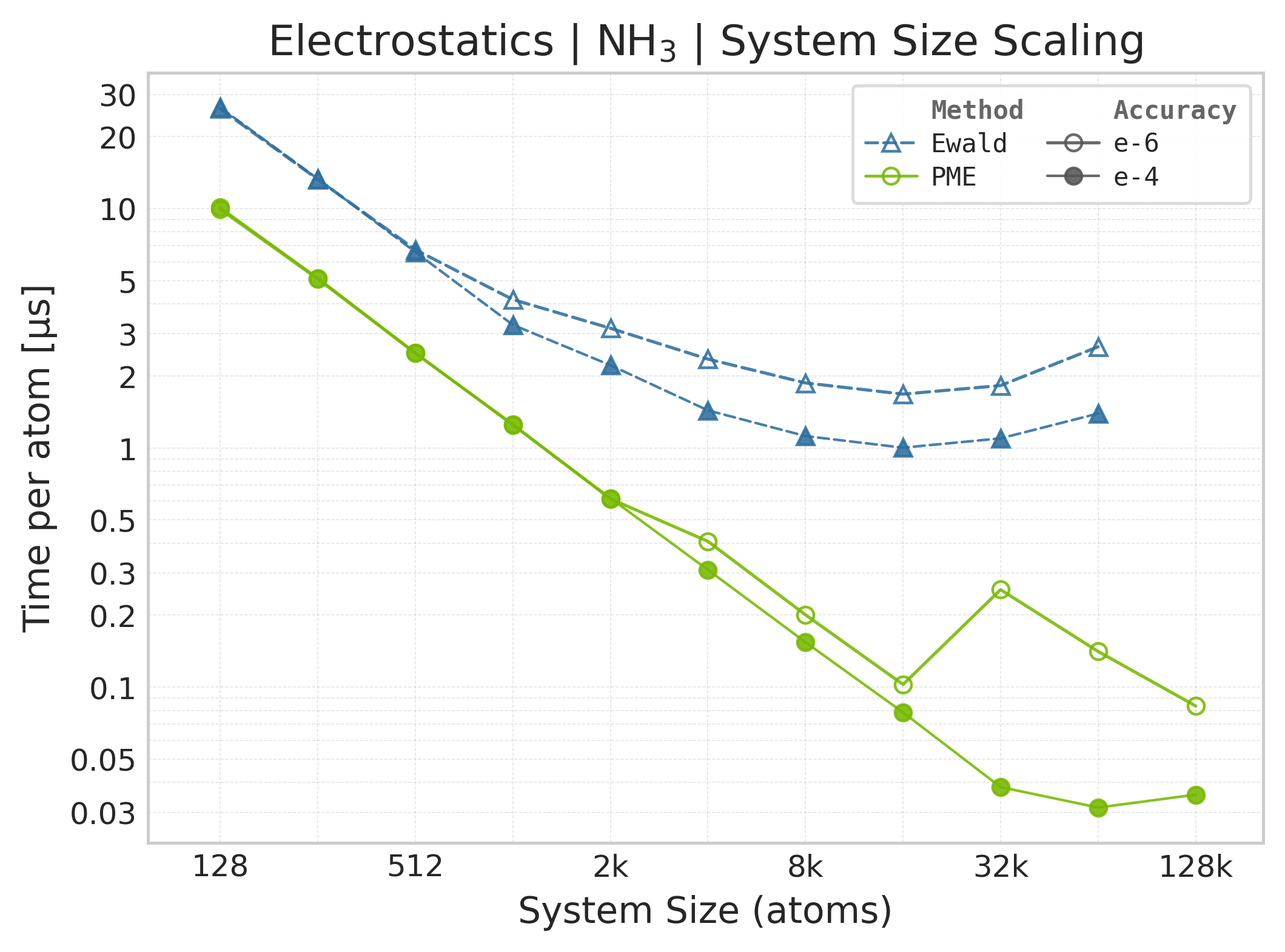
Mean execution time vs. system size (Torch, NH₃).#
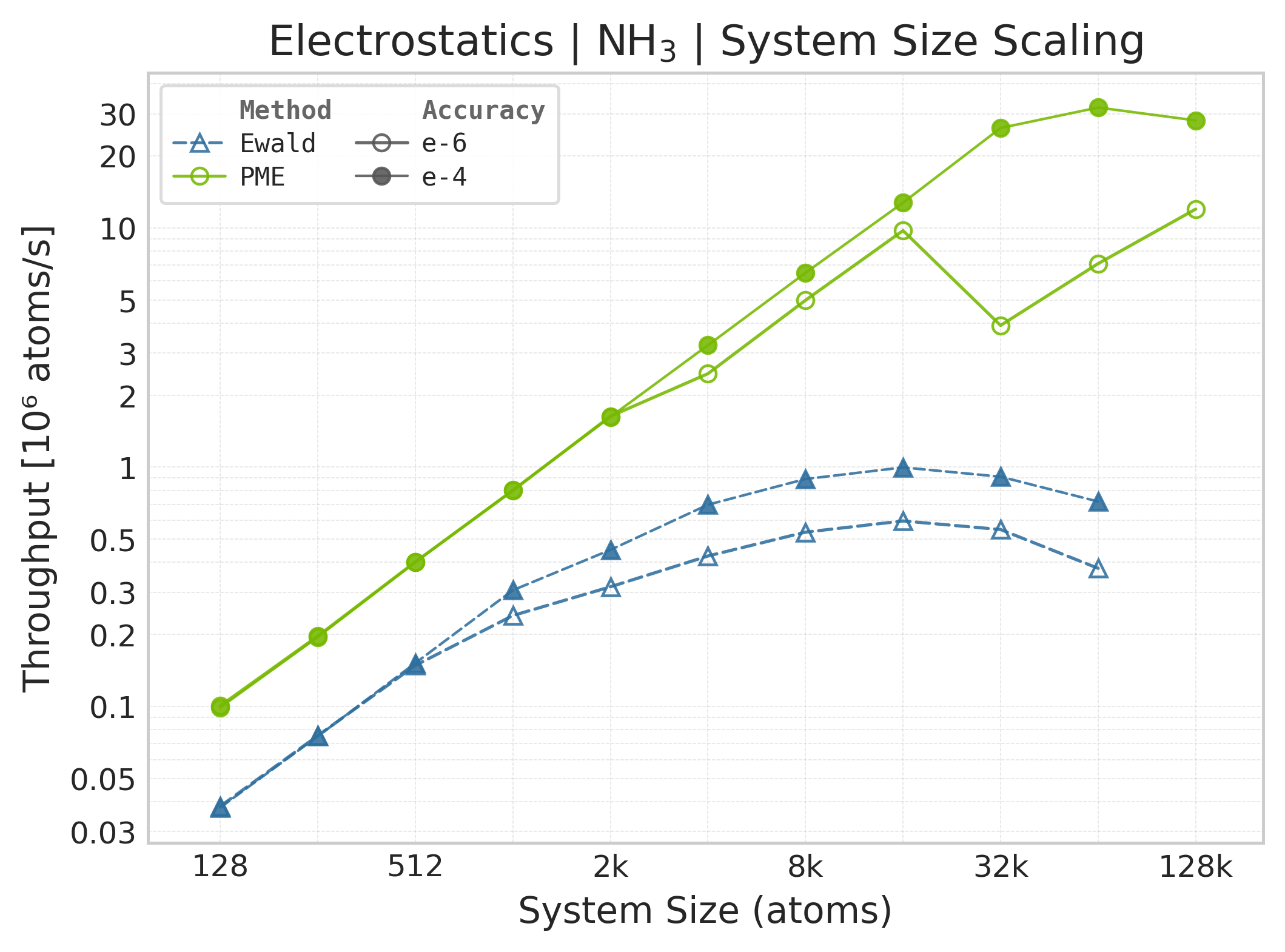
Throughput (\(10^6\) atoms/s) vs. system size (NH₃).#
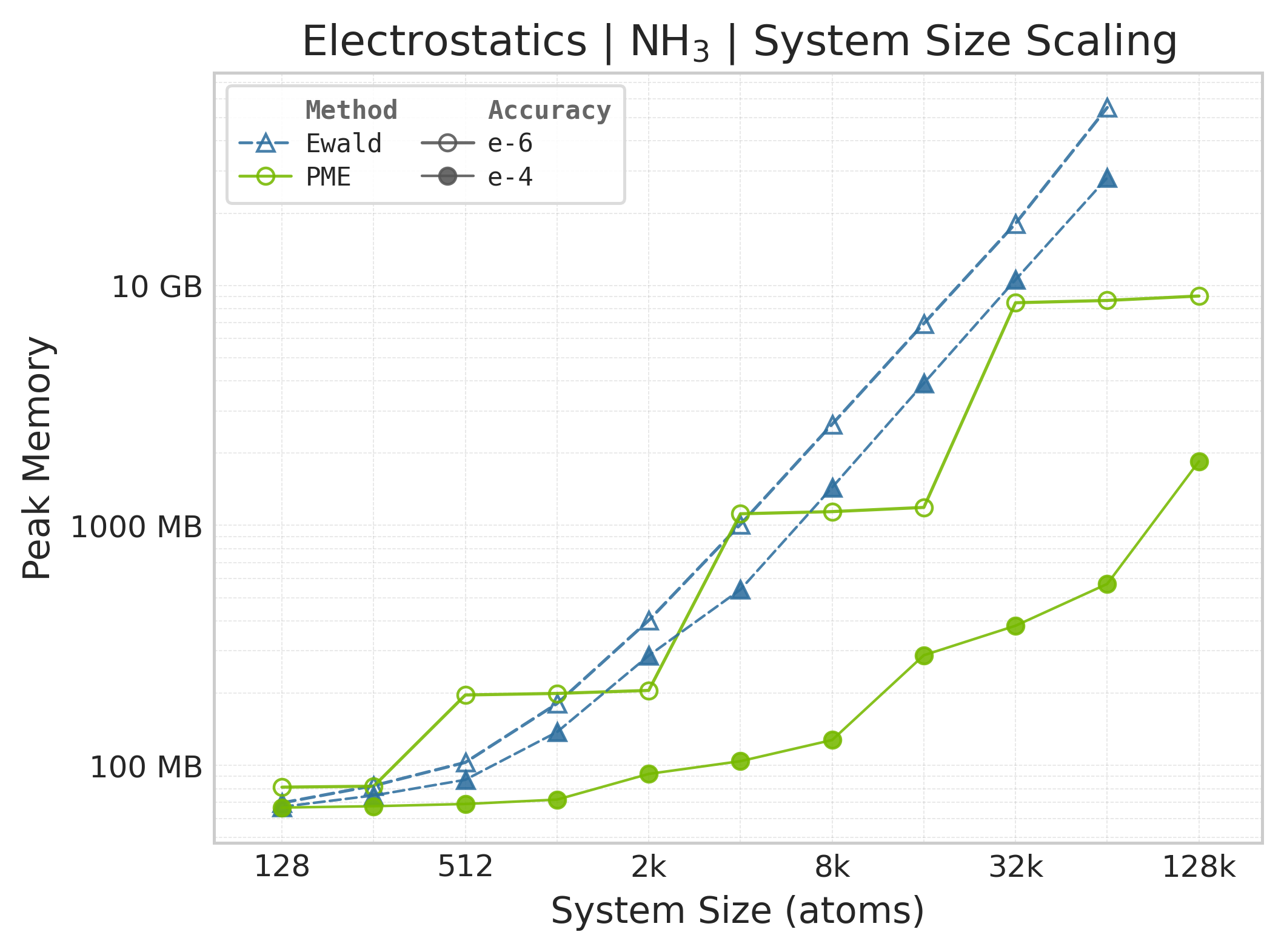
Peak GPU memory vs. system size (NH₃).#
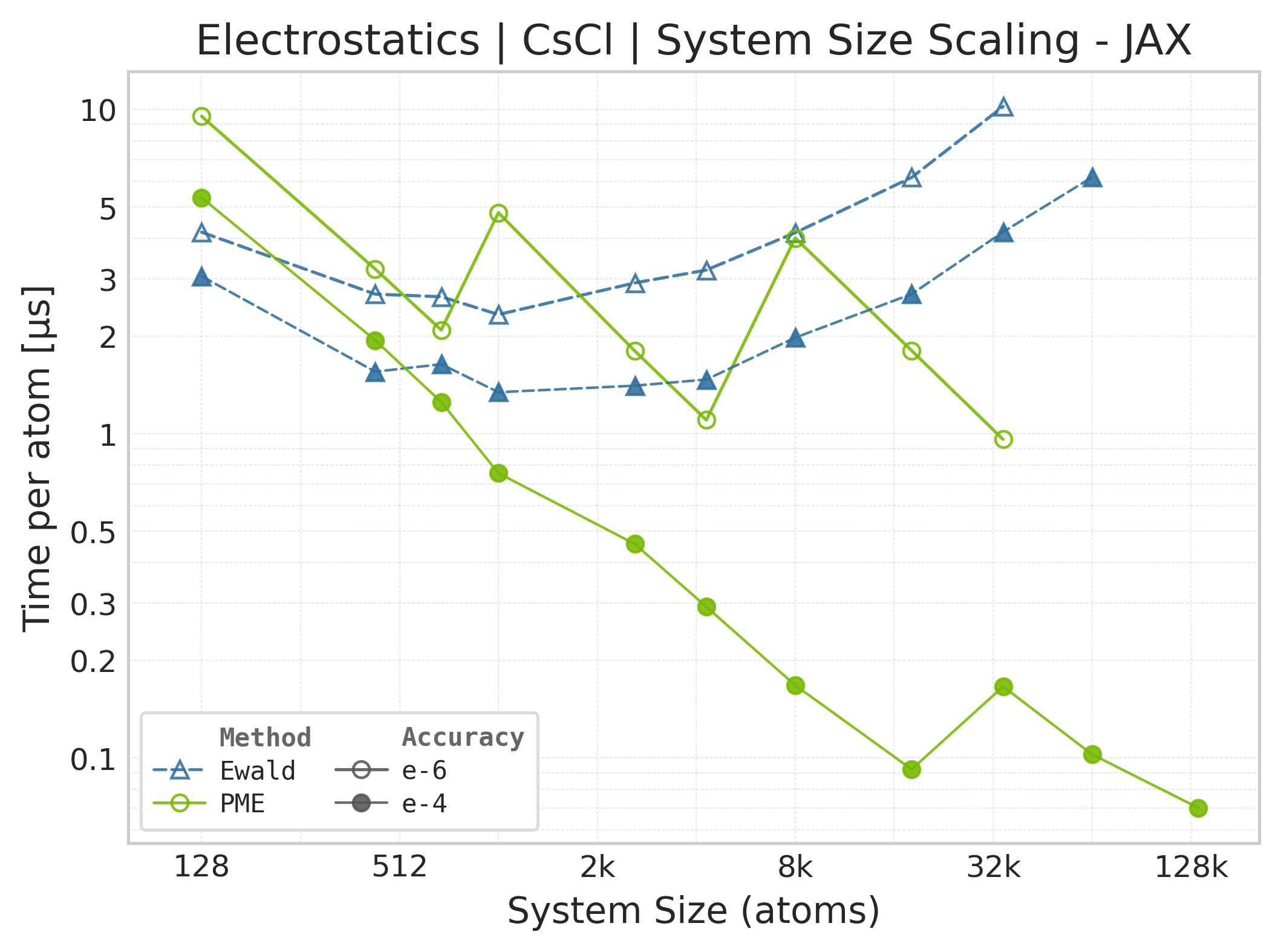
Mean execution time vs. system size (JAX, CsCl).#
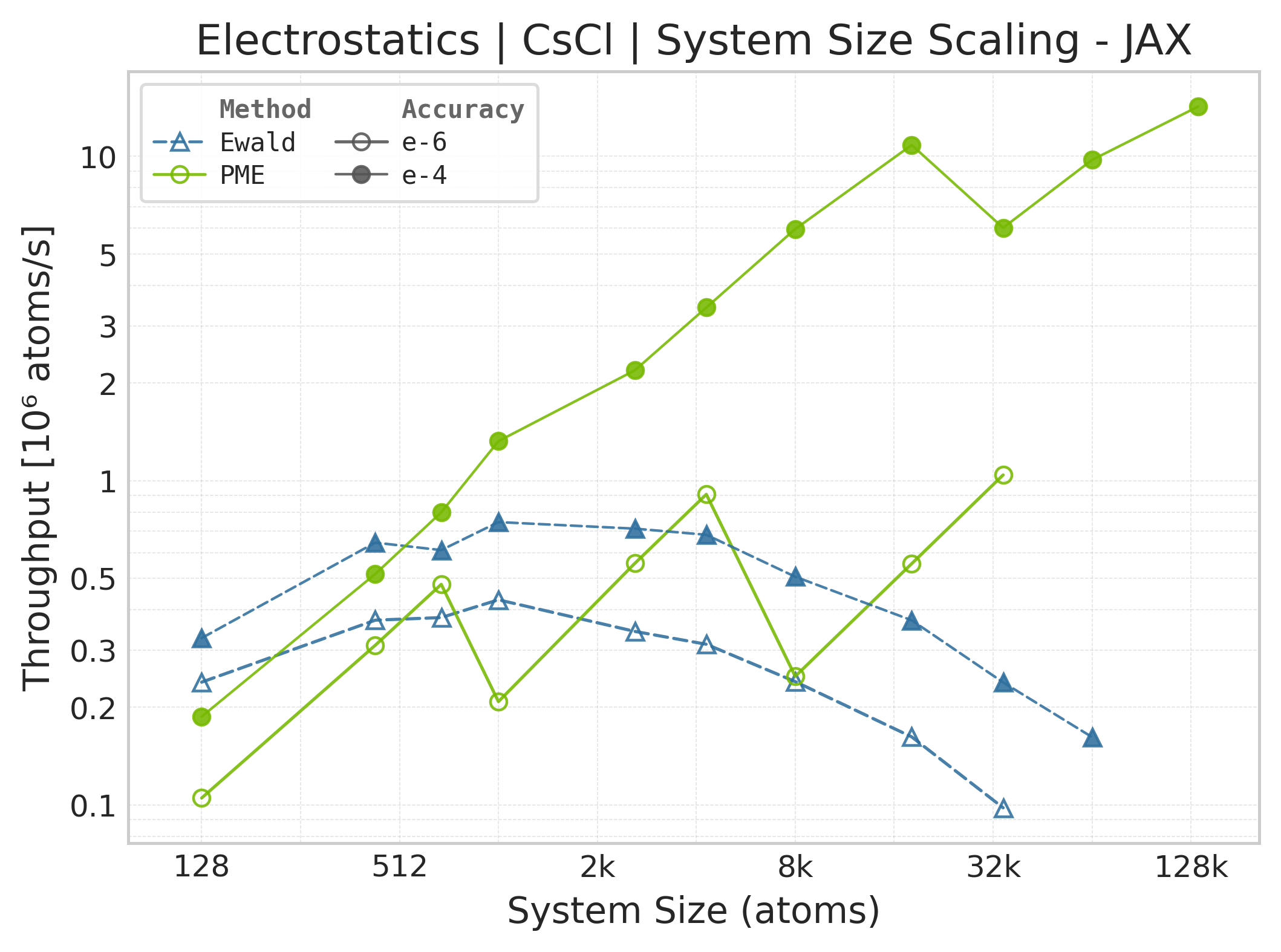
Throughput (\(10^6\) atoms/s) vs. system size (JAX).#
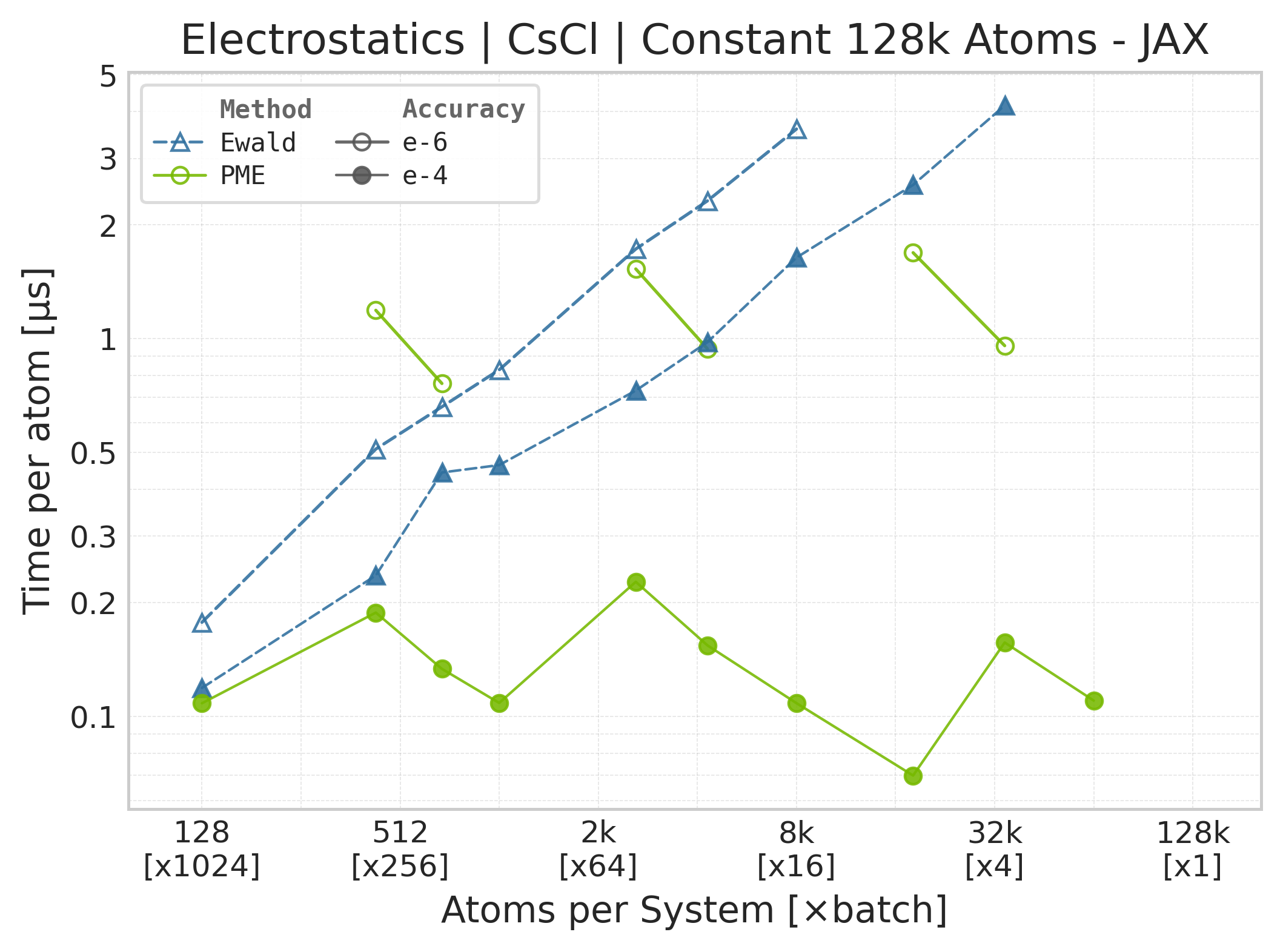
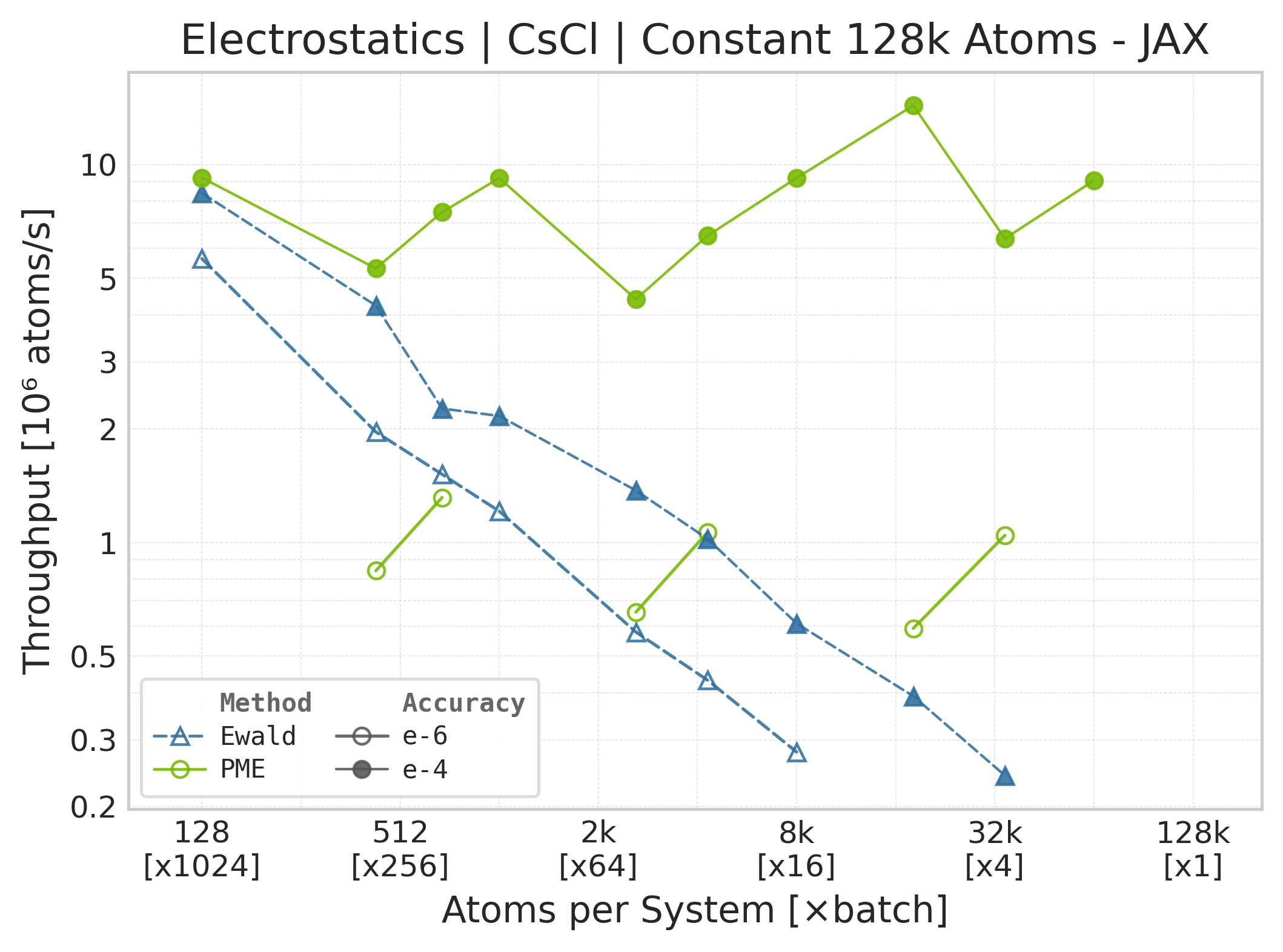
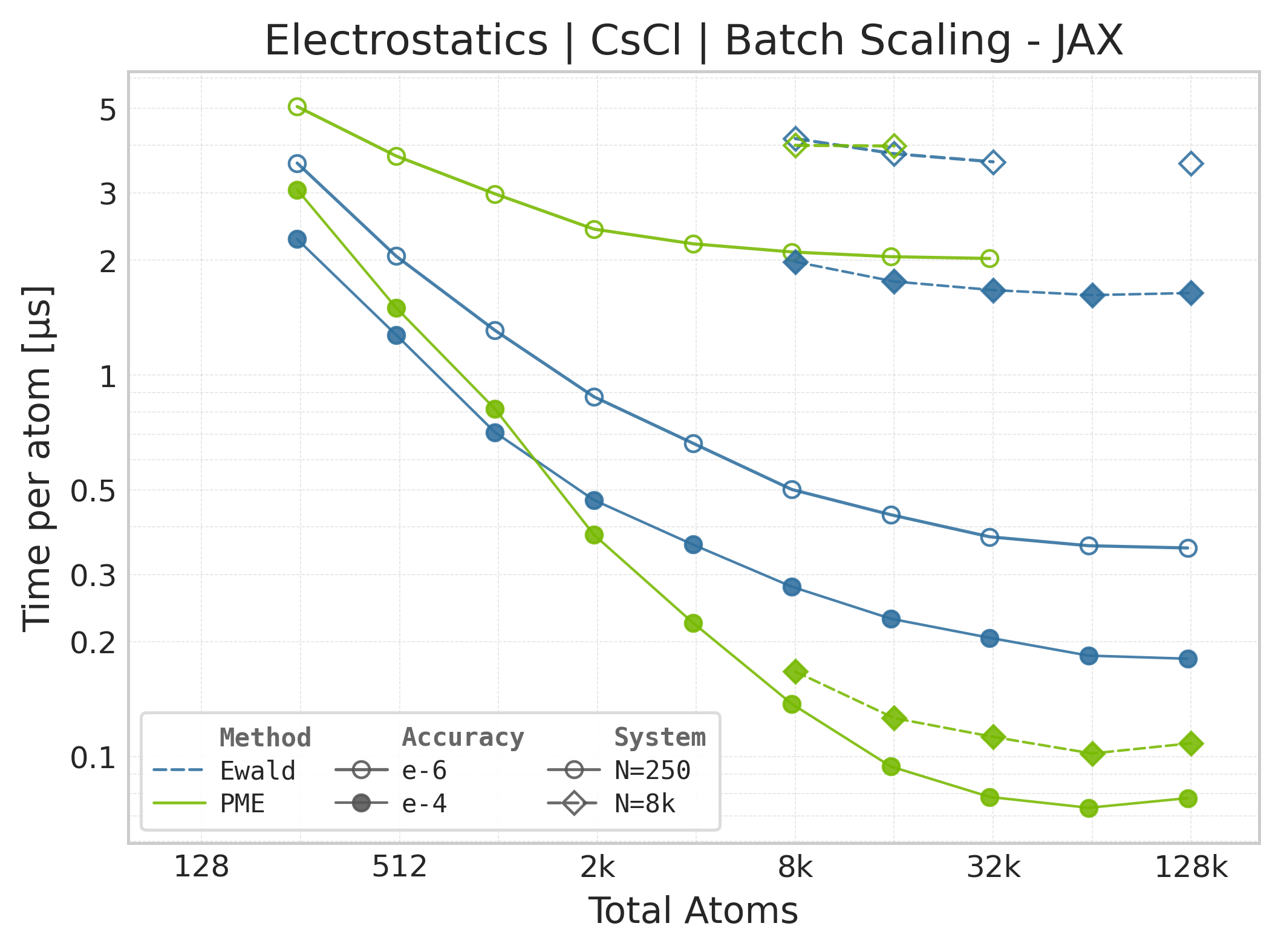
Note
JAX memory plots are omitted. The suite does not measure JAX memory: XLA’s allocator pool and buffer reuse make per-call allocation deltas unreliable. The Torch panels report the Torch allocator only; they are not a proxy for JAX memory because the framework wrappers, buffer lifetimes, and allocators differ.
Mean execution time vs. system size (JAX, NH₃).#
Throughput (\(10^6\) atoms/s) vs. system size (JAX, NH₃).#
Note
JAX memory plots are omitted. The suite does not measure JAX memory: XLA’s allocator pool and buffer reuse make per-call allocation deltas unreliable. The Torch panels report the Torch allocator only; they are not a proxy for JAX memory because the framework wrappers, buffer lifetimes, and allocators differ.
These comparison plots use matched successful Torch and JAX points for PME and
Ewald. Each timed call includes the public energy API plus the reverse pass for
both forces and charge gradients. CSV metadata records
derivative_contract=energy_autograd and
workload=energy_forces_charge_gradients; compute_forces and
compute_charge_gradients are both True. There is no separate
energy-plus-forces row.
PME rows also record pme_cache_mode=full_static. Both backends precompute
fixed-cell volume, inverse-cell, reciprocal-vector, and spline-modulus metadata
outside the timed region, matching the public API’s steady-state fixed-cell
workflow. System construction, parameter estimation, neighbor-list setup, and
this static PME metadata preparation are therefore excluded from per-call
timings.
The workload and configured accuracy are aligned, but the timing harnesses are not identical: Torch uses CUDA events around the high-level call, while JAX uses wall-clock timing around a JIT-compiled call and synchronizes its result. Use these panels for steady-state backend comparison, not as evidence that the framework or allocator overheads are equivalent.
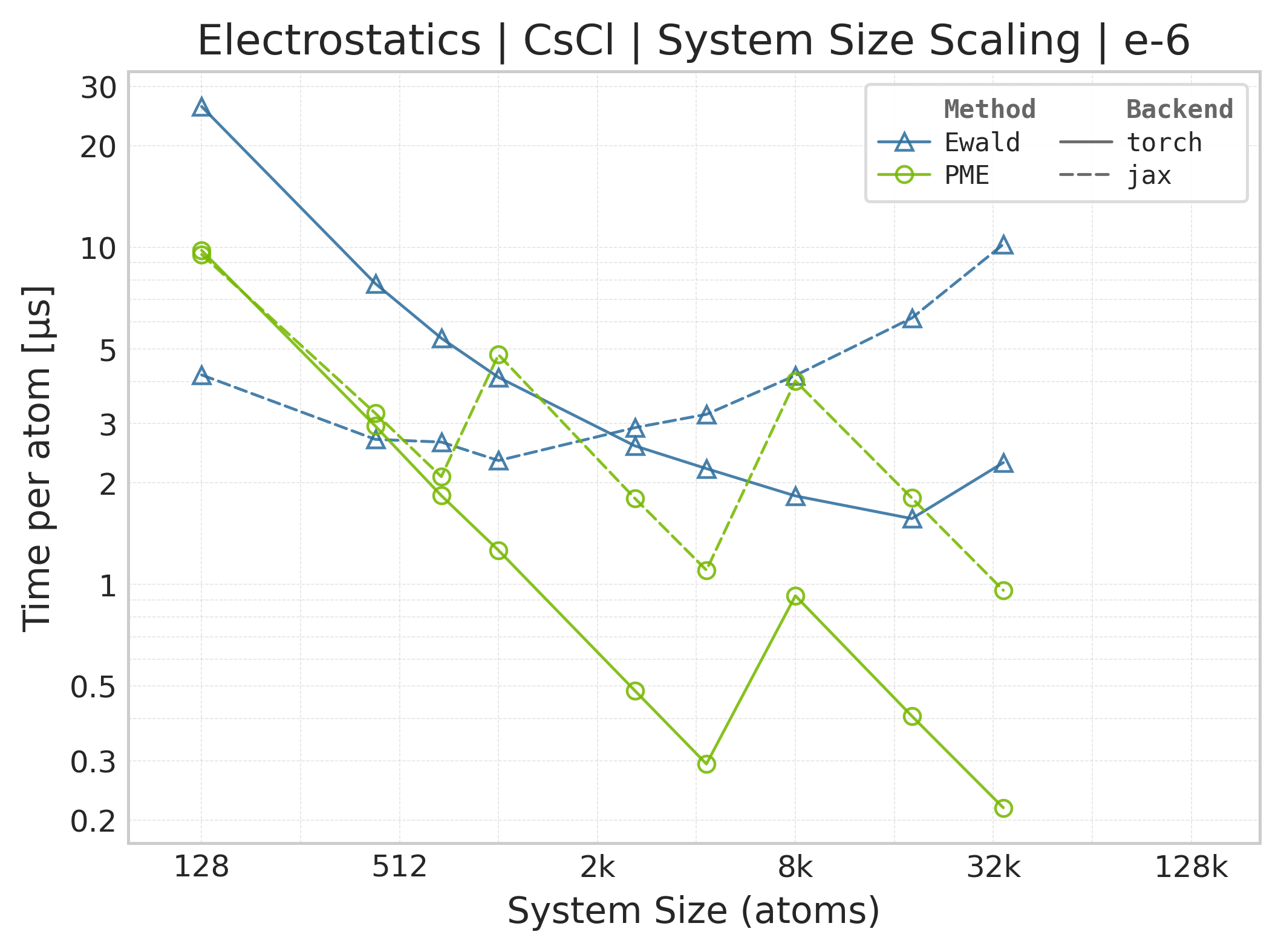
Torch vs. JAX execution time comparison (CsCl).#
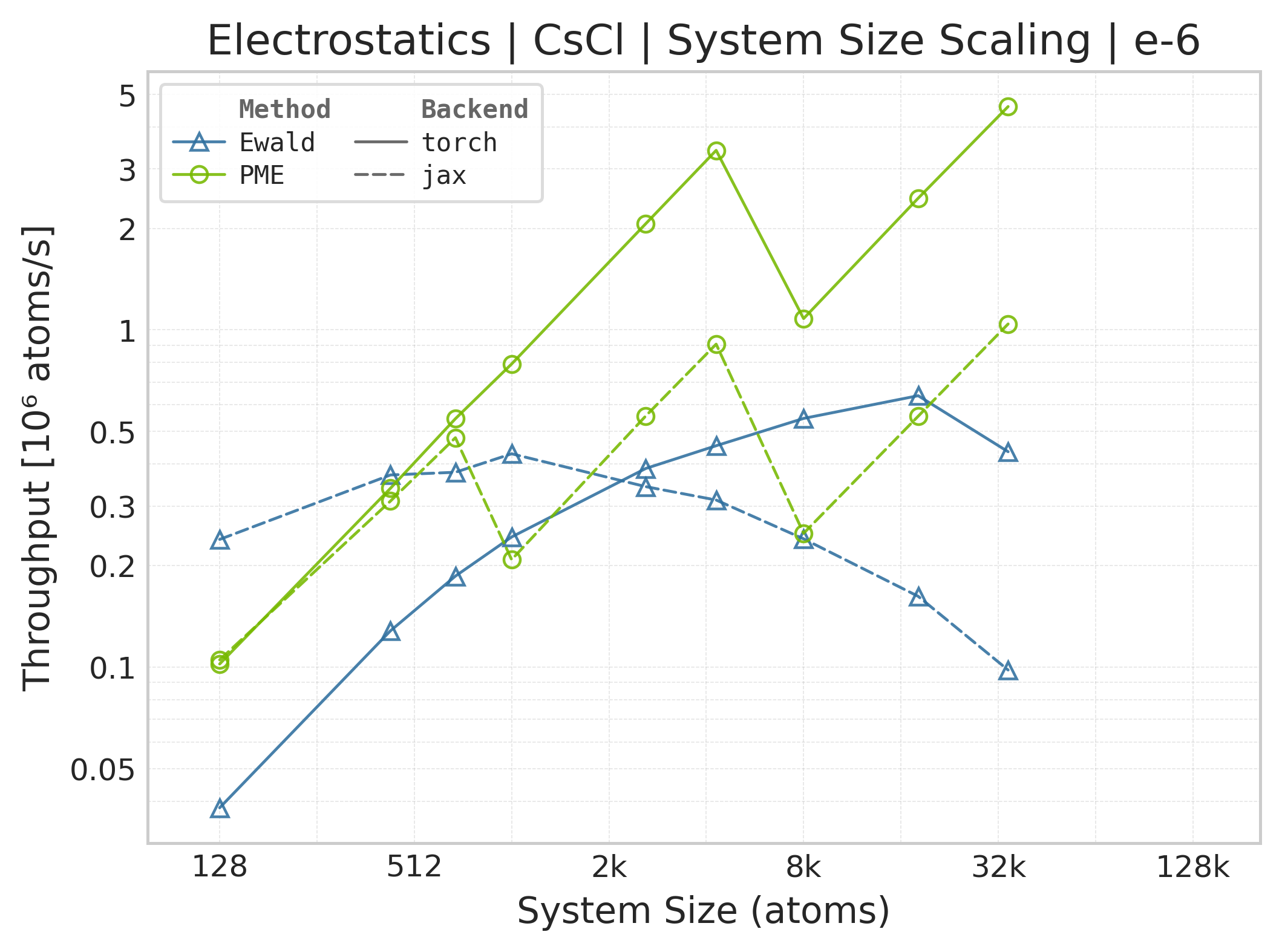
Torch vs. JAX throughput comparison.#
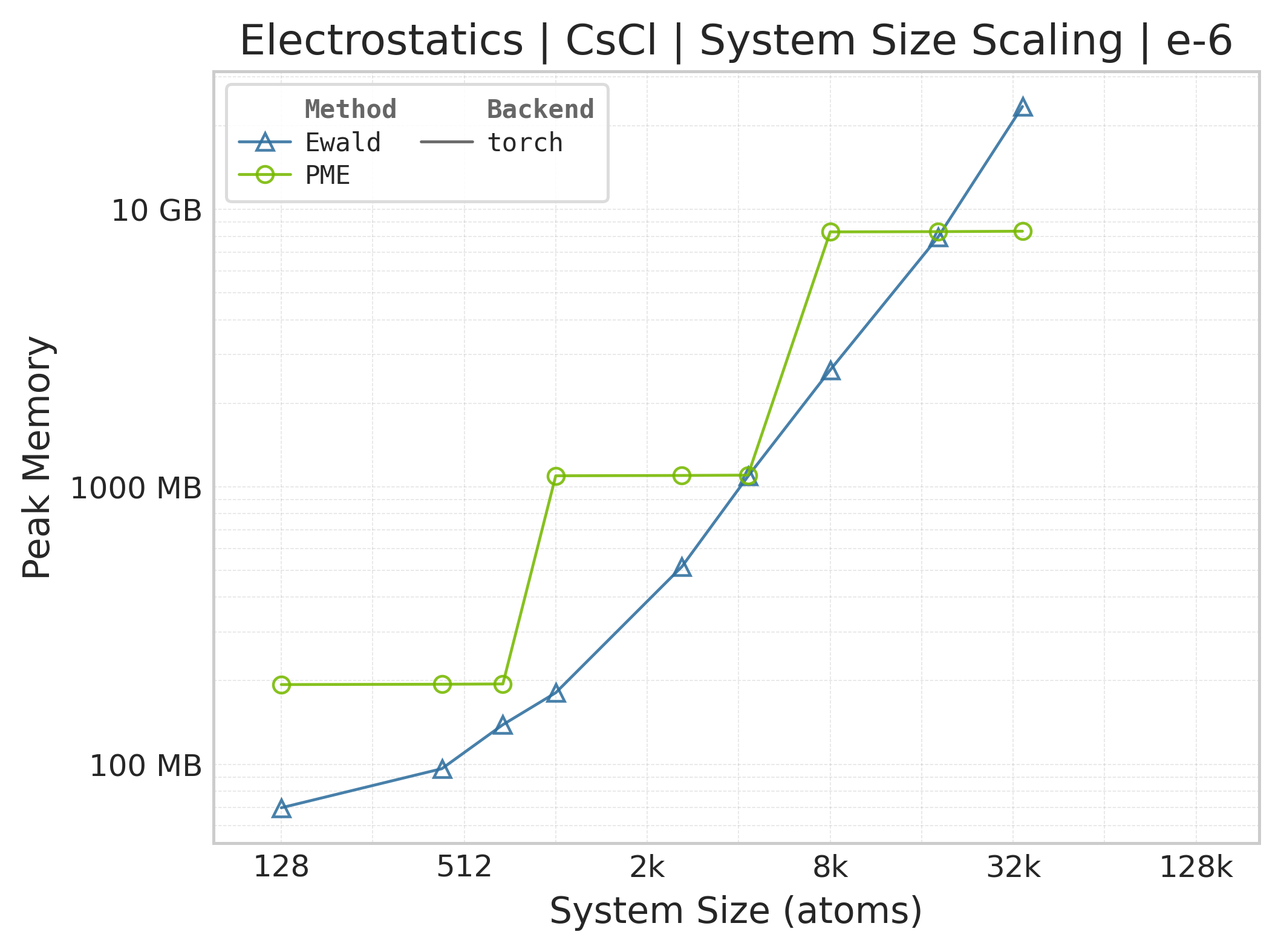
Memory vs. system size (Torch only — JAX memory not measured).#
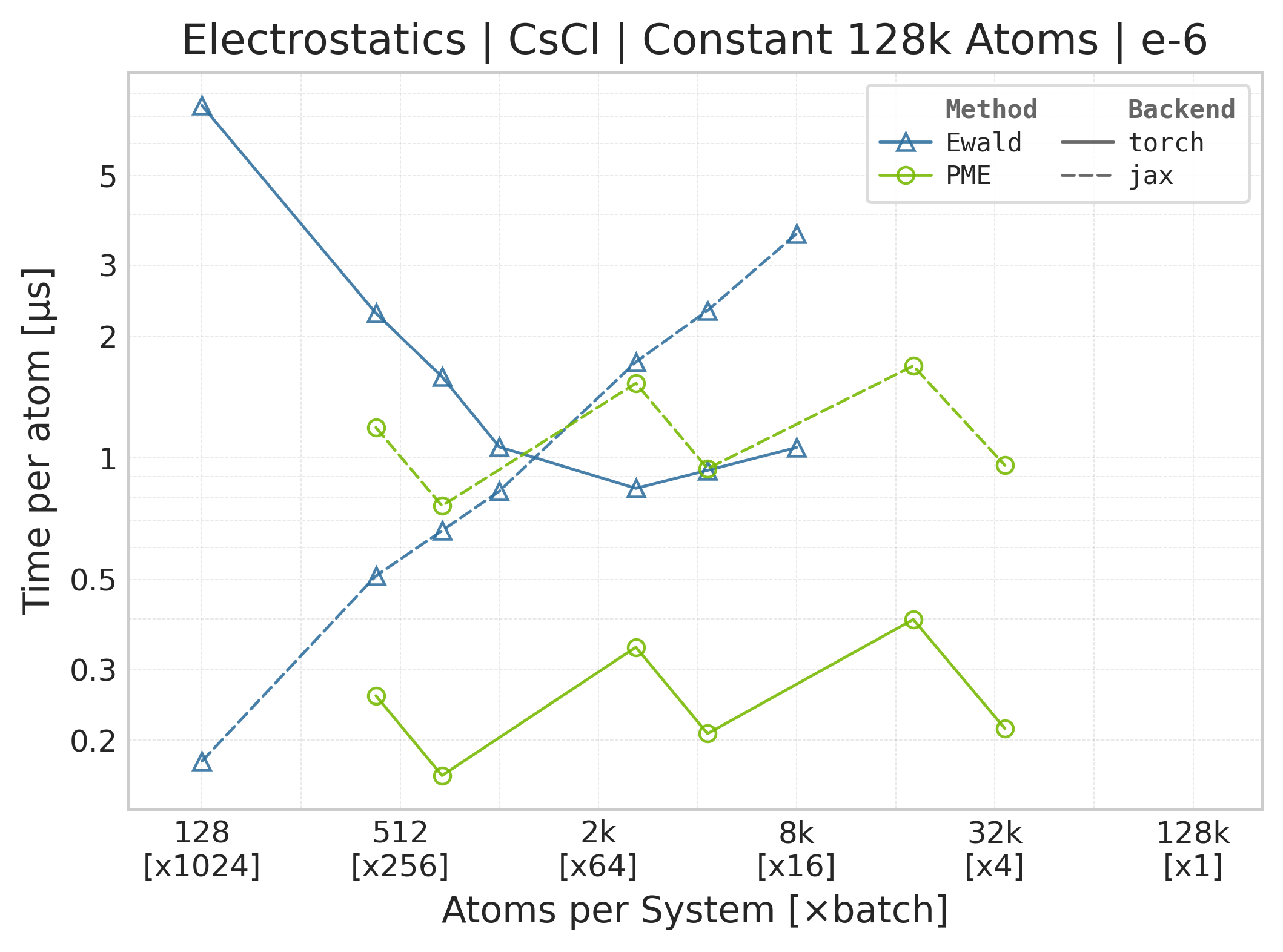
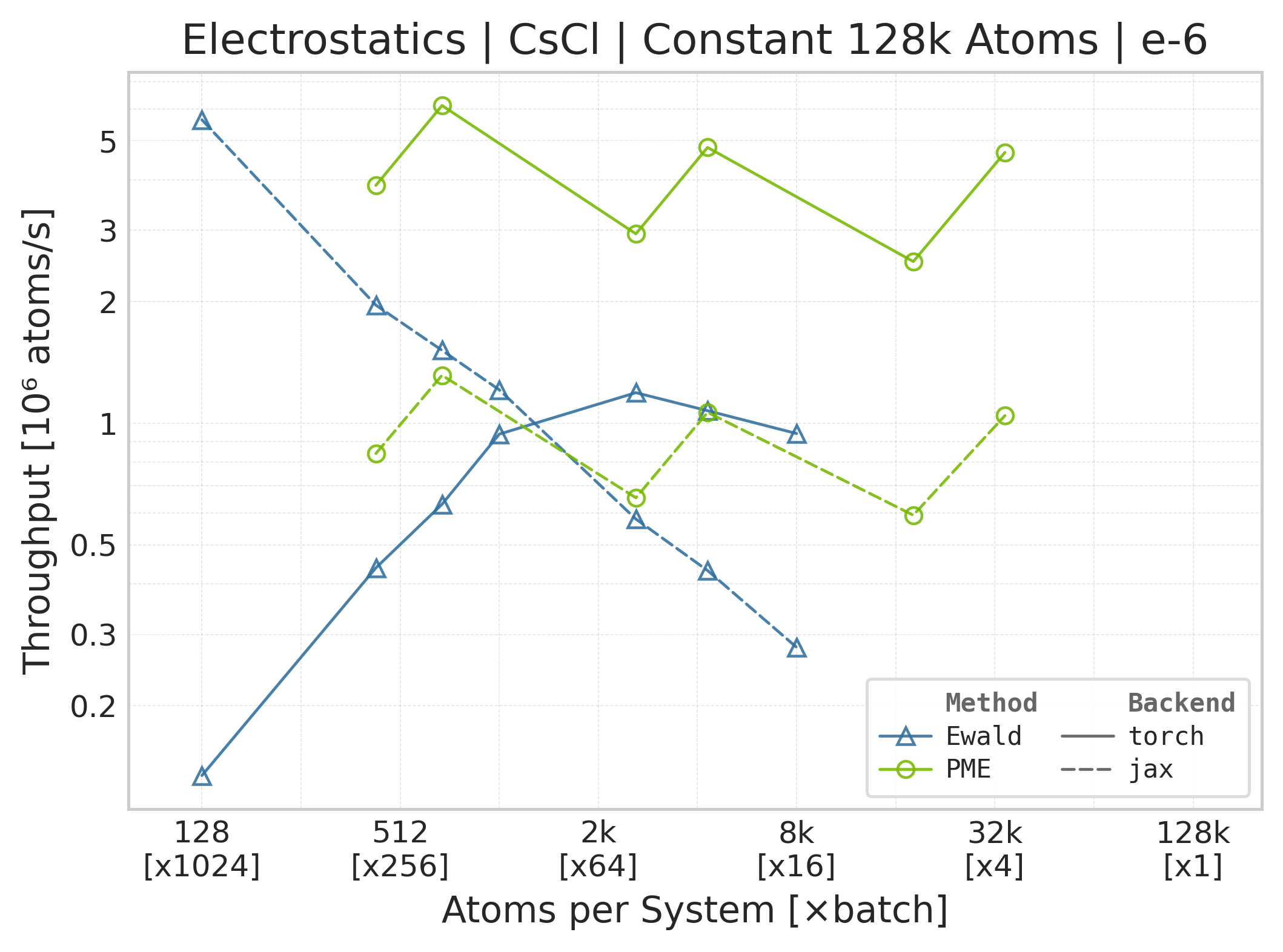
Torch vs. JAX execution time comparison (NH₃).#
Torch vs. JAX throughput comparison (NH₃).#
Memory vs. system size (NH₃; Torch only — JAX memory not measured).#
Benchmark Configuration#
Parameter |
Value |
|---|---|
Accuracies |
\(10^{-4}\) / \(10^{-6}\) |
Methods |
PME, Ewald summation |
System Type |
CsCl supercells (programmatic), NH₃ (PDB) |
Neighbor List |
|
Warmup Iterations |
3 |
Timing Iterations |
10 |
Component Profiling |
Disabled for reportable runs |
Precision |
|
CSV rows always report the independently measured full workload in
time_us_per_atom. With --profile-components, the runner additionally fills
time_real_us_per_atom and time_reciprocal_us_per_atom; otherwise those
diagnostic fields are NaN and their timing methods are not_measured.
Ewald/PME Parameters#
Parameters are automatically estimated using accuracy-based parameter estimation:
Parameter |
Description |
|---|---|
|
Ewald splitting parameter (auto-estimated) |
|
Reciprocal-space cutoff for Ewald (auto-estimated) |
|
Real-space cutoff distance (auto-estimated) |
|
PME mesh grid size (auto-estimated) |
|
B-spline interpolation order (4) |
Running Your Own Benchmarks#
Run from the repository root. The reportable, merge-gate surface is
benchmark_electrostatics_suite.py with benchmark_config.yaml. The YAML
already enables PME and Ewald; pass --methods pme or --methods ewald
to benchmark only one.
Torch Backend (default)#
RESULT_DIR="$BENCHMARK_SCRATCH/results/manual-el-run"
python -m benchmarks.interactions.electrostatics.benchmark_electrostatics_suite \
    --config benchmarks/interactions/electrostatics/benchmark_config.yaml \
    --backend torch \
    --output-dir "$RESULT_DIR"
JAX Backend#
RESULT_DIR="$BENCHMARK_SCRATCH/results/manual-el-run"
python -m benchmarks.interactions.electrostatics.benchmark_electrostatics_suite \
    --config benchmarks/interactions/electrostatics/benchmark_config.yaml \
    --backend jax \
    --output-dir "$RESULT_DIR"
Extended / Optional Runner#
The benchmark_electrostatics.py extended runner is separate from the
reportable suite. It covers slab-corrected Ewald/PME, DSF, optional reference
backends, and multipoles, and writes a different GPU/dtype-specific CSV schema. It is not
invoked by benchmarks.benchmark_suite or by the reportable merge gate, and
its outputs are not inputs to the el-*.csv plots on this page.
This runner uses optional helpers imported through benchmarks.utils and
benchmarks.systems. Install its additional dependencies, including
pymatgen, rdkit, and loguru, with make docs-install-benchmarks
or directly from benchmarks/benchmark-requires.txt.
The shipped optional configurations are distinct protocols:
Configuration |
Backends and methods |
Warmups / timings |
Precision |
Default measured work |
|---|---|---|---|---|
|
Toolkit-Ops Torch/JAX and optional |
5 / 10 |
|
Full, real, and reciprocal components; forces and virial enabled; 12 Å real-space cutoff |
|
Torch multipole Ewald and PME, |
3 / 10 |
|
Compiled reciprocal component; forces enabled, virial disabled |
These settings describe the optional CSVs only. They must not be compared as if they were rows from the reportable energy/forces/charge-gradient protocol.
Use benchmark_config_extended.yaml for point-charge, slab, and DSF runs:
# Slab-corrected Ewald and PME (Torch + JAX when both are available)
python -m benchmarks.interactions.electrostatics.benchmark_electrostatics \
    --config benchmarks/interactions/electrostatics/benchmark_config_extended.yaml \
    --backend both --method ewald_slab
python -m benchmarks.interactions.electrostatics.benchmark_electrostatics \
    --config benchmarks/interactions/electrostatics/benchmark_config_extended.yaml \
    --backend both --method pme_slab

# DSF (nvalchemiops Torch + the pure-Torch reference)
python -m benchmarks.interactions.electrostatics.benchmark_electrostatics \
    --config benchmarks/interactions/electrostatics/benchmark_config_extended.yaml \
    --backend both --method dsf --neighbor-format both
Use the dedicated config for the Torch-only multipole sweep:
python -m benchmarks.interactions.electrostatics.benchmark_electrostatics \
    --config benchmarks/interactions/electrostatics/benchmark_config_multipole.yaml \
    --backend torch --l-max 1
Reportable Options#
See --help for the full list; the flags relevant to electrostatics
runs are:
--backend {torch,jax}
: Computational backend (default: whatever config['runtime']['backend']
is set to, else torch).
--methods {pme,ewald} [{pme,ewald} ...]
: Restrict to a subset of methods. Default: run every method marked
enabled: true in the YAML (PME + Ewald ship enabled).
--accuracies ACC [ACC ...]
: Override the list of relative error tolerances to sweep. Default:
values from config['accuracies'] (ships as [1e-4, 1e-6]).
--profile-components
: Also time real- and reciprocal-space differentiated components. This is a
diagnostic mode; it is disabled in the reportable configuration.
--system, --mode, --timing-runs, --warmup-runs, --output-dir
: Shared flags defined in benchmarks/config.py; see --help for details.