

slope_drop (FET003 Physics)#
Property |
Value |
|---|---|
Test name |
slope_drop |
Feature(s) |
FET_003_STANDARD, FET_003_PHYSX, FET_003_NEWTON |
Engine |
Kit / Isaac Sim (>=2024.2.0) |
Test version |
3.3.0 |
Summary#
Places the asset on a 45-degree inclined plane, confirms contact followed by signed downhill movement, and verifies that the asset neither tunnels through nor launches away from the surface.
What Pass Guarantees#
A reviewer, PM, or OEM can trust that the asset’s collision mesh registers contacts on a non-horizontal surface. The collider is geometrically correct enough to transmit lateral forces from an inclined plane, and the asset will not fall through slope or ramp surfaces in a physics scene.
What It Checks#
The test verifies two conditions during a single simulation run on a tilted surface.
First, contact and sliding detection: the bounding box’s signed-distance interval along the ramp normal must reach the analytic ramp surface, then its center must move at least 0.01 m in the ramp’s downhill direction. Projecting the complete box onto the ramp normal avoids false gaps for curved bodies tangent to the incline. Sideways motion, uphill impulses, and airborne movement no longer count as a successful slide.
Second, non-penetration: while the complete bounding-box footprint is over the ramp, the test rejects an entire bounding box below the analytic ramp plane by more than 0.02 m. After sliding is detected, it also observes the asset’s bounding-box minimum Z coordinate for a 3.0-second window. If Z drops below the floor level minus the 0.1 m tolerance during that window, the asset has tunneled through the slope-to-floor transition area.
How It Works#
The test loads the asset in a blue room with a collision-enabled flat floor and a 45-degree slope. The asset is placed near the top with at least 0.1 m of vertical clearance. Placement uses the full bounding-box footprint: its downhill position is clamped so the box remains within the finite ramp, and its height clears the highest slope point below the box. This prevents wide, short assets from starting inside the slope while ensuring they fall onto it. Physics is simulated at 240 fps with a camera following the asset from the side so the sliding motion is visible in the frame.
Each simulation frame, the test projects all bounding-box corners onto the ramp’s unit normal and uses the resulting minimum and maximum signed distances. The minimum detects contact or separation without a centre-point assumption; a negative maximum proves the complete box is below the ramp. After contact, it measures signed displacement toward the ramp’s low edge. A launch is reported only when the complete bounding-box footprint remains over the finite ramp and its minimum signed distance exceeds the configured tolerance continuously for 0.1 seconds. Separation is no longer evaluated after the leading edge reaches the bottom of the ramp. The test then continues for a 3.0-second post-sliding window, watching the floor clearance.
A 120-second watchdog terminates any simulation that hangs.
Before physics starts, the pre-simulation safeguards check whether the asset has UsdPhysics.RigidBodyAPI and UsdPhysics.CollisionAPI. An asset with a world-anchor is reported as not applicable and skipped, with the reason recorded.
Key thresholds from config_defaults:
slope_angle_deg: 45.0 (slope angle in degrees)slope_friction: 0.5 (static friction coefficient applied to the slope and flat floor; dynamic friction is 0.4)minimum_slope_clearance: 0.1 m (minimum vertical bbox clearance above the highest covered slope point)floor_margin: 0.1 m (penetration tolerance)horizontal_movement_threshold: 0.01 m (minimum signed downhill displacement to confirm sliding)slope_contact_tolerance: 0.02 m (minimum bbox-to-ramp signed distance used to recognize contact)slope_penetration_tolerance: 0.02 m (permitted numerical distance below the ramp before the entire bbox is considered underneath it)maximum_slope_separation: 0.05 m (maximum sustained minimum signed distance between the complete bbox and ramp plane)separation_confirmation_seconds: 0.1 s (the separation must persist this long while the complete bbox footprint remains on the ramp)post_horiz_seconds: 3.0 s (penetration observation window after sliding is detected)simulation_seconds: 10.0 s (hard upper cap)physics_fps: 240
Failure Cases#
Symptom |
Likely cause |
|---|---|
No horizontal movement detected within the time limit |
|
Asset moves uphill or launches away from the ramp |
Unstable contact settings, excessive restitution, or a missing runtime-specific collision/contact schema on the ramp. |
Asset penetrates the floor after sliding |
The collision mesh approximation is incorrect at the slope-to-floor transition area. Thin geometry or gaps in the collision mesh at the base can cause tunneling as the asset transitions from the slope to the flat floor. |
Physics simulation hangs (120 s watchdog) |
Self-penetrating geometry, missing or zero-volume colliders, or extreme mass or inertia values stall the active solver. |
How to Fix#
If the asset does not slide, apply UsdPhysics.RigidBodyAPI to the root prim and ensure at least one mesh has UsdPhysics.CollisionAPI. Verify that the collision mesh geometry makes contact with the slope surface and is not floating above it. Remove any FixedJoint anchoring the asset to the world. If friction values are explicitly set on the asset’s physics material, reduce them to allow sliding on a 45-degree surface.
If the asset penetrates the floor after sliding, change the collision mesh approximation to convex hull. Check the collision mesh for thin geometry or gaps at the bottom of the asset where it transitions from the slope to the flat floor. Review the test video to identify exactly where penetration occurs.
If the simulation hangs, open the asset in Kit or Isaac Sim with the same physics runtime and step physics manually to surface the engine error. Check for self-penetrating geometry, missing or zero-volume colliders, and non-finite or extreme authored mass and inertia values.
Expected Result#
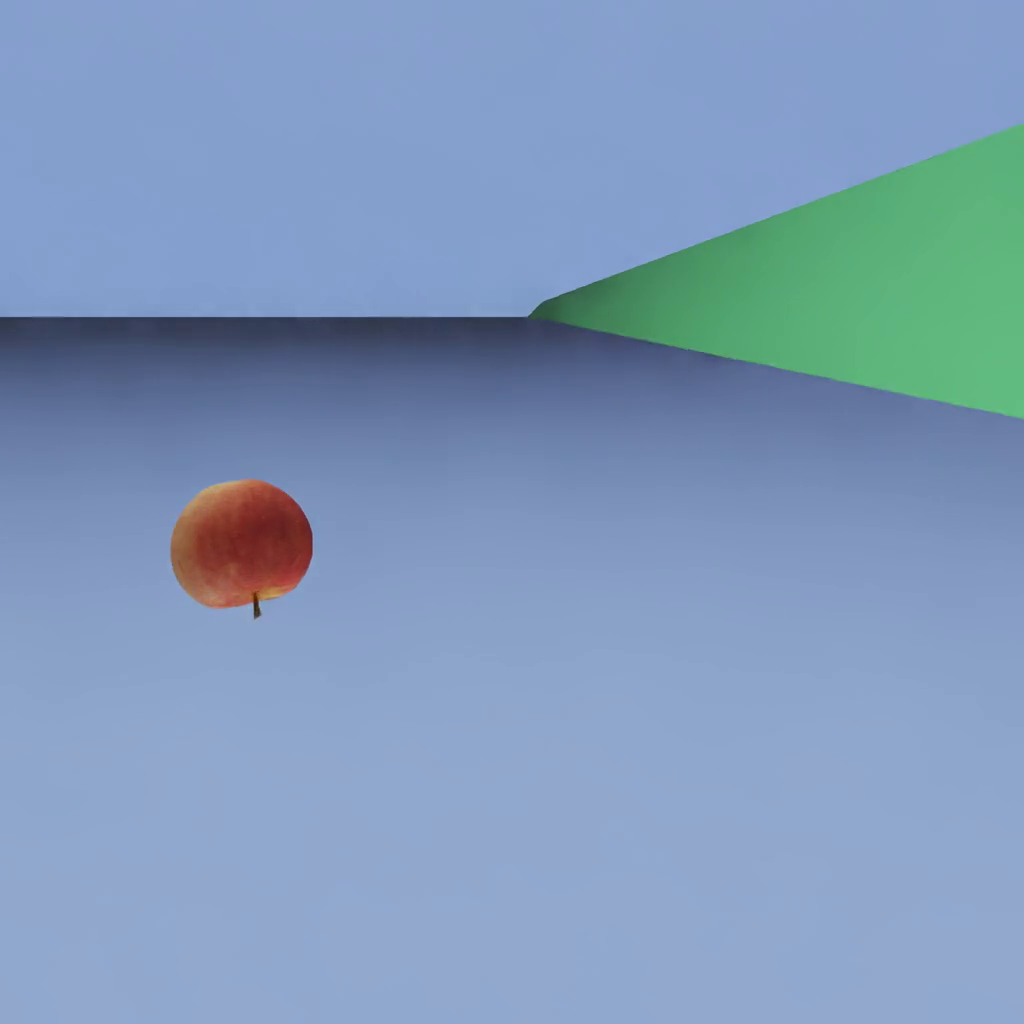
The asset is placed on a tilted ramp. It begins to slide down the slope under gravity, possibly tumbling as it goes. It stays on top of the slope surface for the entire clip. An asset that drops straight through the ramp or floats above it indicates a broken collision shape.
Notes and Caveats#
The 0.01 m horizontal displacement threshold filters out micro-jitter from the physics solver at high frame rates. Per-frame deltas at 240 fps are very small, so cumulative displacement from the initial position is tracked rather than per-frame velocity.
Penetration is only checked after horizontal movement is confirmed. A brief below-floor position during the initial drop before the asset contacts the slope does not trigger a penetration failure, which prevents false positives on assets that fall onto the slope from above.
The 0.1 m floor margin accounts for floating-point imprecision in collision resolution at the slope-to-floor boundary, which is a geometrically complex contact region.
The world-anchor pre-check reports the test as not applicable and skips it, with the reason recorded, for assets with a FixedJoint pinning them to the world. These assets cannot slide by design.
The slope surface is assigned a static friction coefficient of 0.5 and a dynamic friction coefficient of 0.4. These values are applied to the flat floor as well, ensuring deterministic behavior at the slope-to-floor transition. Very high friction values set directly on the asset’s physics material can prevent sliding and cause a false failure if they override the scene-level friction.