Your First Workflow: Hello World#
Using the CLI#
Note
For CLI installation and setup instructions, see Install Client.
The CLI encompasses many commands that allow you to manage your workflows without leaving your terminal. This tutorial will walk you through using the CLI to submit your first workflow to OSMO.
Creating a Workflow File#
You can download the workflow definition here: hello_world.yaml.
Below is the contents of the file:
workflow:
  name: hello-osmo
  resources:
    default:
      cpu: 1
      memory: 1Gi
      storage: 1Gi
  tasks:
  - name: hello
    image: ubuntu:24.04
    command: ["echo"]
    args: ["Hello from OSMO!"]
Submitting a Workflow#
You can submit the workflow by running the following command:
$ osmo workflow submit hello_world.yaml
Workflow submit successful.
Workflow ID        - hello-osmo-1
Workflow Overview  - https://osmo-example-url.com/workflows/hello-osmo-1
To get the status of the workflow, you can use the osmo workflow query command.
$ osmo workflow query hello-osmo-1
Workflow ID : hello-osmo-1
Status      : COMPLETED
User        : osmo-user
Submit Time : Oct 08, 2025 16:23 EDT
Overview    : https://osmo-example-url.com/workflows/hello-osmo-1

Task Name     Start Time               Status
================================================
hello         Oct 08, 2025 16:24 EDT   COMPLETED
To get the logs of the workflow, you can use the osmo workflow logs command.
This will output the logs for all of the tasks in the workflow.
$ osmo workflow logs hello-osmo-1
Workflow hello-osmo-1 has logs:
2025/10/08 20:23:43 [hello][osmo] Hello from OSMO!
Note
For more detailed information on the workflow CLI, see Workflow CLI Reference.
Using the Web UI#
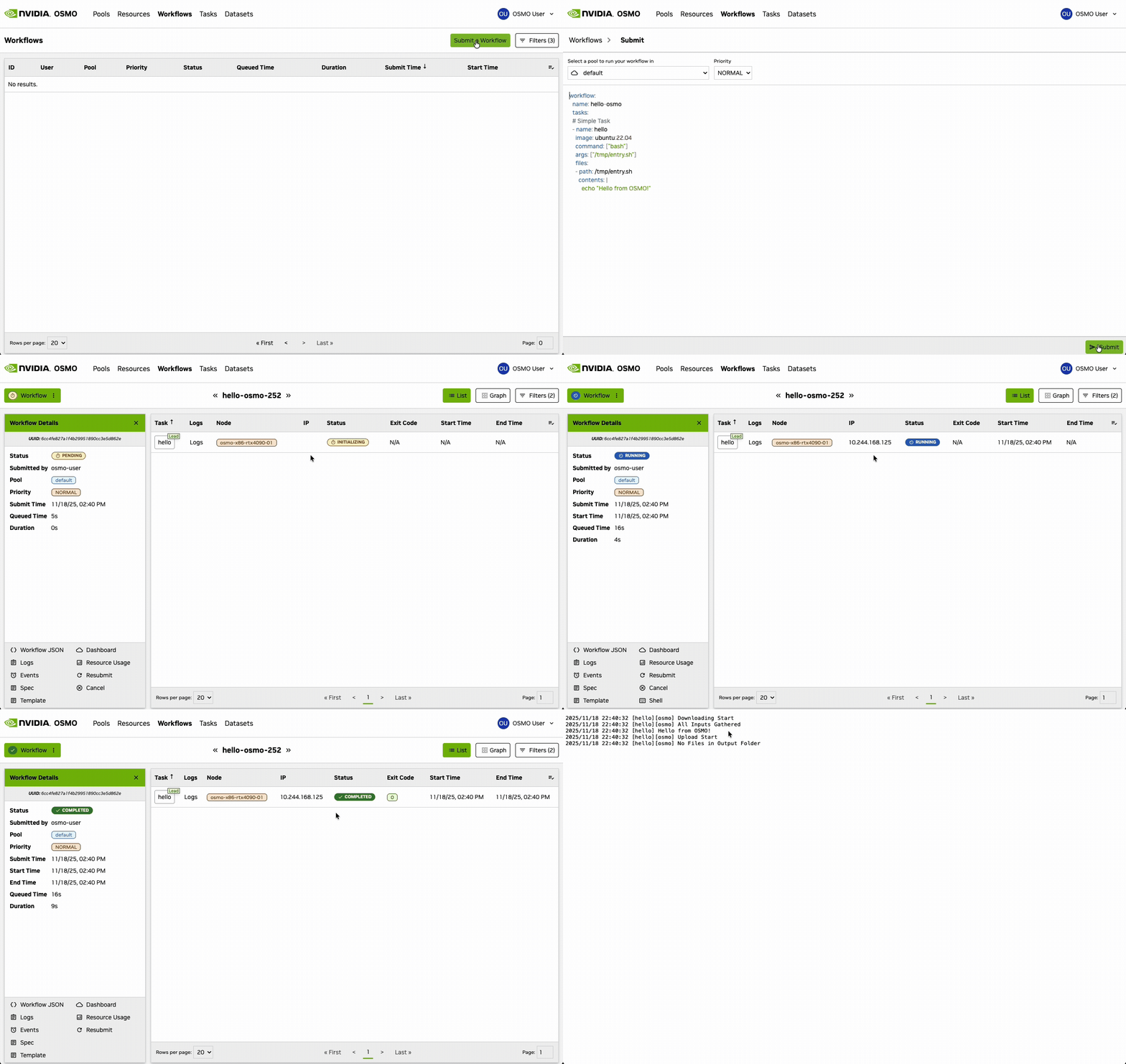
Another way to try out submitting workflows to OSMO is to use the Web UI.
The following steps will guide you through submitting a workflow to OSMO using the Web UI.
Navigate to the OSMO web interface in your browser
Click “Submit Workflow” or the + button
Paste your workflow YAML definition or upload a workflow file
Configure any parameters or select a compute pool
Click Submit
See also
Please refer to System Requirements for the recommended web browsers.