

effort_limit (FET022 Driven Joints)#
Property |
Value |
|---|---|
Test name |
effort_limit |
Feature(s) |
FET_022_PHYSX, FET_022_NEWTON, FET_022_ISAAC |
Engine |
Kit / Isaac Sim (>=2024.2.0) |
Test version |
1.1.0 |
Summary#
Applies an external force at each joint’s child body in 12 directions and verifies that every driven joint holds its position or fails predictably within its declared effort limit.
What Pass Guarantees#
A passing result confirms that the joint drives can resist external loads up to
the tested force magnitude and that no joint breaks out of position in a way that
contradicts its authored driveMaxForce. Reviewers, PMs, and OEMs can trust that
the articulation will hold a commanded configuration under the loads expected in
typical manipulation tasks.
What It Checks#
The test commands all joints to a stable configuration and then, for each joint,
applies a force_magnitude_newtons (default 10.0 N) force at that joint’s child
body in each of 12 evenly distributed directions in sequence. After each force application, the test checks whether any joint has moved beyond its authored position limits by more than break_tolerance (default 0.10, that is, 10 percent of the joint’s authored position range). A joint that exceeds this threshold is counted as failed.
When stop_on_first_break is true (default), the test stops at the first failure
to avoid cascading instability.
The total test duration is distributed across all 12 force directions within
test_duration_seconds (default 2.0 s).
How It Works#
The robot is held in its configured pose using the drive stiffness and damping
values already authored on the asset. The external force is applied as a
continuous world-frame force at the joint’s child body, re-applied every
physics tick through IPhysxSimulation.apply_force_at_pos. The simulation runs for each
direction segment, and joint positions are sampled at the end of each segment.
Any joint whose position exceeds its authored limits by more than break_tolerance times the joint range is recorded as a failure.
The test does not modify the drive gains or the mass properties of the articulation. It uses the asset as authored.
Failure Cases#
Symptom |
Likely cause |
|---|---|
Joint breaks away under 10 N external force |
|
Multiple joints break under the same force direction |
Drive parameters globally under-tuned; articulation root mass or inertia values unrealistic |
Joint breaks only in one force direction |
End-effector geometry or link mass asymmetry creates a torque that the joint cannot resist in that configuration |
How to Fix#
If joints break under the default 10 N force, increase driveMaxForce on the
failing joint’s UsdPhysicsDriveAPI to a value that reflects the real robot’s
rated torque. Also verify driveStiffness and driveDamping are high enough to
resist external perturbations in addition to gravity.
Check that link mass and inertia values are physically plausible. Unrealistically low mass values reduce the effort required to break the joint, making the test appear to fail even when drive values are correct for the declared mass.
If the asset is not intended to hold under external force (for example, a purely
kinematic articulation), the force_magnitude_newtons configuration key can be
reduced to match the expected operating load.
Expected Result#
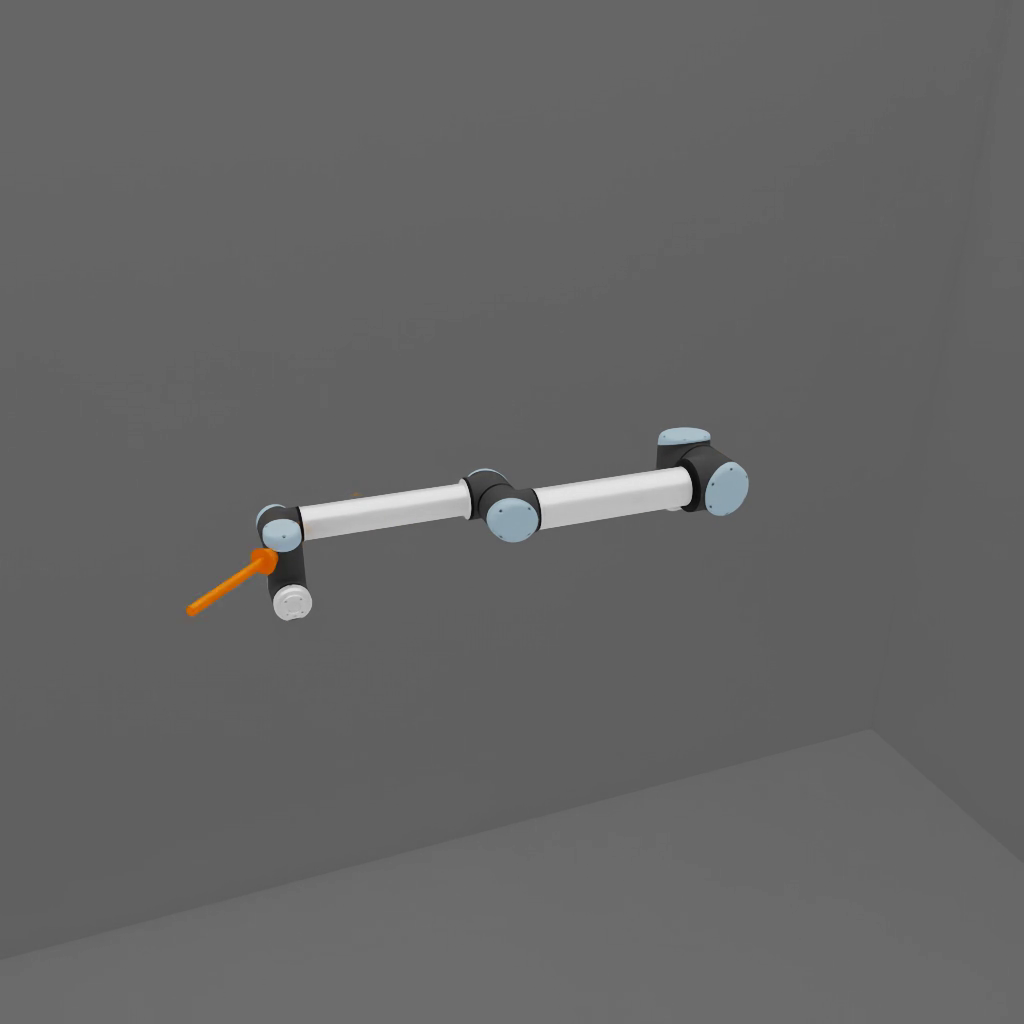
The robot holds a stable configuration while invisible forces are applied at each joint’s child body from multiple directions. No joint visibly moves from its commanded position. On a passing run, the articulation remains rigid throughout all 12 force directions per joint.
Notes and Caveats#
The 12 force directions are evenly distributed on the unit sphere. Not all directions produce equal torque at every joint; a direction aligned with a joint axis produces minimal torque on that joint while maximizing torque on adjacent joints.
The test does not check torque values directly. It checks positional compliance, which is an observable proxy for whether the drives are strong enough to hold the configuration.